WeShop AI vs Snappyit: Fashion Images & Videos

Compare fashion-image and image-to-video quality, workflows, and pricing for ecommerce.

Choose AI Image or AI Video to test first

Click or drag image here

Upload your own garment photo and try it.

What this comparison is for

Two focused comparisons: AI Image and AI Video

Here you’ll find two head-to-head jobs: WeShop AI Image against Snappyit AI Fashion Model, and WeShop AI Video against Snappyit Image to Video — each with its own workbench walkthrough, side-by-side result, and cost breakdown.

Core feature cases

AI Image and AI Video each get their own workbench and result test
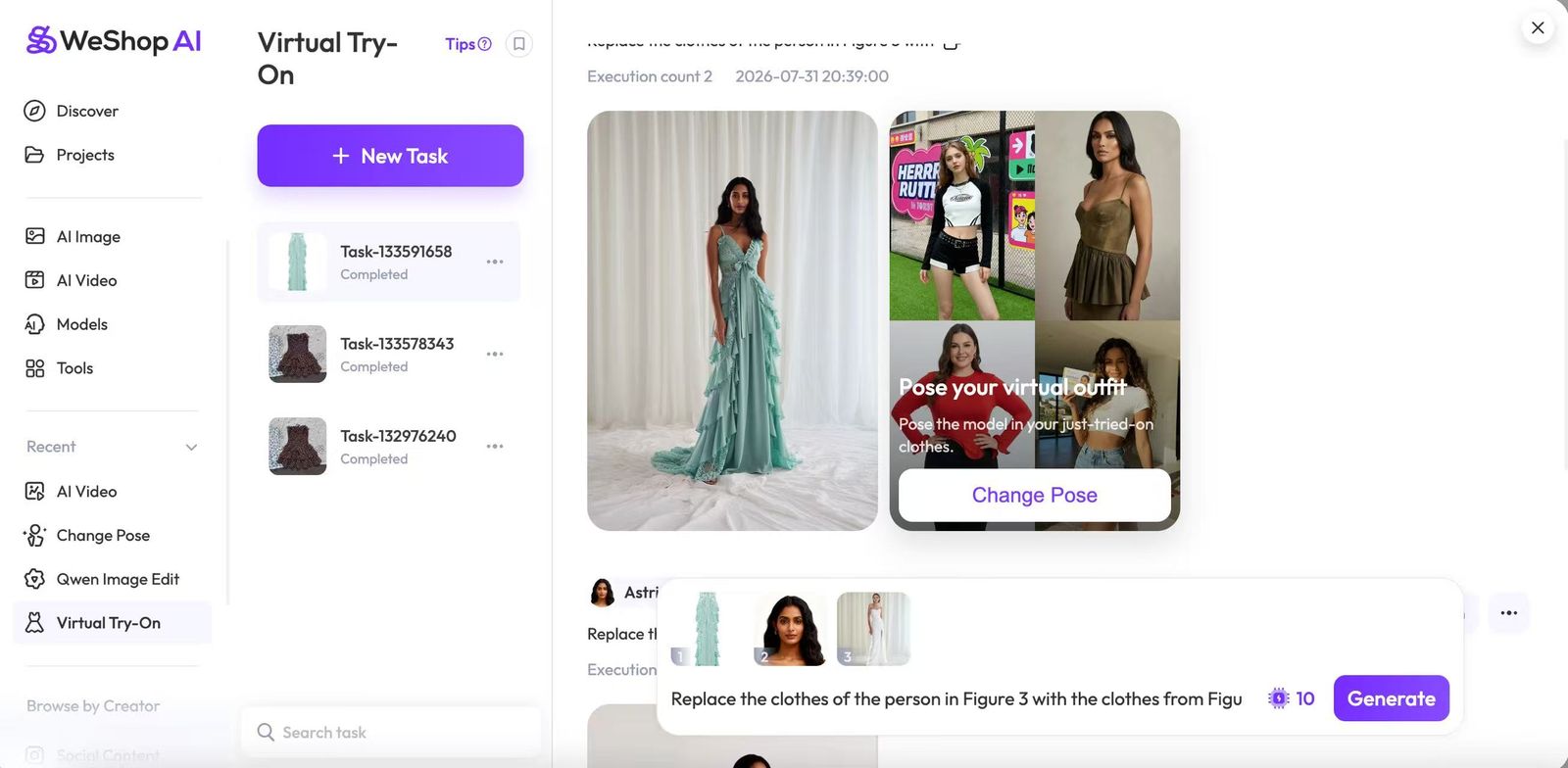
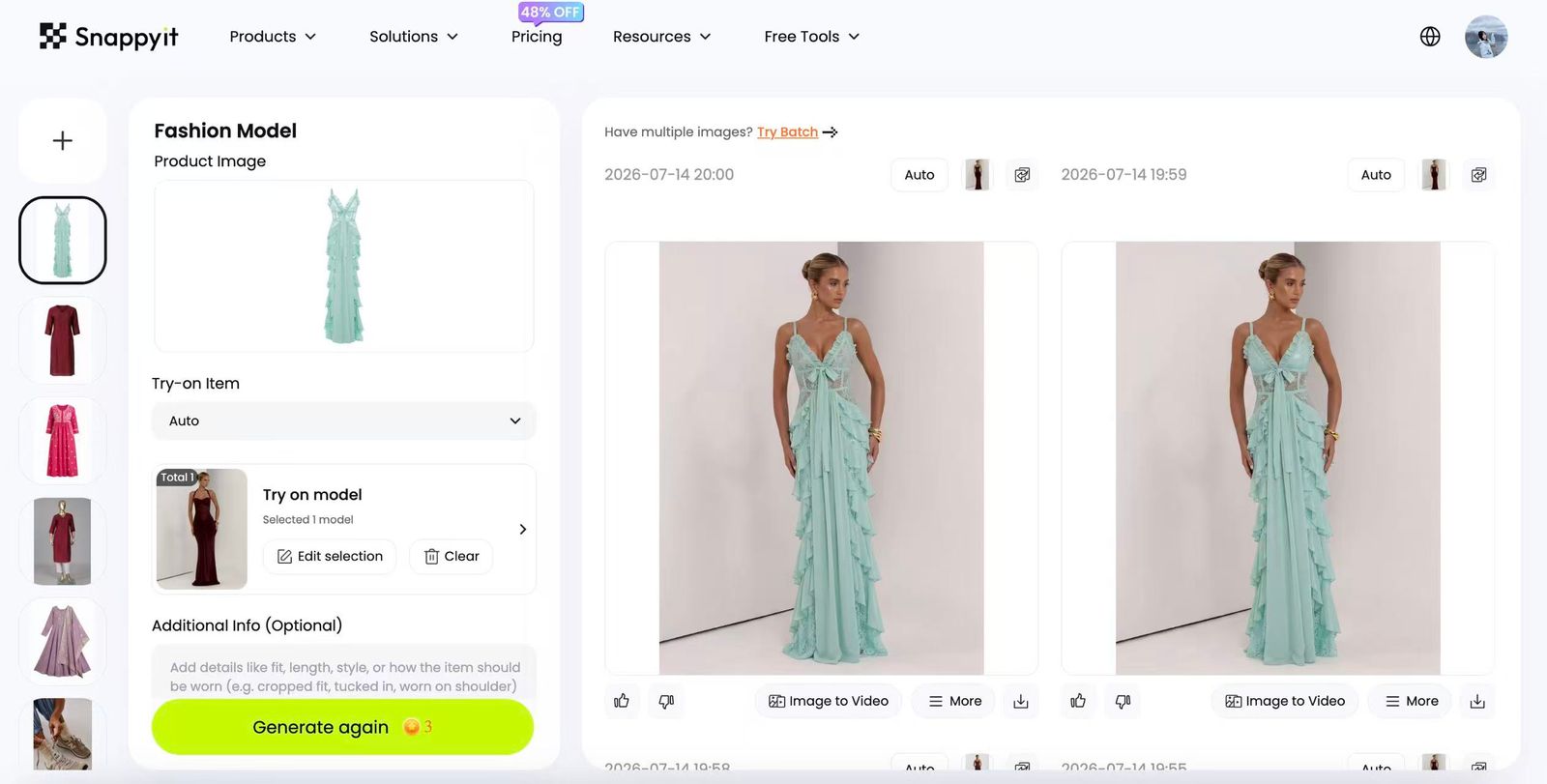
Case 01 — AI Image: WeShop AI Fashion Model vs Snappyit AI Fashion ModelWorkbench screens, before/after image and quality record
WeShop AI Image workbench fashion model
WeShop AI Image workbench step 1WeShop AI Image workbench step 2WeShop AI Image workbench step 3WeShop AI Image workbench step 4
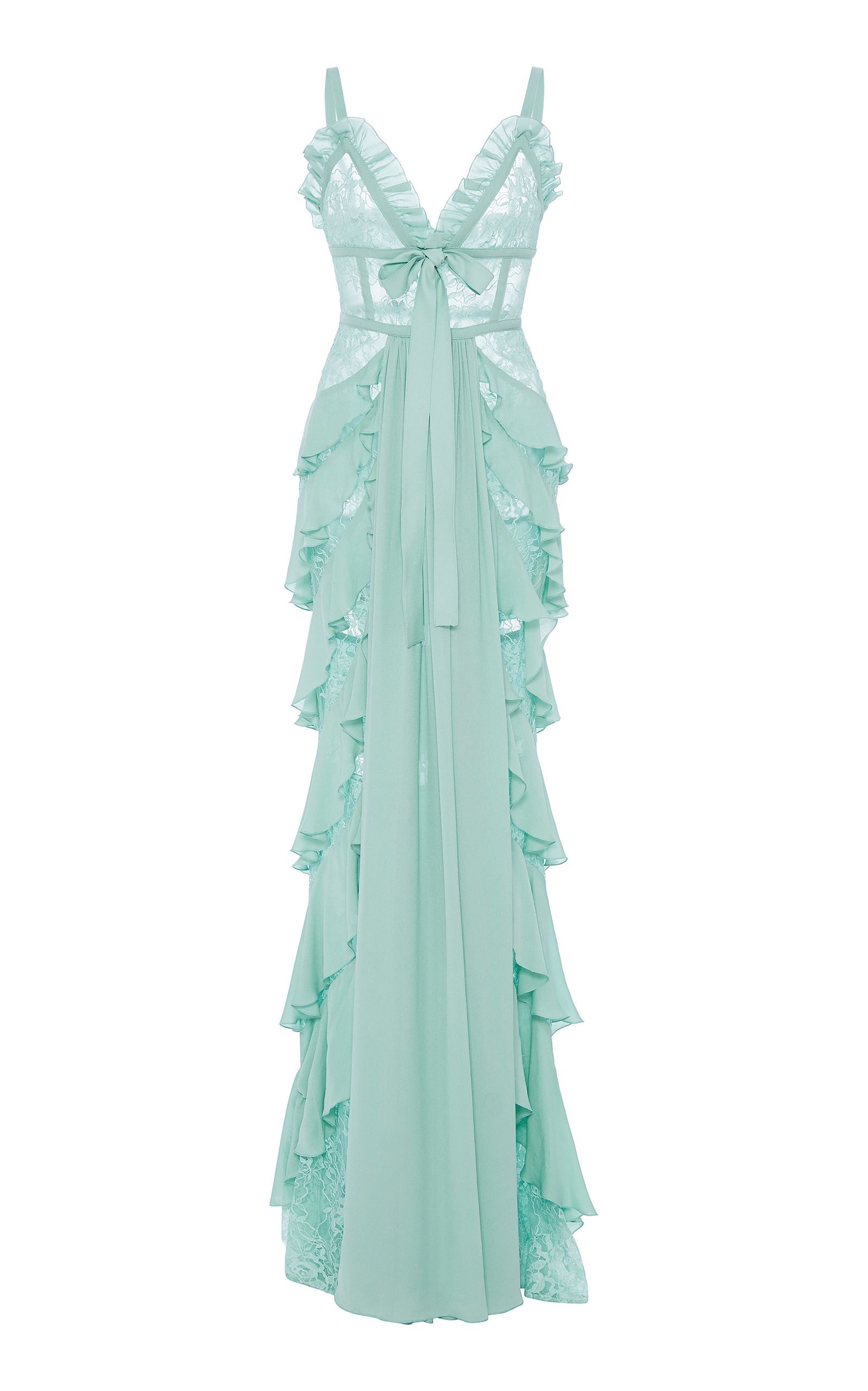
Before — garment source input
Source garment — brown polka dot dress, flat lay
WeShop AI Image result after
WeShop AI Image result — fashion model
Test record
  • July 30, 2026, reviewed by Catherine. Same source image and prompt used on both platforms.
  • Price details: WeShop's Visual Try-On took 3 generations to reach an accepted result, costing 60 points (~$0.04 on the Pro plan). Snappyit's Fashion Model also took 3 generations, costing 9 credits (~$0.62 on the Basic plan).
  • User experience: generation speed, garment detail, model expression, and color accuracy.
  • Generation speed: Snappyit and WeShop are about the same, but Snappyit is slightly faster.
  • Garment detail: both platforms produce similar detail, but WeShop's result looks a bit more AI-generated, while Snappyit's looks more natural.
  • Model expression: both perform well here.
  • Color accuracy: Snappyit's color accuracy is better, while WeShop's result looks slightly darker.
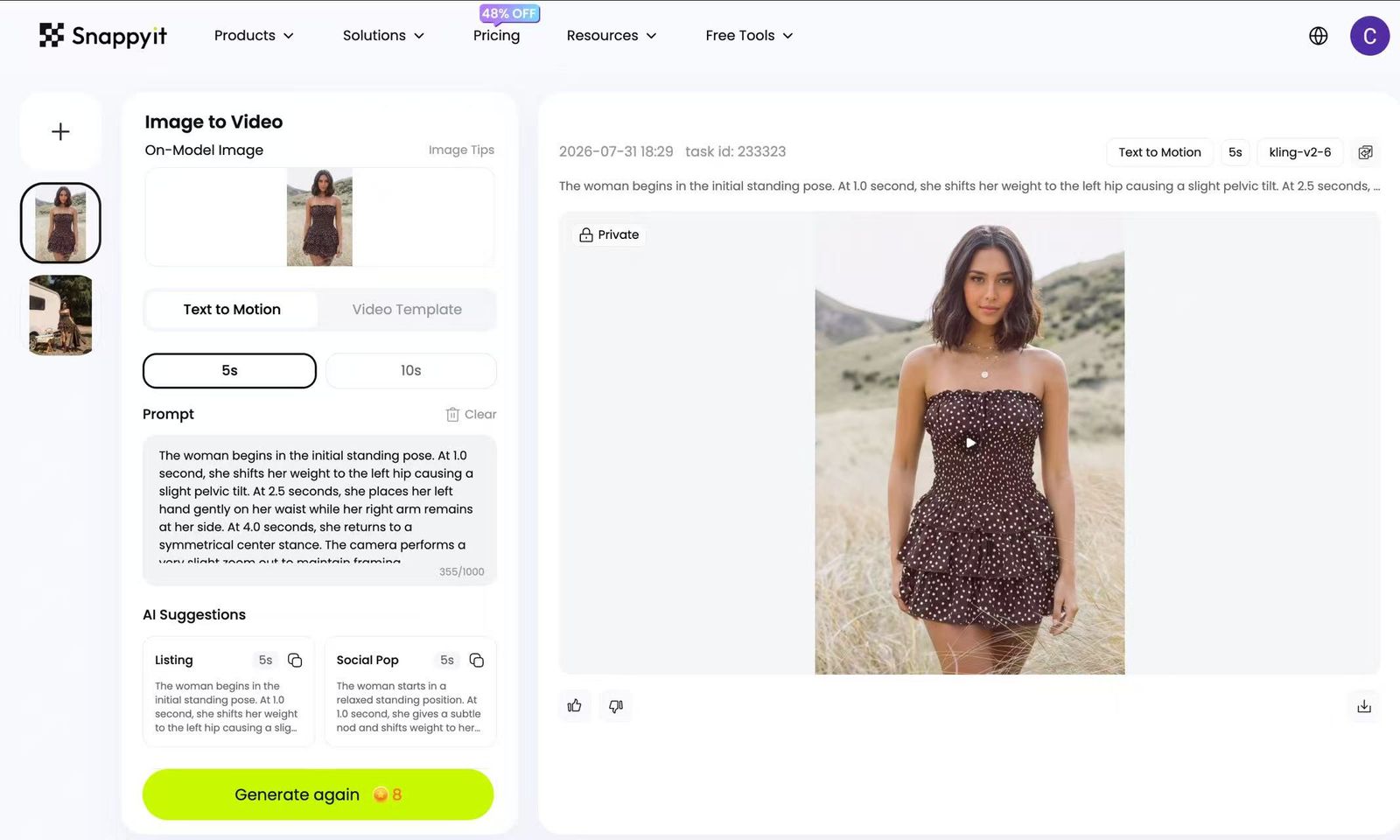
Case 02 — AI Video: WeShop AI Video vs Snappyit Image to VideoWorkbench screens, result video and first-frame evidence
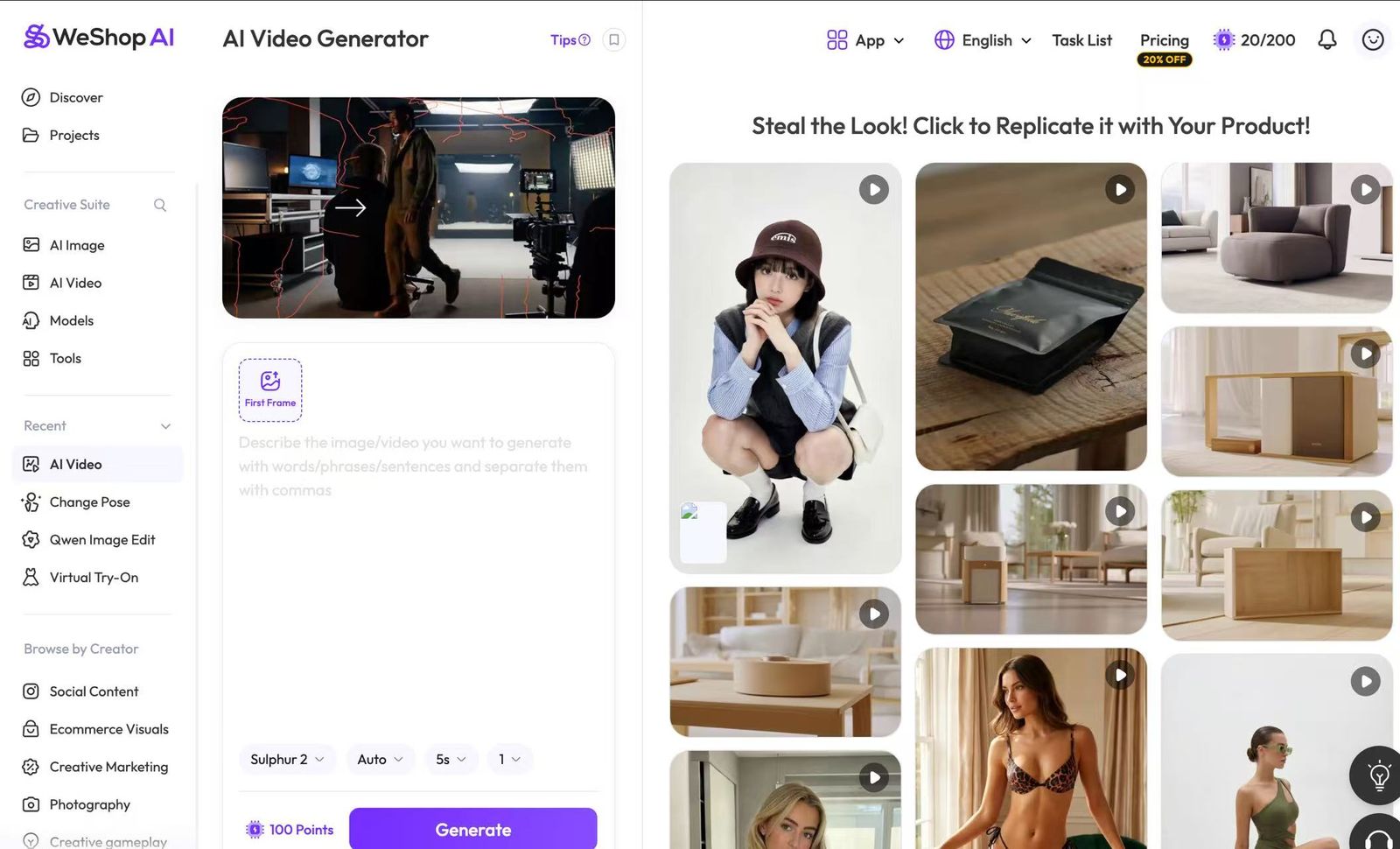
WeShop AI Video workbench video task
WeShop AI Video workbench step 1WeShop AI Video workbench step 2
WeShop AI Video result video
Test record
  • July 30, 2026, reviewed by Catherine. Same source image and prompt used on both platforms.
  • Price details: targeting a 5-second clip. WeShop's AI Video took 3 generations to reach an accepted result, costing 200 points (~$0.13 on the Pro plan). Snappyit's Image to Video took 2 generations, costing 16 credits (~$1.09 on the Basic plan).
  • User experience: generation speed, video smoothness, garment detail, and model naturalness.
  • Generation speed: both platforms take about the same time, roughly 1-2 minutes.
  • Video smoothness: Snappyit is noticeably smoother, while WeShop feels a bit choppy.
  • Garment detail: both platforms perform equally well.
  • Model naturalness: Snappyit's model movements are smoother, and under the same prompt, Snappyit's model movements are better suited for e-commerce.
User evidence

Two Individual User Experiences

Two linked reviews describing different ecommerce experiences. They are individual accounts, not representative ratings or evidence of overall product quality.

Capability and price record

WeShop AI vs Snappyit — The Full Comparison

See what each plan actually gives you — access, pricing, and features, side by side. For actual output quality, check the case studies above.

Decision areaWeShop AISnappyit
Buying fit and access
Best-fit ecommerce categoriesTikTok Shop sellers & trend-chasing, influencer-style brandsClothing, shoes, bags and jewelry sellers
Free trial / free evaluationFree plan with 200 registration points for selected models6 free credits for new accounts
Lowest price entry$9.99/month, or $7.99/month on annual billingFrom $8.20/month on annual billing
App and API availabilityWeb and Shopify app; Standard API on Ultra, Premium API on EnterpriseWeb and Shopify app; no public API listed
IntegrationsShopify appShopify: import listing images and push finished assets back to the store
Feature checklist
AI Fashion Model✓ Visual Try-On✓ AI Fashion Model
AI Product photography✓ AI Product✓ Product-photo editing tools
Flat Lay product photography✓ Flat Lay
Ghost Mannequin✓ To Mannequin✓ Ghost Mannequin
AI Recolor✓ Color Change
Jewelry image editing and virtual try-on
Image to Video✓ AI Video✓ Image to Video
Batch ModeNot listed as a dedicated mode✓ Batch Mode

WeShop AI price snapshot

Published WeShop plan terms captured for this comparison: price, points, concurrency, API access, and extra-point availability.

Free Trial$0200 points / selected models / 1 concurrent job / frequency limit
Pro$7.99/mo (annually)12,000 points / all models / 16 concurrent jobs / frequency limit
Ultra$36/mo (annually)72,000 points / all models / 48 concurrent jobs / high-priority queue
Enterprise$365.6/mo (annually)180,000 points / all models / 48 concurrent jobs / high-priority queue

Snappyit price snapshot

Published Snappyit plan terms captured for this comparison, with credits and workflow access shown alongside the monthly price.

Free Trial$06 credits / all tools / upload in batches
Basic$8.2/mo120 credits / all tools / upload in batches
Pro$34.8/mo800 credits / all tools / upload and generate in batches / priority generation speed
CustomCustom pricingDifferent price gets different credits / all tools / upload and generate in batches / priority generation speed

Pricing verified as of July 30, 2026 (USD), sourced from WeShop's official plan page and Snappyit's pricing page. Reviewed by Catherine.

Snappyit vs WeShop AI — Frequently Asked Questions

Common questions sellers ask before moving across.

Yes. Marketplace presets (Etsy 1:1, Amazon 1:1, Poshmark 1:1, Whatnot 9:16, and more) format the output for where you sell, so there's no separate cropping or resizing step.
WeShop AI is an all-in-one AI creative studio — a powerful multi-model image and video generator with virtual try-on, AI fashion models, product photography, and full AI video built on the latest models (GPT Image 2, Kling 3.0, Seedance 2.0, Sora 2), serving 3,000,000+ users with marketplace integrations across Mercado Libre, Etsy, Lazada, Shopify, Shopee, eBay, Amazon, and Allegro. Snappyit covers the same e-commerce core — virtual try-on, AI fashion models, product photography, and image-to-video — then focuses it for sellers: built-in marketplace ratio presets, a dedicated jewelry workspace, per-variant recolor, ghost mannequin, and a Batch Product Photo Editor for up to 100 photos at once. It's built for apparel and product sellers on Etsy, Amazon, Poshmark, eBay, and Shopify, from $8.20/mo on annual billing (~$98/yr) with free credits and no credit card.
WeShop AI runs a four-tier ladder: a Free plan at $0 (200 welcome points on signup, selected models only), Pro at $9.9/mo (annual billing 20% off, about $7.99/mo or ~$96/yr), Ultra at $45/mo (annual billing 20% off, ~$432/yr, and the tier where you can buy extra compute packs), and Enterprise at $457/mo (annual 20% off, with full API access). Points are issued once a year for annual subscribers with no monthly rollover, and compute packs are only purchasable by Ultra and Enterprise — a real strength of WeShop is that genuine free plan and that API. Snappyit starts at $8.20/mo on annual billing (~$98/yr), below WeShop Pro at the entry tier and far below Ultra annualized, with free credits and no credit card to begin.
Yes — WeShop AI has a genuine Free plan at $0 that gives new accounts 200 welcome points on signup, usable on selected models only, which is a real strength and lets you test it before paying. Snappyit also starts free: new accounts get free credits with no credit card required, and you can run virtual try-on, AI fashion models, product photography, and image-to-video before spending anything. Both let you judge output quality at no cost; the difference is which tools and presets you get on the free tier and how the paid ladder is priced from there.
Yes. Snappyit's Fashion Model tool takes a flat-lay, mannequin, or real-person photo and renders the garment on-body on a lifelike AI model, preserving fabric, lighting, and proportions, with control over the model across ethnicities and poses — the same virtual try-on and AI fashion model output WeShop AI is known for, and WeShop's large model library and multi-model generation remain a genuine strength. Where Snappyit differs for sellers is the output: marketplace ratio presets are built in (Etsy 1:1, Shopify, Amazon, Poshmark 1:1, eBay, Whatnot 9:16), it covers apparel and jewelry in one workspace, and you start on $0 free credits with no sales call.
Yes. Snappyit's Flat Lay and Ghost Mannequin tools drop a product into realistic scenes with automatic lighting, shadow, and reflection — the AI product photography WeShop AI markets — and Image to Video plus Fashion Video turn a photo or prompt into a ready listing clip, the same image-to-video workflow. WeShop AI's edge here is breadth of cutting-edge generation models for video (Kling 3.0, Seedance 2.0, Sora 2, GPT Image 2), which is a real advantage if maximum model variety is your priority. Snappyit focuses the same outputs for commerce: per-image cost shown before each render, marketplace ratios baked in, and no points that expire at year-end.
A dedicated jewelry vertical — Jewelry Model try-on and Jewelry Retouch for rings, earrings, necklaces, and bracelets at true scale — which is not part of WeShop AI's marketed e-commerce feature set; a dedicated apparel Ghost Mannequin for the 3D worn-shape look; built-in marketplace ratio presets (Etsy 1:1, Amazon 1:1, Poshmark 1:1, Whatnot 9:16); and a Batch Product Photo Editor that processes up to 100 photos and lets you switch between every Snappyit tool without re-uploading the set. Both platforms ship virtual try-on, AI fashion models, AI product photography, image-to-video, and per-variant recolor, so those are parity rather than a gap.
WeShop AI's deeper strength is cutting-edge multi-model generation — it gives you direct access to the latest models (GPT Image 2, Kling 3.0, Seedance 2.0, Sora 2) for full AI video and a very large AI-model library, alongside a genuine free plan, full API access, and 3,000,000+ users with broad marketplace integrations (Mercado Libre, Etsy, Lazada, Shopify, Shopee, eBay, Amazon, Allegro). If your priority is the widest choice of frontier video and image models, end-to-end AI video generation, or programmatic API access, that breadth is WeShop AI's purpose-built core and Snappyit doesn't match its model-and-API depth there. Snappyit instead concentrates on a focused, seller-ready apparel and jewelry workspace at a lower entry price.
Export your originals from WeShop AI — the product shots, model shots, flat-lays, or hanger photos you uploaded. Snappyit doesn't need any WeShop project files, only JPG / PNG / WebP up to 10 MB per image. Drop them into Snappyit's Batch Product Photo Editor (up to 100 garments at once) and pick a tool from the sidebar: Fashion Model, Image to Video, Fashion Video, Ghost Mannequin, Color Change, Jewelry Model, or Face Swap. Per-image cost is shown before each render, you start on free credits with no card, and there's no subscription-migration step. Marketplace presets (Etsy 1:1, Amazon 1:1, Poshmark 1:1, Whatnot 9:16, and more) format the output for where you sell.

Test one ecommerce task before changing your workflow

Start with one owned product image, document the result, and choose the Snappyit workflow that fits your next listing.
More Snappyit Tools and Guides