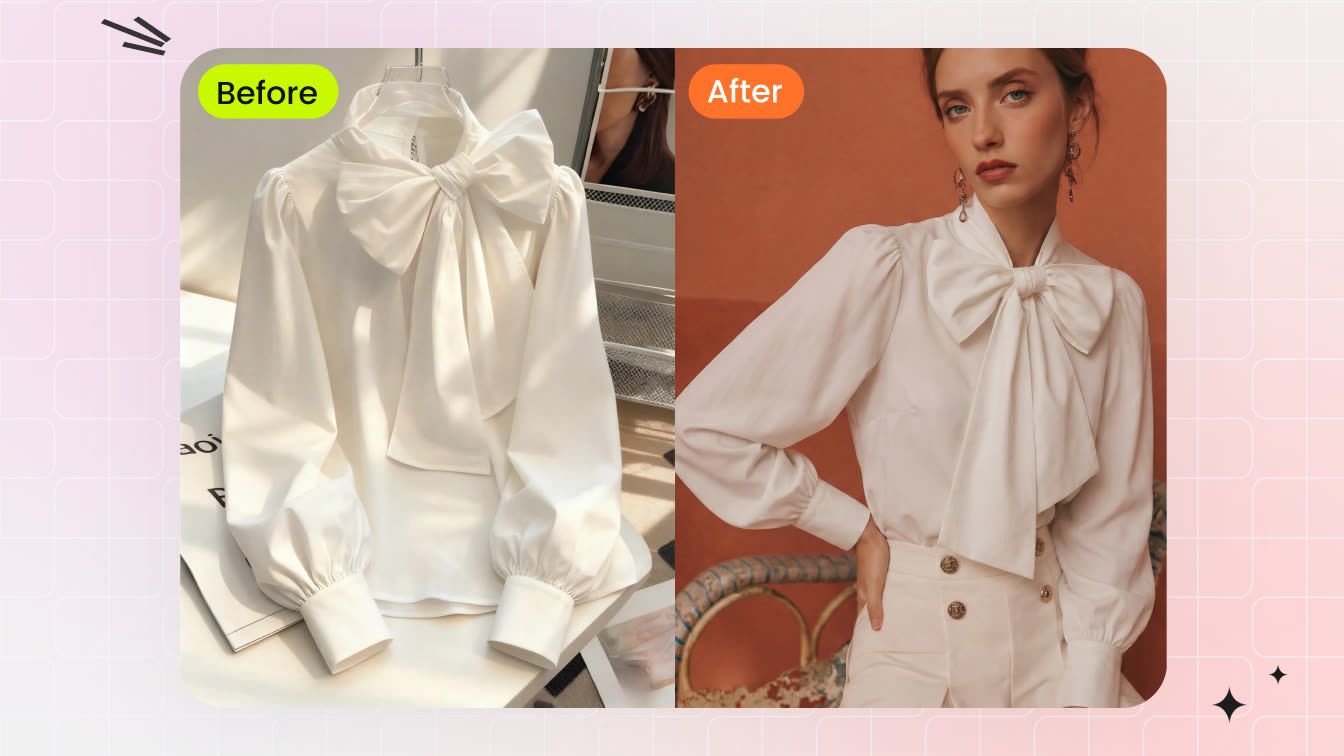
A clothing seller may be able to photograph a flat lay in minutes, but producing consistent on-model photos for every SKU usually adds model booking, sample shipping, styling, retouching, and reshoots. That can slow catalog launches and make new-product tests more expensive.
AI fashion model apps offer a faster way to turn flat lays, hanger shots, or clean garment photos into on-model images. The business question isn't whether an output looks polished; it's whether the garment stays accurate enough for a listing and whether the team can produce usable images at a predictable cost.
For a broader workflow that also covers backgrounds, lighting, and marketplace-ready catalog images, see our AI product photography guide.
What this comparison covers: Snappyit, Photoroom, Arvin, Botika, and Diress tested with the same four garment inputs.
Decision criteria: garment accuracy, model controls, watermark-free export, platform availability, and cost per usable image. Snappyit publishes this comparison; the source and result images are shown so sellers can inspect the evidence. This is a small controlled test, not an independent benchmark or universal ranking.
AI Fashion Model Apps vs Traditional Fashion Photoshoots
AI fashion model apps are best suited to listing drafts, marketplace images, social variants, and early product tests. They let a team try models, poses, and scenes before committing budget to a full shoot.
Traditional photography still offers more control over real fabric behavior, exact fit, styling, and lighting. A practical catalog workflow is to use AI for speed and iteration, then reserve traditional shoots for fit-sensitive products, best sellers, premium launches, and campaign assets.
Best AI Fashion Model Apps for Ecommerce: Quick Comparison
| App | Available on | Basic steps | What sellers should know |
|---|---|---|---|
| Snappyit | iOS, Android | Upload clothing, choose or upload a model, generate | Kept key details across four test garments; own-model upload available |
| Photoroom | iOS, Android | Upload clothing, choose a preset model and background, generate | Clean studio images, but some clothing details differed from the originals |
| Arvin | iOS, Android | Add clothing, model, pose, and background | Offers many choices; our results showed color shifts and a watermark |
| Botika | iOS | Upload clothing, then choose a model, pose, and background | No text prompt in our test, so the way clothing sits can be less predictable |
| Diress | iOS, Android | Choose a model, pose, crop, and scene | Garments stayed recognizable in our test; free exports had large overlays |
How We Tested AI Fashion Model Apps for Clothing Product Photos
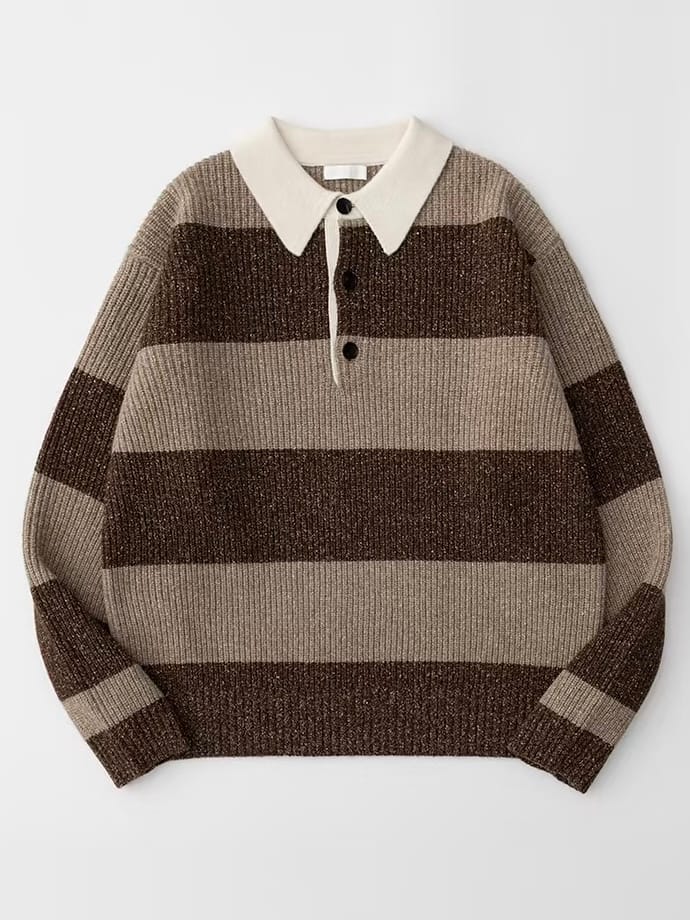
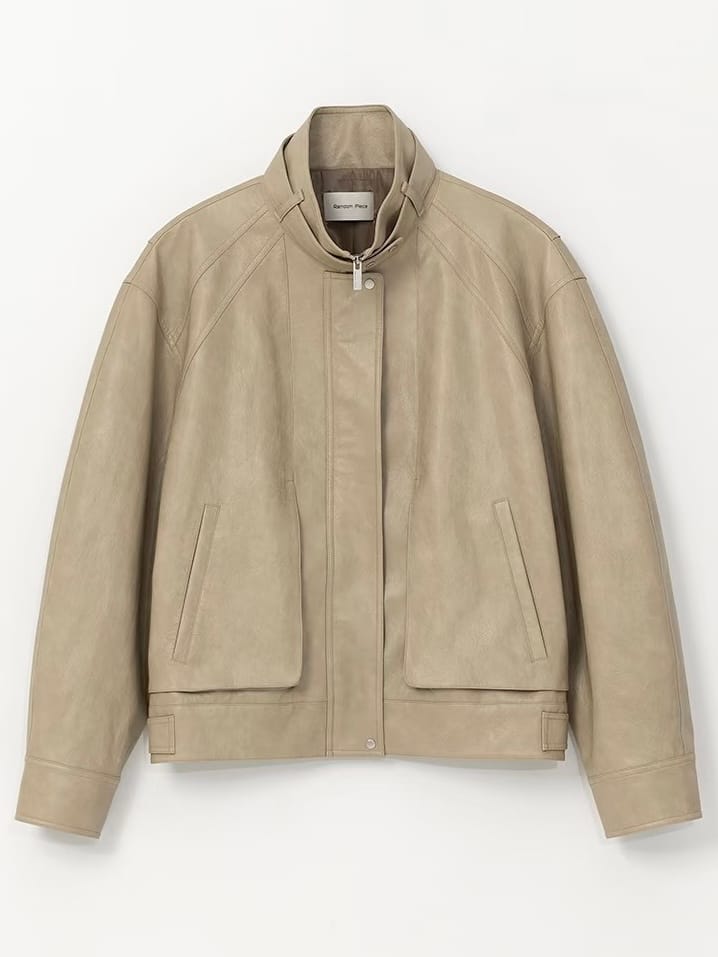
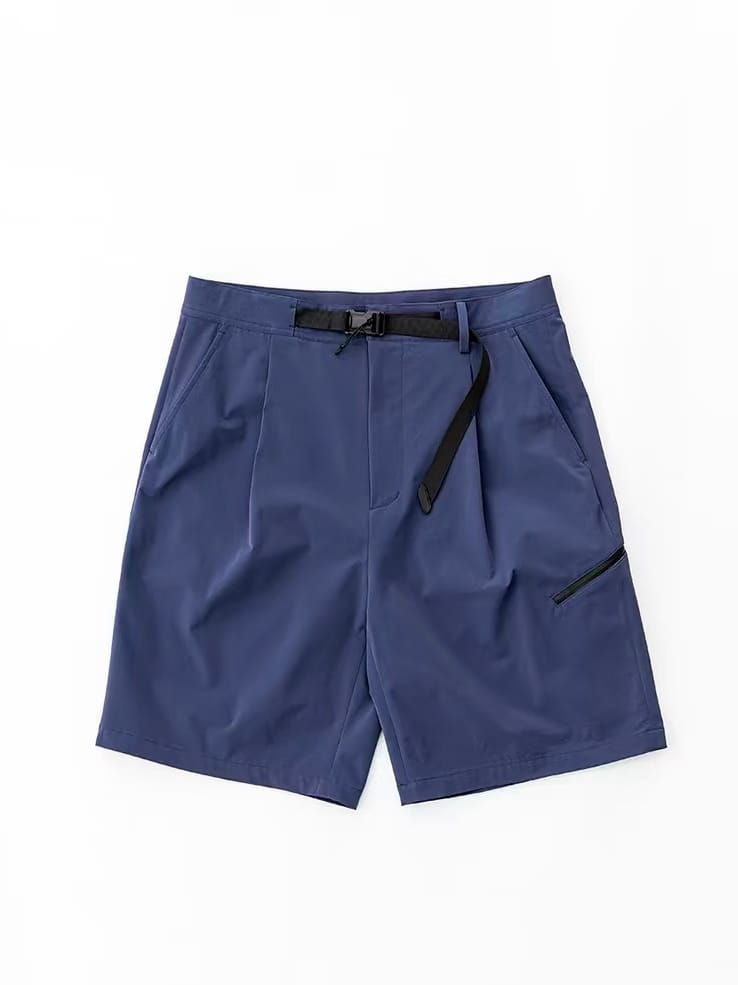
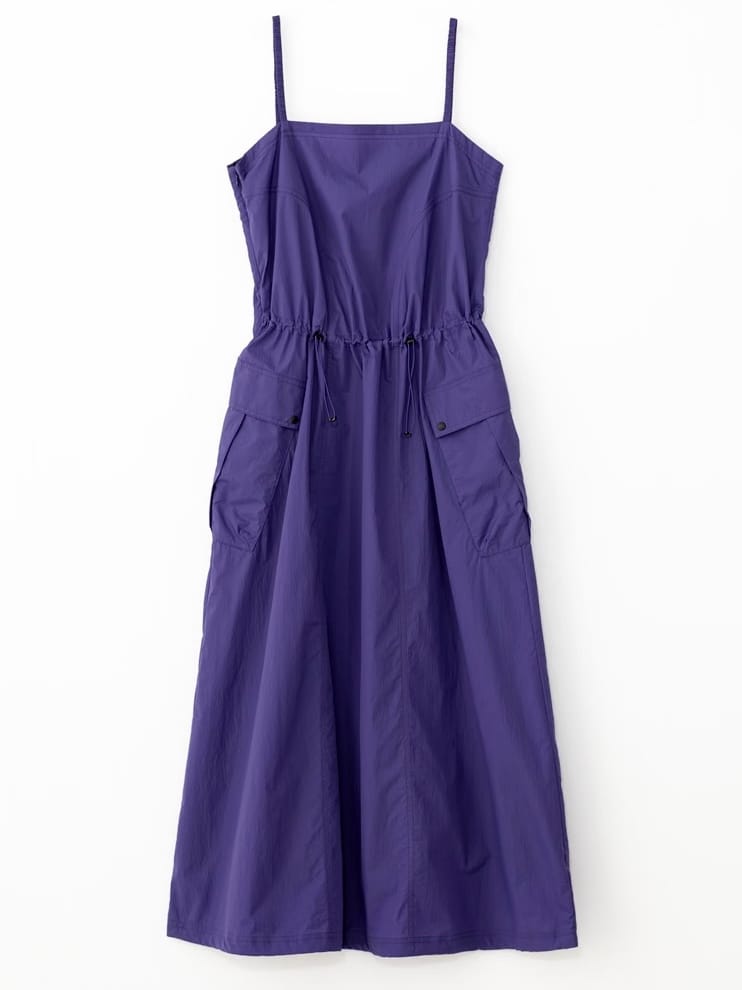
On August 27, 2026, we tested every app with the same four front-facing product images: a striped knit polo, a beige zip jacket, blue belted shorts, and a purple spaghetti-strap dress. The set covers men's and women's clothing, tops, bottoms, and a dress, with both simple and detail-heavy construction.
We used each app's available clothing-to-model workflow, didn't retouch the outputs in another editor, and compared the downloaded images with their sources. The screenshots document the controls and results available during the test.
Four garments can't establish a success rate. Results, models, credits, export rules, and prices can change by app version, platform, account, region, and date.
Test garments and product-detail risks
Ecommerce image QA criteria
- Product fidelity: neckline, sleeves, hem, pattern, fastenings, pockets, color, texture, and logos.
- Fit and silhouette: whether the garment hangs naturally and keeps the right length, width, and shape.
- Model realism: hands, limbs, posture, body proportions, and garment-to-body contact.
- Catalog control: models, body types, poses, crops, backgrounds, and consistency across a product set.
- Cost per usable export: retries, credits, watermarks, resolution, extra editing, and staff review time.
Result thumbnails use a consistent crop for easier scanning. Click any result to compare the full, uncropped source and generated images.
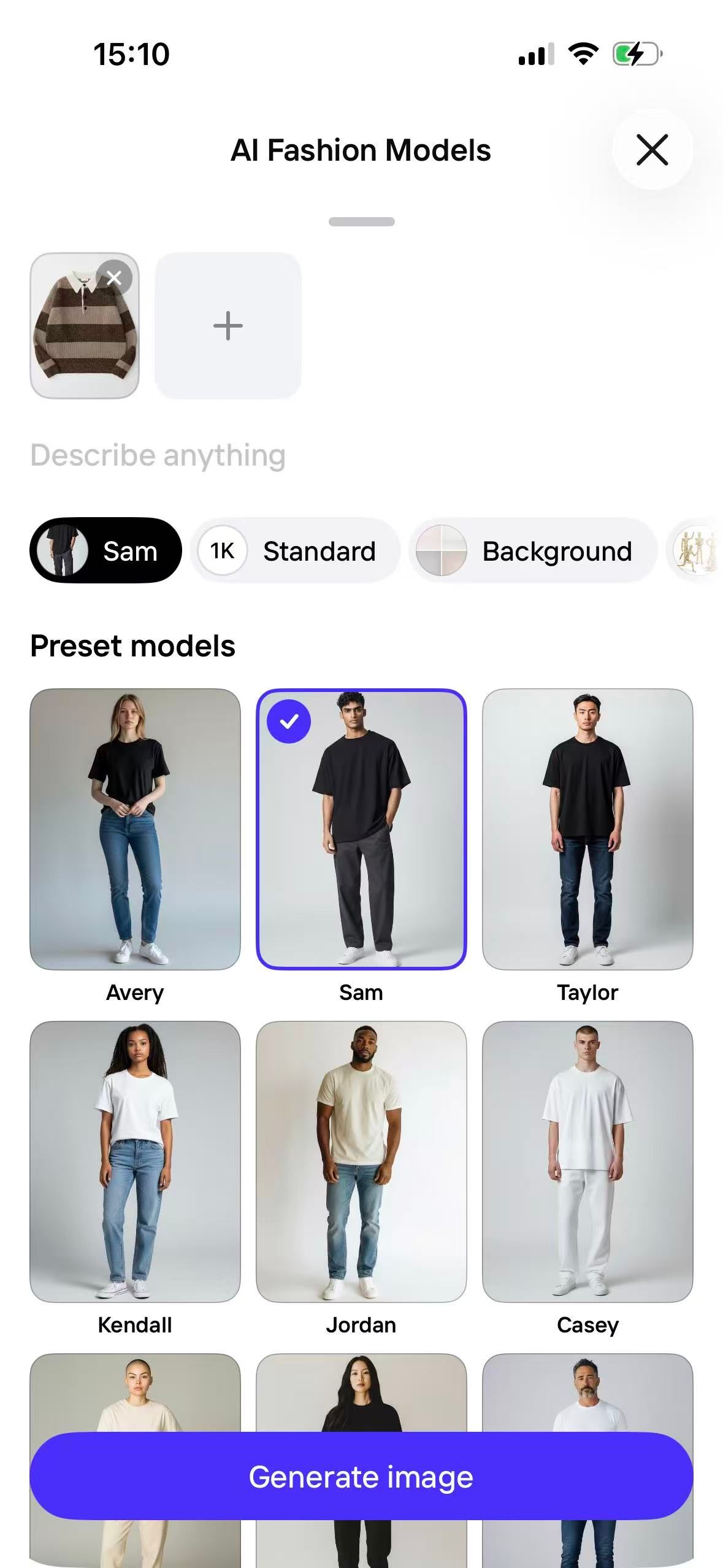
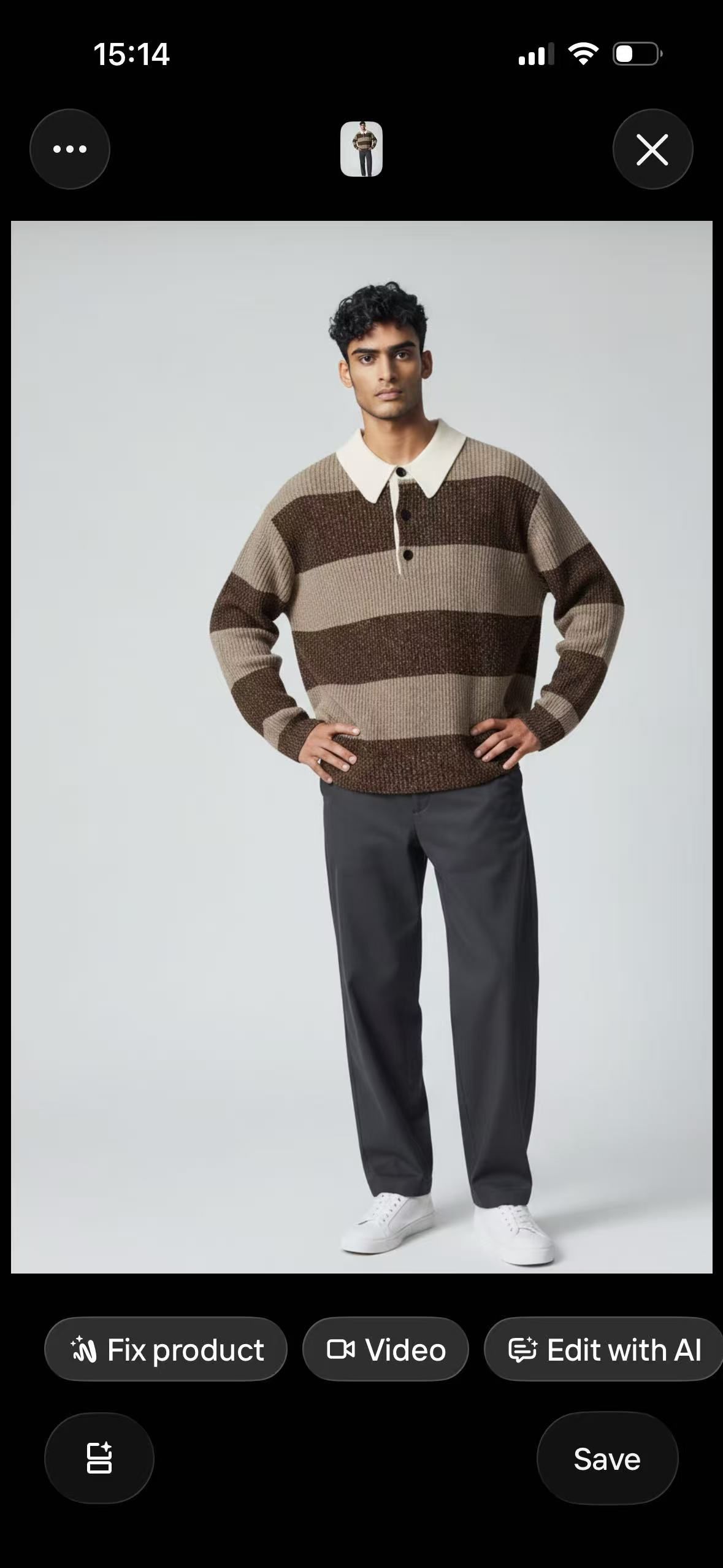
1. Snappyit AI Fashion Model App
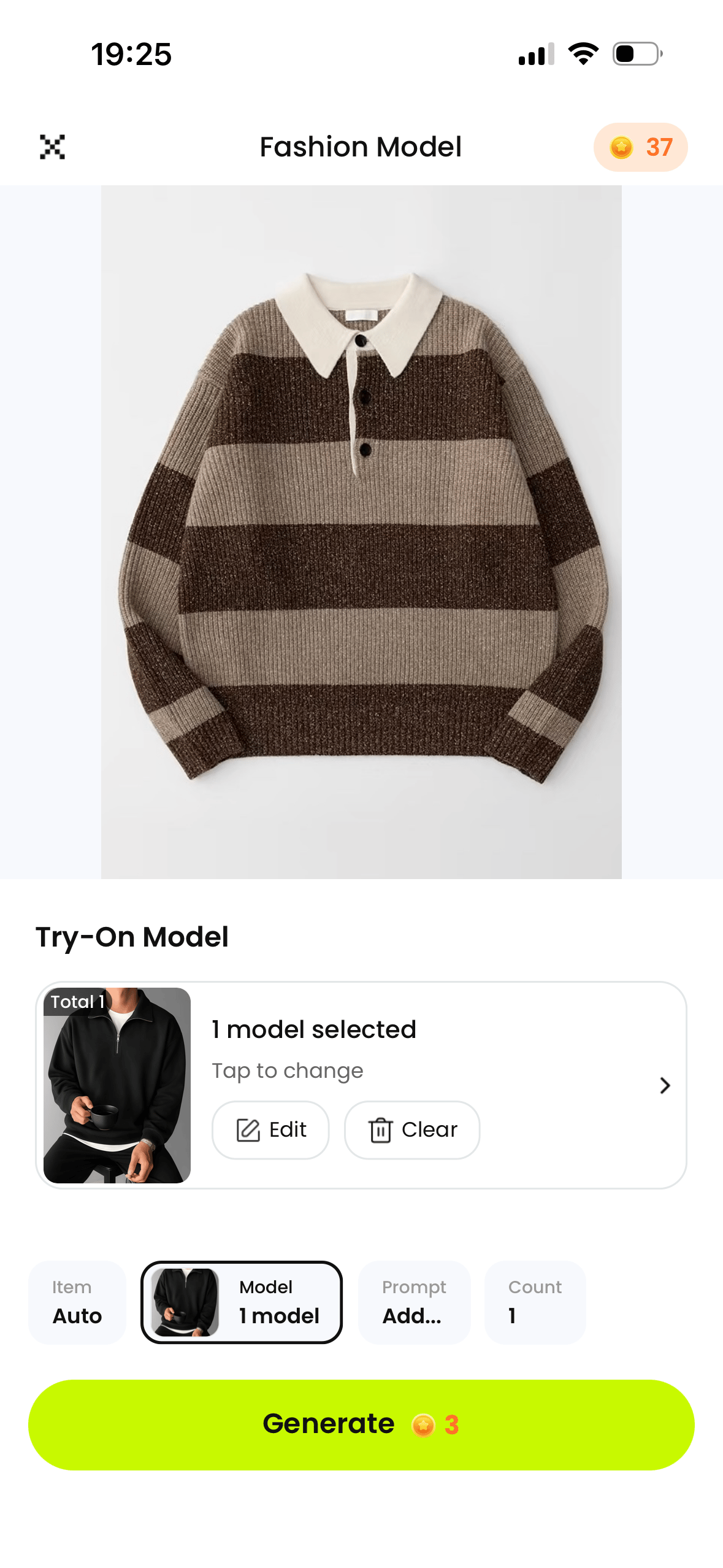
Snappyit focuses on clothing and product photos. In its Fashion Model feature, sellers upload clothing, choose a model or add their own model image, and generate the result in the mobile app.
Garment accuracy in our test
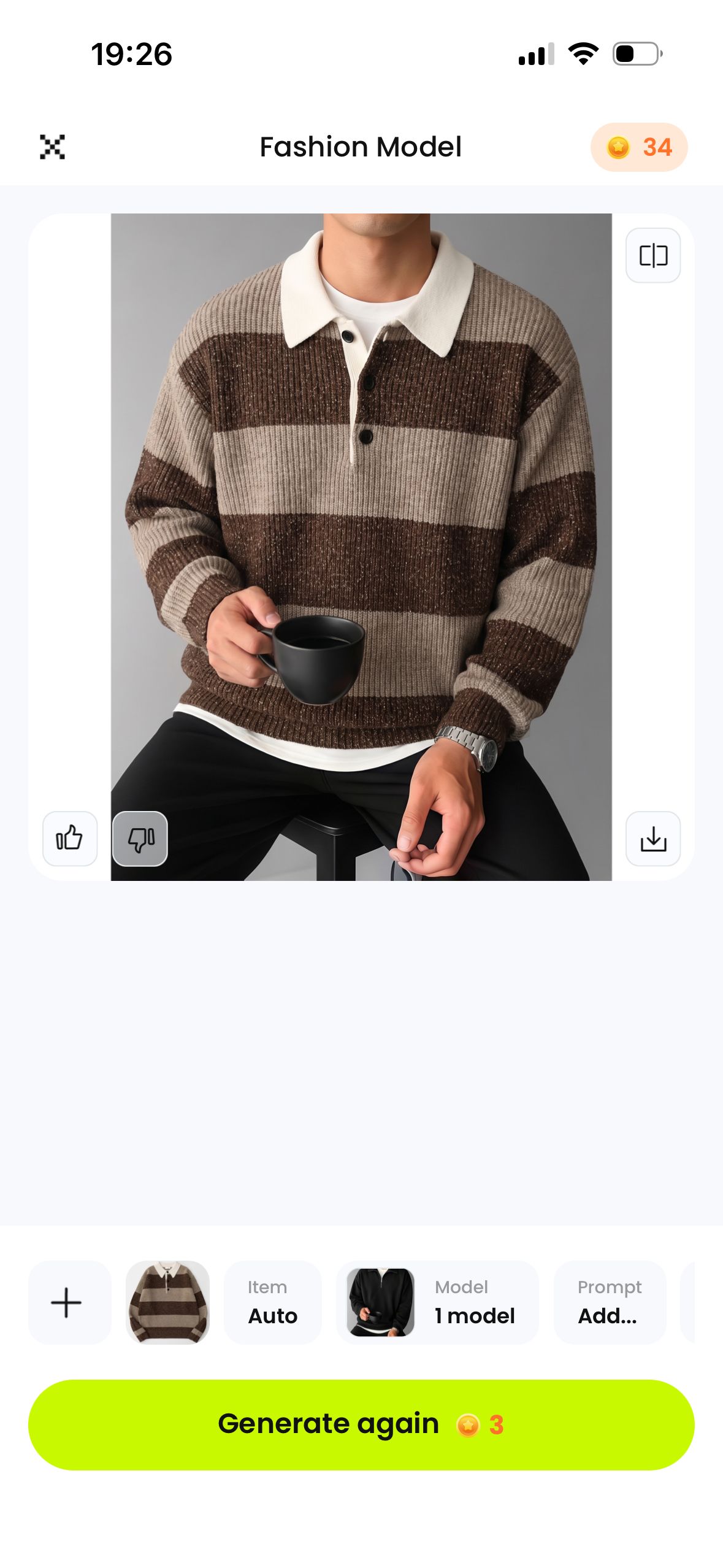
In this four-garment set, Snappyit kept the main colors and silhouettes recognizable. The polo retained its broad stripes and white collar; the shorts retained the webbing belt, knee-length cut, and thigh zip. The jacket and dress also remained comparable with their sources. Sellers should still inspect construction details at full size before publishing.
2. Photoroom AI Fashion Models
Photoroom combines AI Fashion Models with background removal, product staging, batch editing, and marketplace image tools. Before generating, sellers can choose a preset model, background, and download quality.
Studio consistency vs garment detail
Photoroom produced clean images with a consistent light studio background, but some details changed. The jacket's collar, front fastening, and pocket construction need close inspection. The polo's main stripe pattern remained recognizable, and the shorts kept their belt, blue color, knee-length hem, and thigh zip pocket.
For a broader feature and pricing comparison, read our Photoroom alternatives for ecommerce sellers.
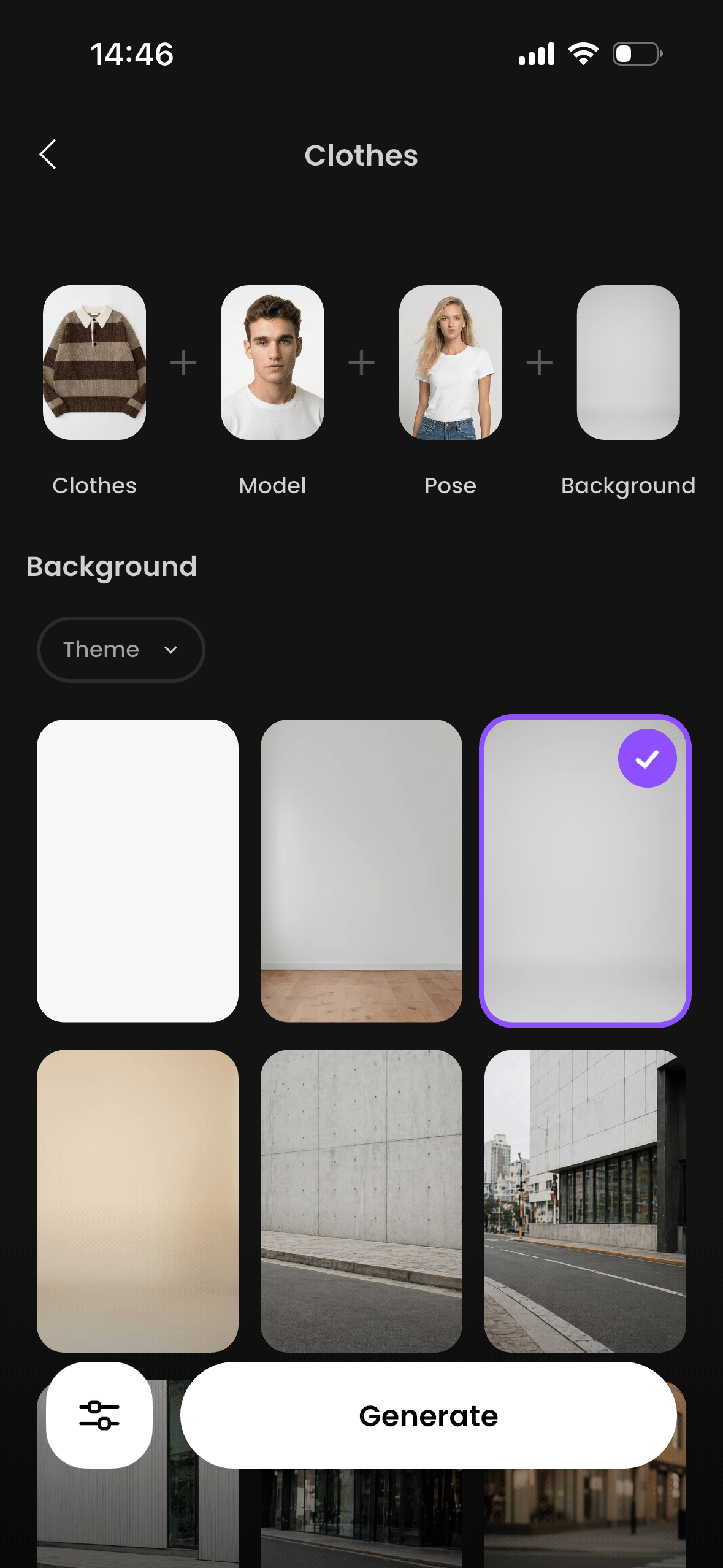
3. Arvin AI Fashion Model Generator
Arvin is a general AI app with an AI Fashion Model Generator for combining clothing with a model, pose, and background. On September 2, 2026, its US iPhone listing showed 59K ratings and its Google Play listing showed 5M+ downloads.
Color fidelity and watermark review
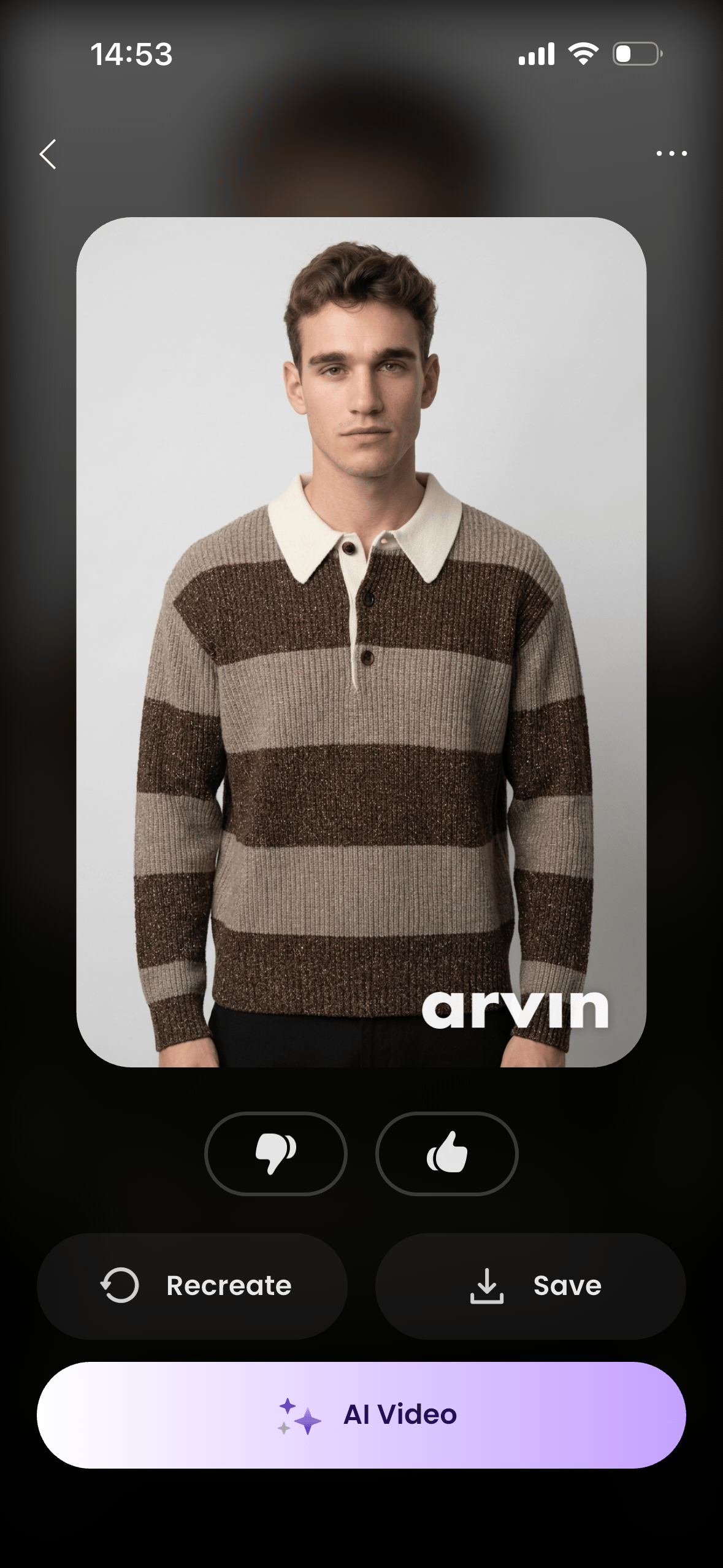
Arvin generated clear model images, but garment colors shifted in some outputs. The blue shorts kept their belt, knee-length shape, and thigh zip pocket, while the set mixed studio and street backgrounds. Every downloaded test image also carried an Arvin watermark, so sellers should confirm the paid export terms.
4. Botika AI Fashion Models for Ecommerce
Botika is built for fashion sellers. It turns product photos into model images for online stores, social posts, and campaigns, with choices for models, body types, ages, poses, and backgrounds.
Free-model limit in our test: every model available to us at no charge was female, so all four Botika results use women, including the results for the men's clothing.
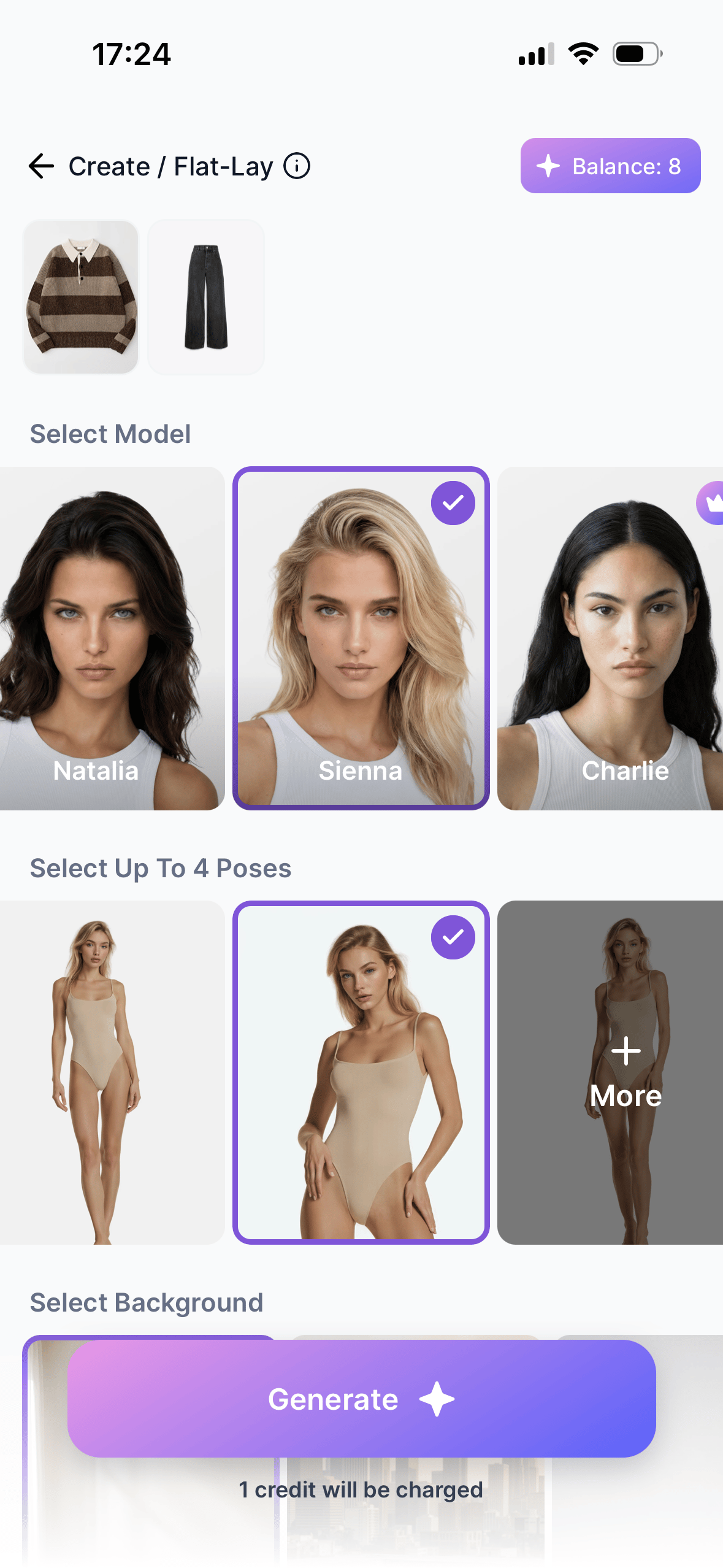
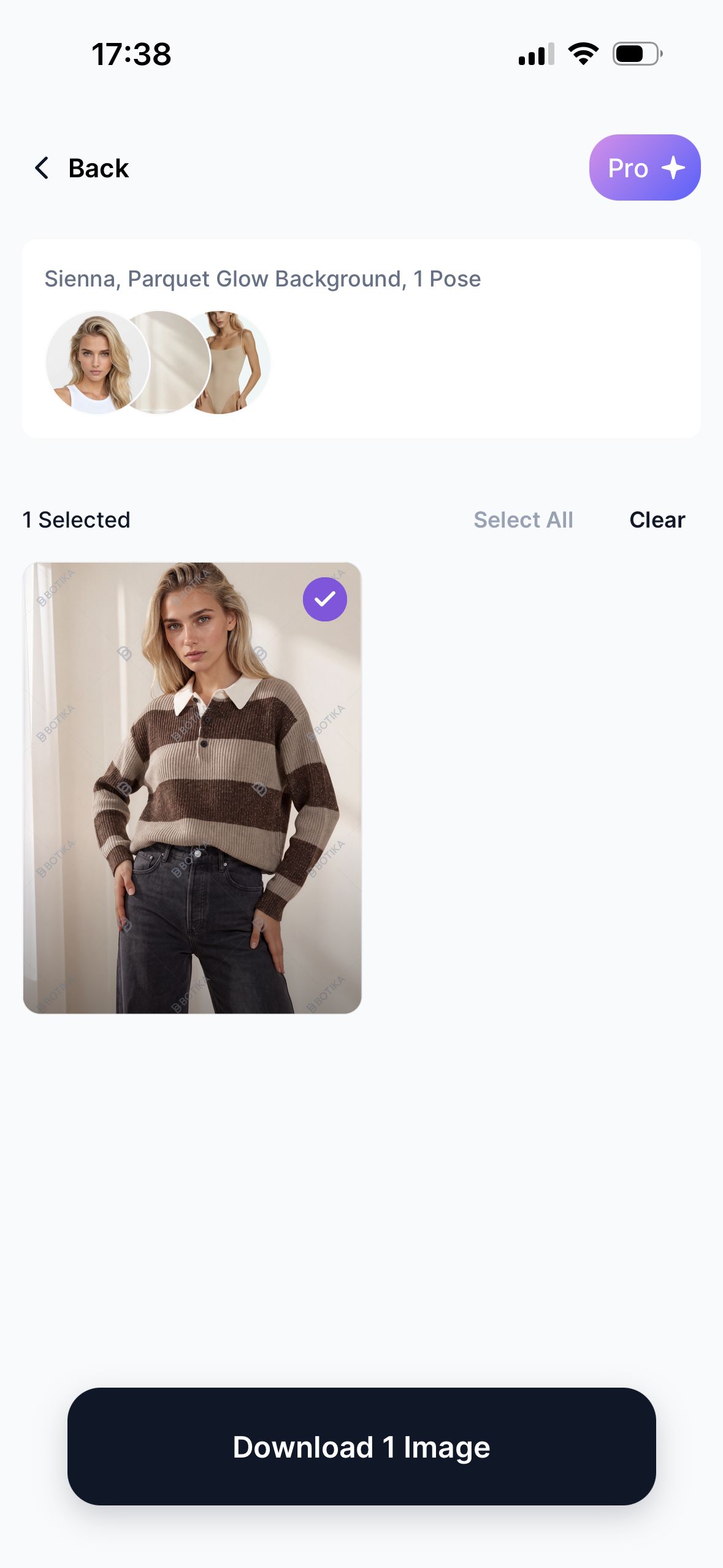
Fit control and free-download limits
The tested workflow didn't offer a text prompt for describing how a garment should sit. In the shorts result, Botika kept the color, belt, and thigh zip but changed the longer, wider cut into a shorter, slimmer style on the female model. Every test result also carried repeated Botika watermarks, so sellers should confirm paid download terms.
For more pricing and workflow context, compare our Botika alternatives for AI fashion photos.
5. Diress AI Fashion Photoshoot
Diress gives sellers many ways to adjust the model and scene. The tested screens include model gender and age, pose, skin tone, accessories, crop, product color, camera angle, and background choices.
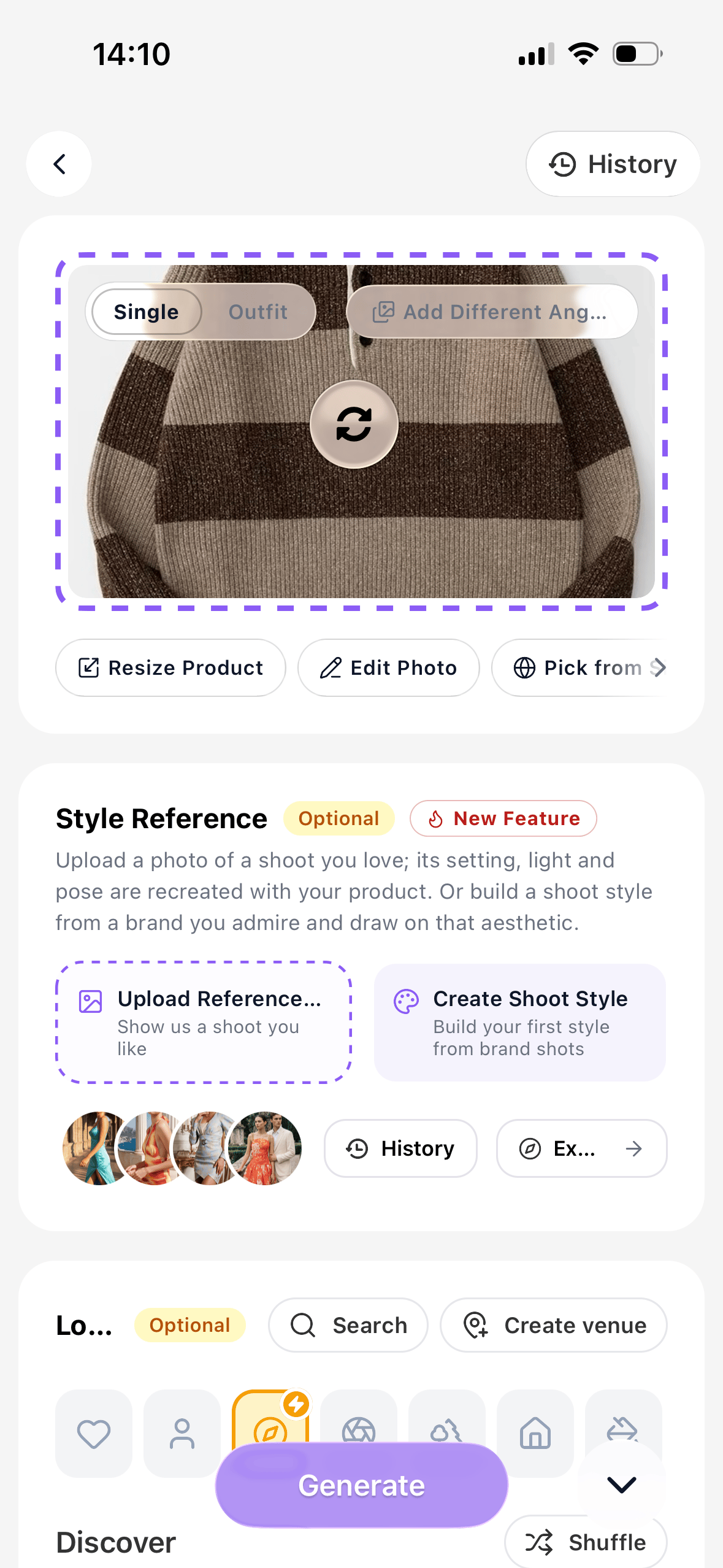
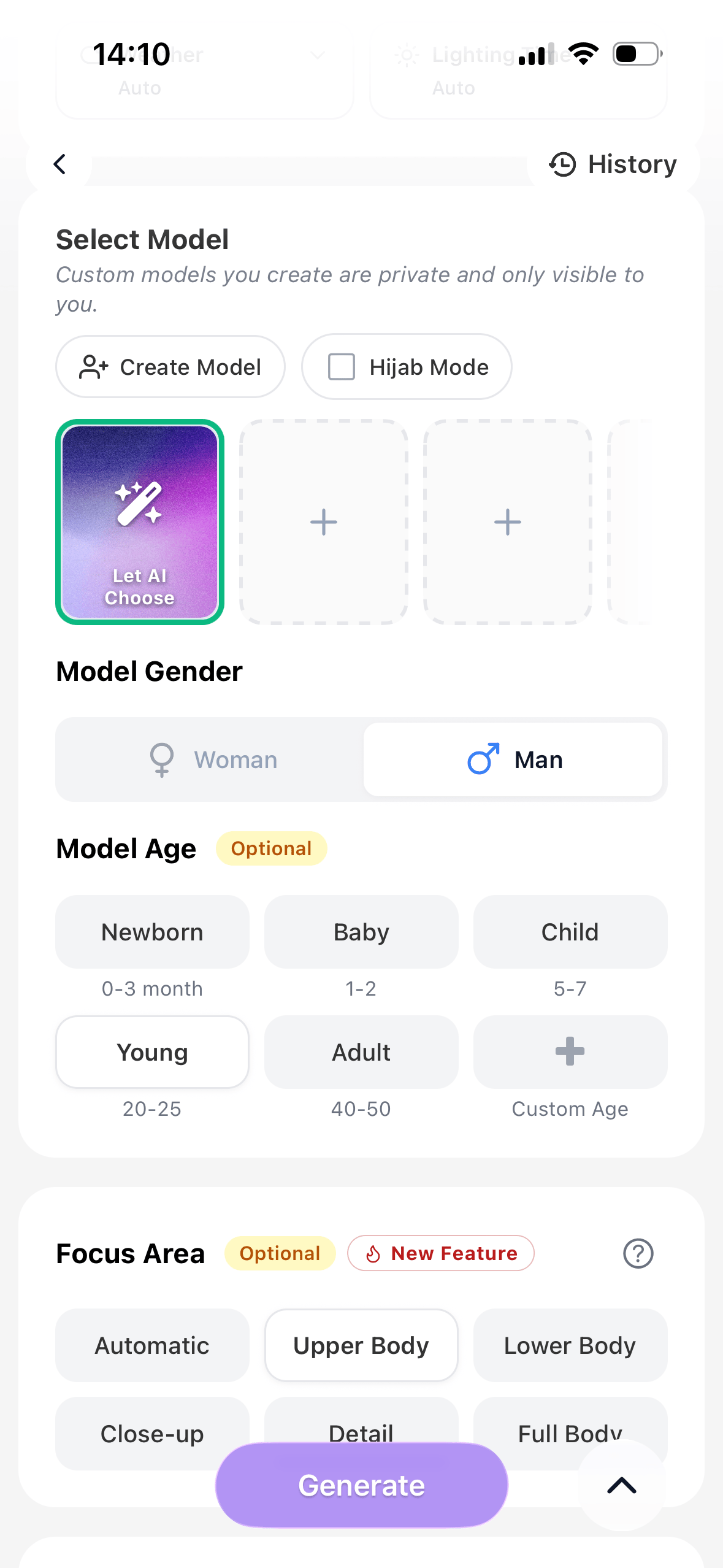
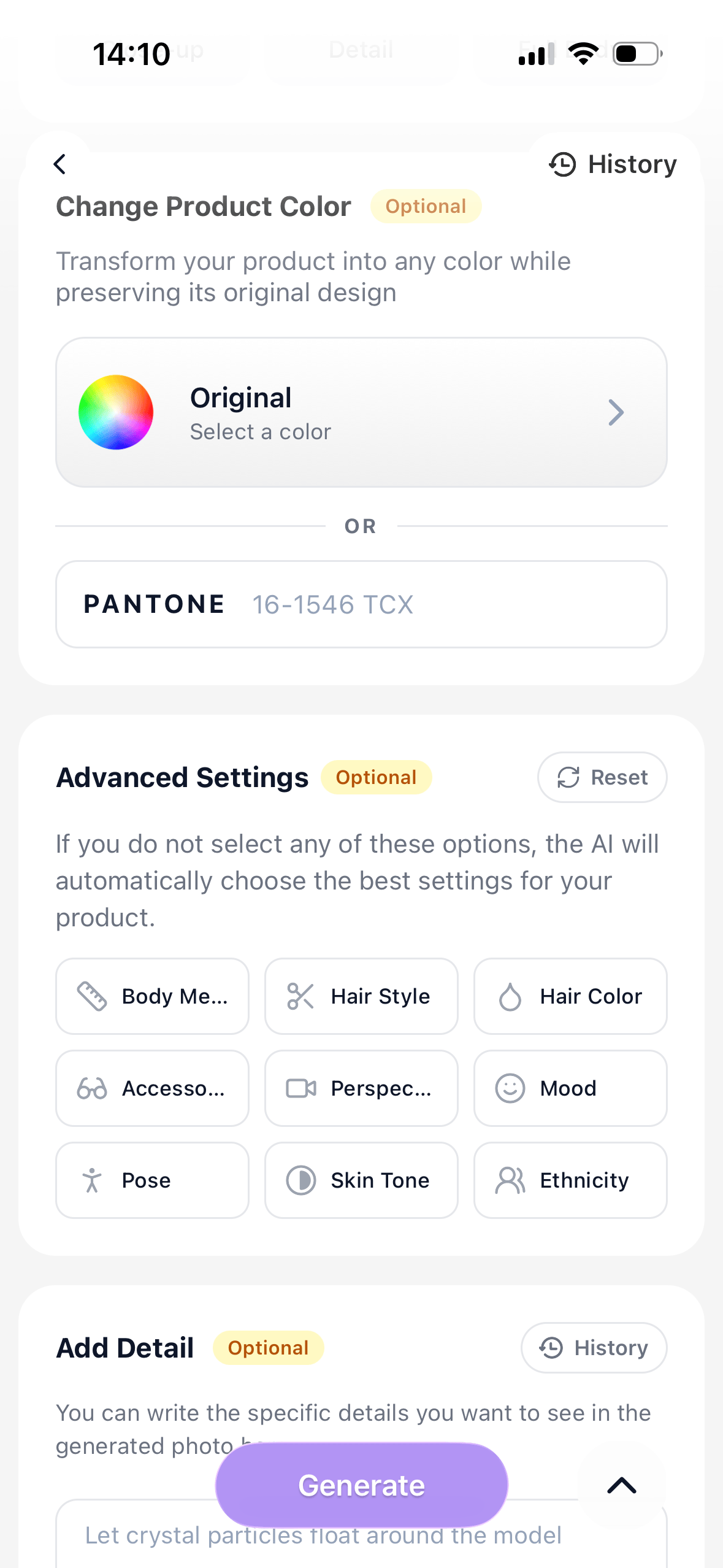
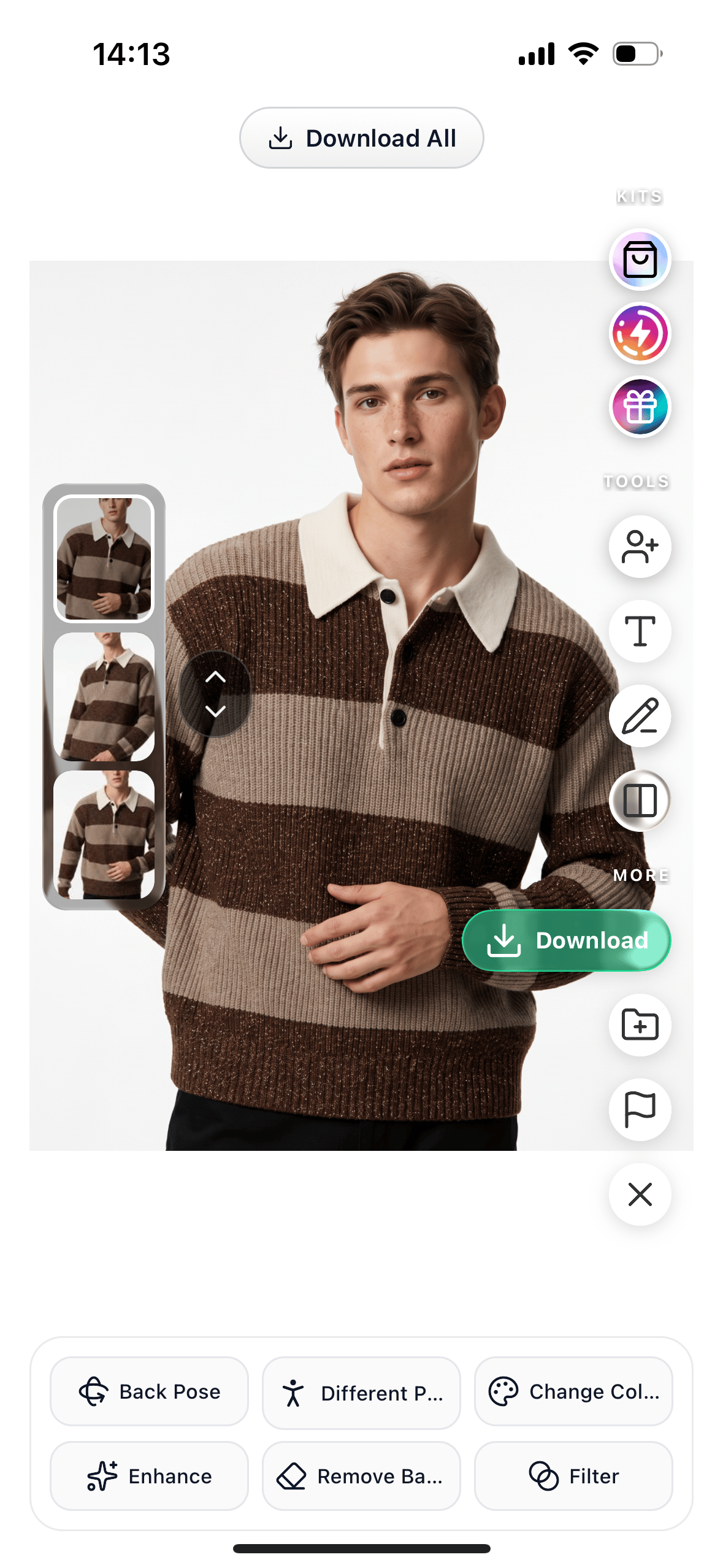
Model controls and export usability
In this four-garment set, Diress kept the main shapes, colors, and visible hardware close to the sources while offering the widest set of model and scene controls we observed. The free downloads, however, contained repeated diagonal watermarks and a large upgrade banner, so they weren't listing-ready.
Garment Accuracy Checklist for AI Fashion Model Results
Use this checklist to review full-size outputs before they enter a product feed. Prioritize the details that drive returns, customer questions, or variant confusion for your catalog.
| Garment | What to check | What may change | Before publishing |
|---|---|---|---|
| Striped knit polo | Stripe spacing, white collar, placket, buttons, cuffs | Pattern warping across chest and bent arms | Compare every stripe boundary at full size |
| Beige jacket | Collar height, zip line, pocket flaps, cuffs, color | AI may redesign closures or simplify structure | Check front construction before overall styling |
| Blue belted shorts | Webbing belt, buckle, slanted pockets, thigh zip, knee-length hem | AI may change the inseam, leg width, or styling category while simplifying hardware | Compare waistband, pocket placement, silhouette, and hem length |
| Purple dress | Thin straps, neckline, gathered waist, pockets, hem | Hands, waist contact, and strap attachment can distort | Inspect both silhouette and garment-body contact |
AI Fashion Model Apps for iPhone and Android
Official listings checked September 2, 2026 confirmed Snappyit, Photoroom, Arvin, and Diress on iPhone and Android. Botika was confirmed on iPhone, and its pricing page also describes a web platform. A feature, trial, export option, or price can still differ by region, account, and device.
For a step-by-step phone workflow, see how to create AI fashion model photos on your phone. Before standardizing a team process, test one export on every platform staff will use and compare models, credits, watermark rules, resolution, and account access.
How Ecommerce Sellers Should Choose an AI Fashion Model App
Choose the app that protects the details customers rely on and gives your team the lowest cost per usable, watermark-free image—not the most polished first demo.
- Start with your hardest product.Use clothing with a pattern, dark fabric, narrow straps, metal details, layers, or an unusual shape.
- Judge the clothing before the model.An attractive model and background can't make up for changed product details.
- Test a small batch for catalog consistency.Compare scale, crop, shadow, model styling, background tone, and body proportions as a set.
- Calculate the cost per usable image.Include failed results, retries, watermark removal, extra editing, download limits, and staff review time.
- Match the app to the work your team already does.Clothing-focused apps may be quicker to set up, while general editors can help when backgrounds, batch edits, and marketplace images need to stay in one app.
AI Fashion Model App FAQ for Ecommerce Sellers
What is the best AI fashion model app for ecommerce clothing photos?
There is no universal winner. In this four-garment test, Snappyit, Photoroom, Arvin, Botika, and Diress showed different trade-offs in garment accuracy, model control, watermarks, and pricing. Test the hardest SKU in your catalog before choosing.
How do AI fashion model apps turn flat lays into on-model product photos?
A seller uploads a flat lay, hanger shot, or clean product photo, then selects a model, pose, crop, or background where available. The app generates an on-model image, which should be checked against the source before it is published.
Can AI fashion model generators preserve garment details and color?
They can preserve many visible details, but results vary by garment and generation. Compare neckline, sleeves, hem, pockets, fastenings, pattern, logo, color, texture, fit, and silhouette at full size.
How should ecommerce sellers compare AI fashion model app pricing?
Compare cost per usable, watermark-free export rather than subscription price alone. Include failed generations, retries, credit use, resolution limits, extra editing, and staff review time; confirm current prices in the app or checkout.
Which AI fashion model apps work on iPhone and Android?
Official listings checked September 2, 2026 confirmed Snappyit, Photoroom, Arvin, and Diress on iPhone and Android, and Botika on iPhone. Features, credits, trials, and prices can still vary by platform, account, and region.
Can AI fashion model apps replace clothing photoshoots?
They can reduce shoots for product-listing drafts, marketplace images, social variants, and early tests. Traditional photography still gives sellers more control over exact fit, fabric behavior, styling, lighting, and campaign direction, so many clothing businesses use both.
References
- Snappyit: AI Product Photos, Apple App Store; Snappyit, Google Play; Snappyit pricing. Official platform, Fashion Model, free-credit, and pricing checks; accessed September 2, 2026. The pricing page showed 6 free credits and advertised paid plans from $8.20 per month; confirm the billing period and checkout total.
- Photoroom: AI Photo Editor, Apple App Store; Photoroom, Google Play; Photoroom pricing. Official platform and AI Fashion Models checks; accessed September 2, 2026. The US App Store offer showed one week free, then $89.99 per year; eligibility and checkout can vary.
- Arvin: AI Product Photo Maker, Apple App Store; Arvin, Google Play. Official AI Fashion Model Generator wording, 59K US App Store ratings, and 5M+ Google Play downloads; accessed September 2, 2026. Workflow and result captures were collected August 27, 2026.
- Botika – AI Models for Fashion, Apple App Store; Botika pricing. Official iPhone, web-plan, 8-credit free-trial, and pricing checks; accessed September 2, 2026. The pricing page advertised plans from $22 per month. Workflow and result captures were collected August 27, 2026.
- AI Fashion Photoshoot: Diress, Apple App Store; Diress, Google Play; Diress pricing. Official platform, free-credit, and pricing checks; accessed September 2, 2026. The US App Store listed Standard Monthly 2,400 at $34.99. Workflow and result captures were collected August 27, 2026.
- Controlled-test inputs, workflow screenshots, and downloaded results were collected August 27, 2026. Prices, credits, watermarks, features, and generated outputs can vary by account, region, platform, app version, and billing date.