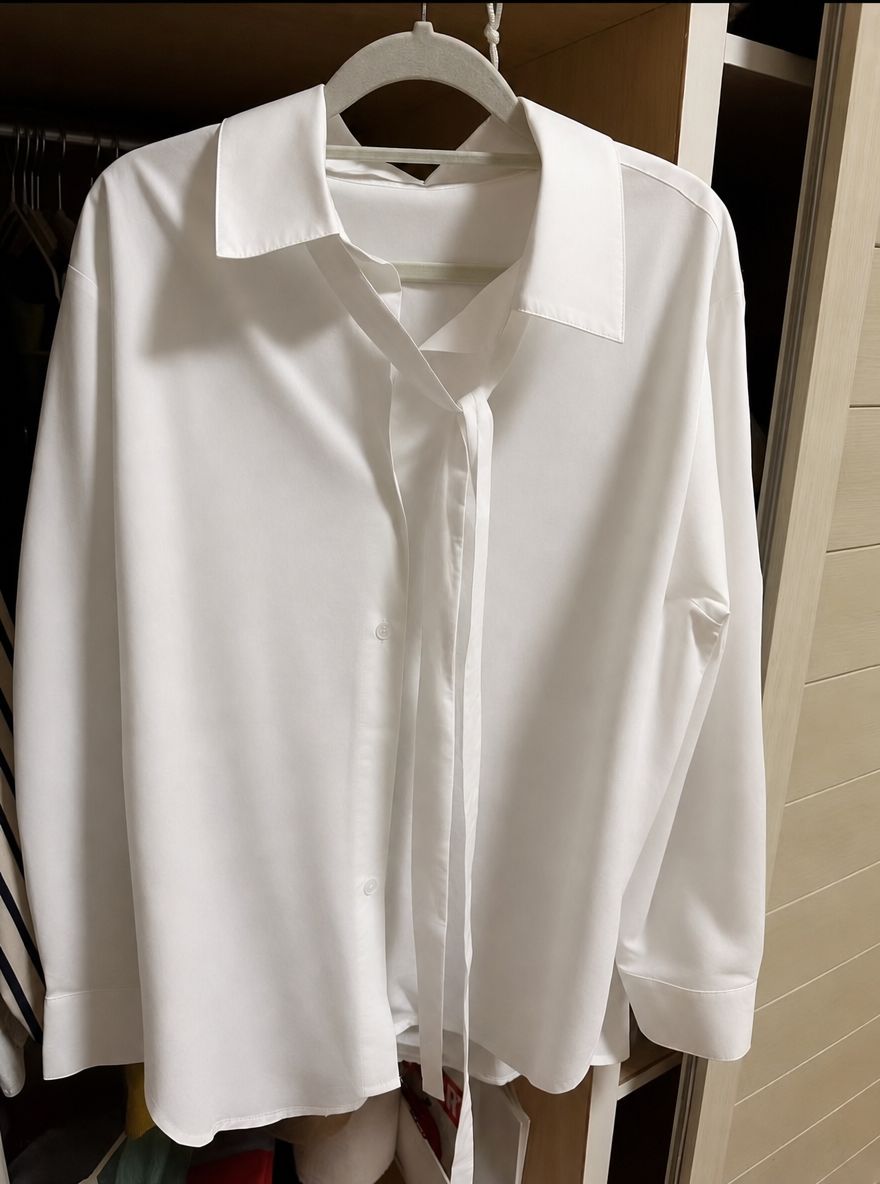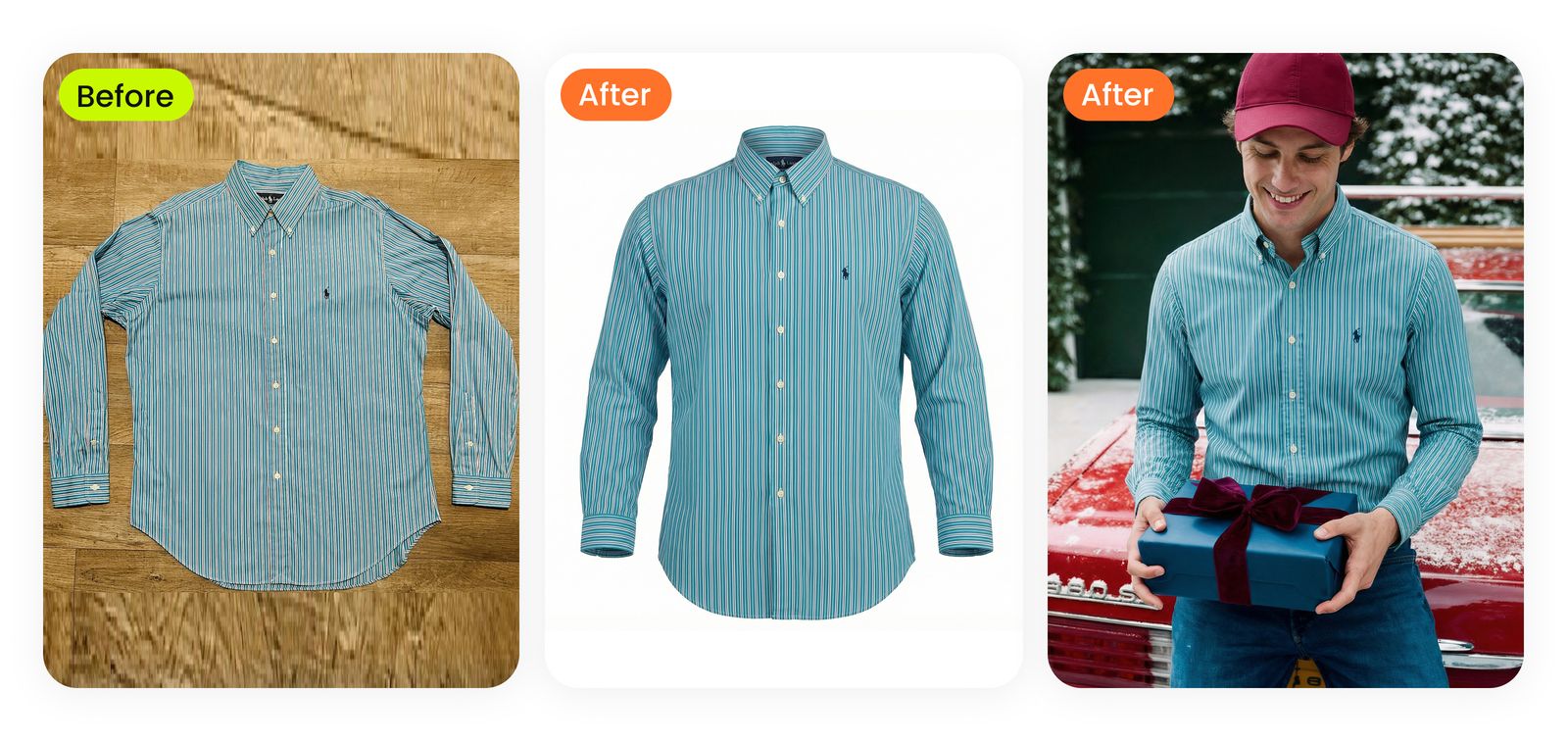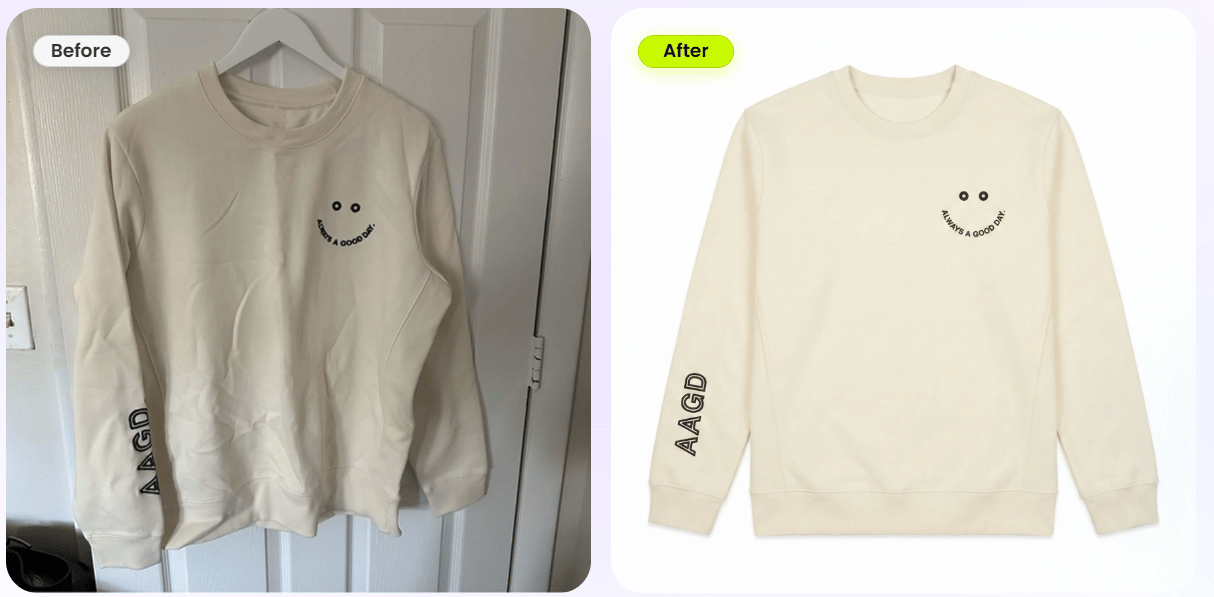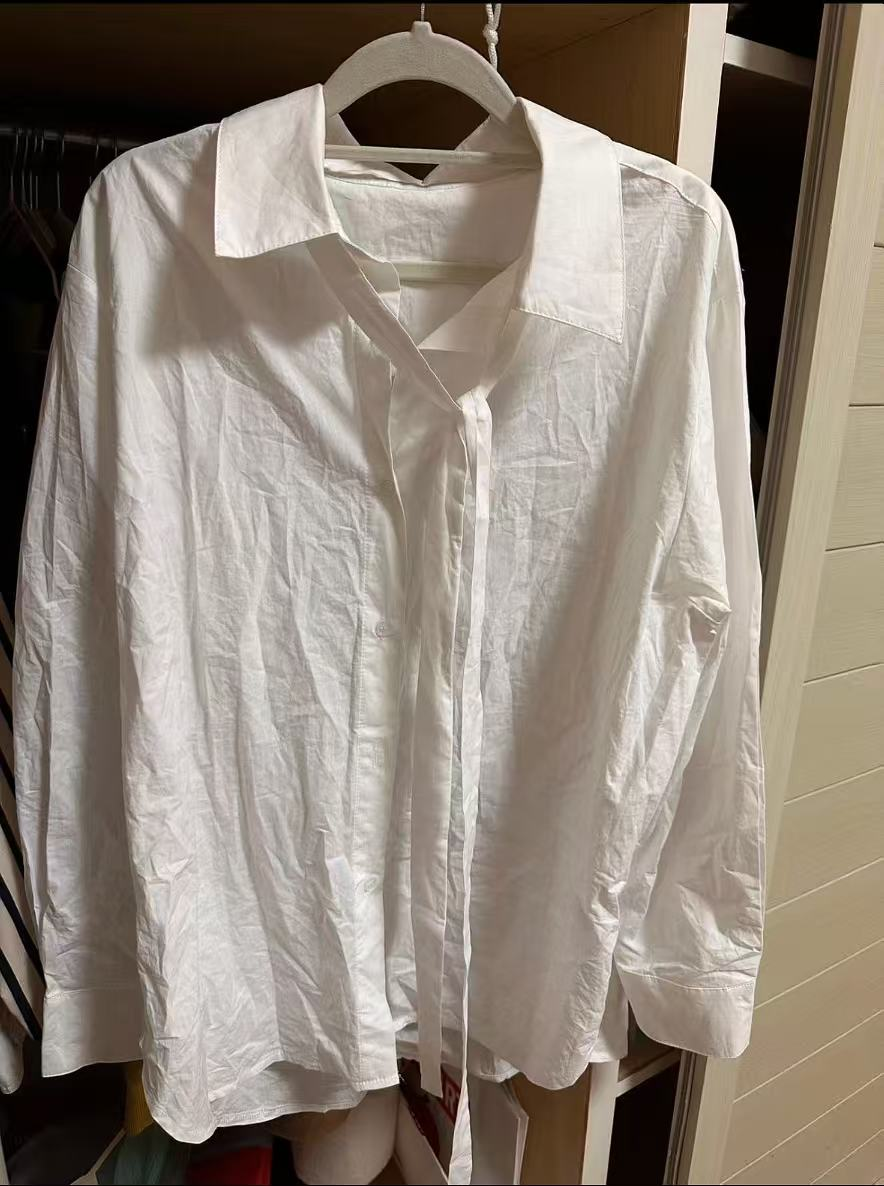
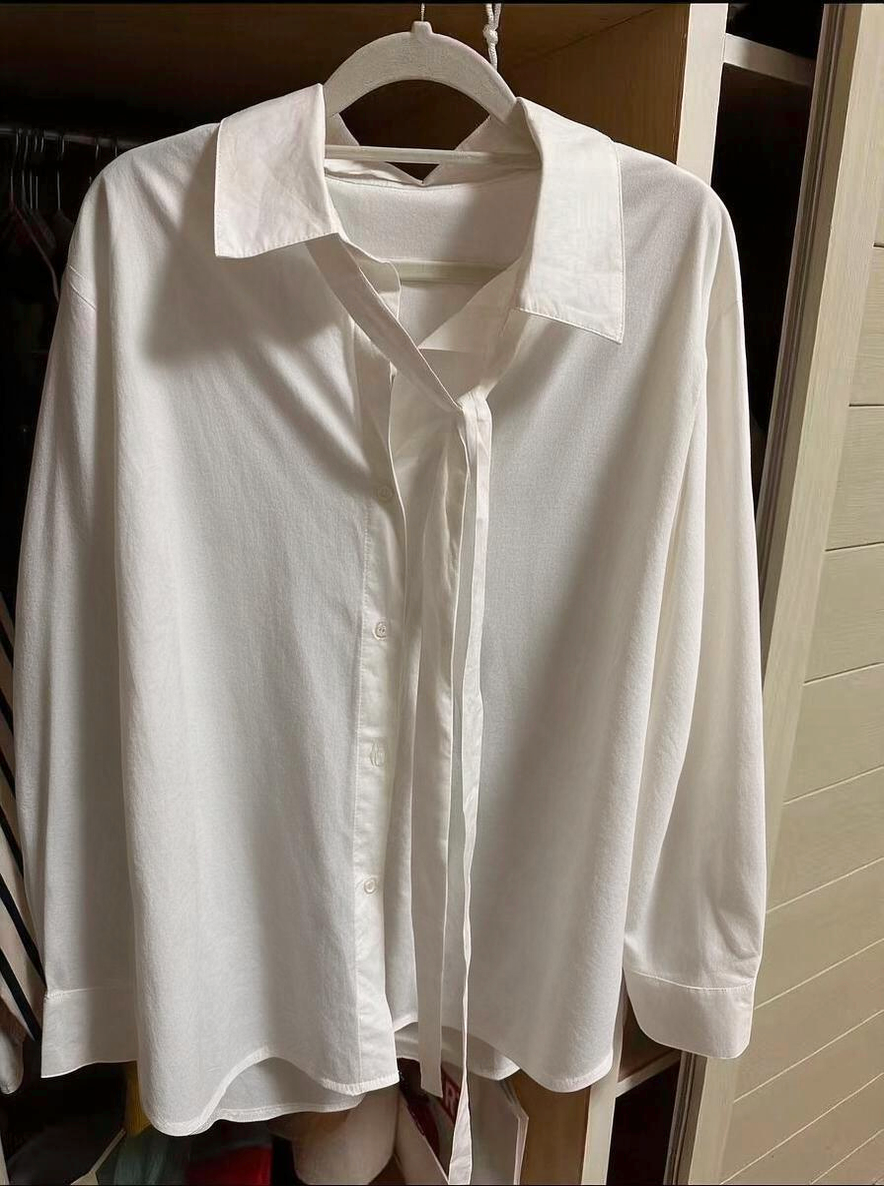
A Poshmark shopper cannot inspect the garment in person, so the photo set has two jobs: earn the click and document the item. Poshmark recommends clear front, back, detail, label, and condition photos, bright and even light, and a cover with room around the garment in its 3:4 portrait display. This guide follows the complete seller workflow from preparation to publishing. [1] [2]
1. Plan the photo set before editing
Set aside a cover photo, a back view, and close-ups before adjusting any image. Poshmark's selling guide recommends at least four clear photos; the useful set for a garment usually includes its front, back, brand or care label, fabric details, and any signs of wear. The cover introduces the whole piece, while supporting photos answer questions the cover cannot. [1]
- Choose the cover candidate. Use a sharp photo of the full garment on a hanger, laid flat, or worn. Check that the neckline, sleeves, and hem all fit in the frame.
- List the details buyers need. Photograph closures, pockets, texture, print, and labels. Add close-ups of fading, pilling, stains, repairs, or damage rather than relying on a sentence alone.
- Separate wrinkles from garment features. Storage creases can be reduced. Pleats, crinkles, gathering, and natural drape may explain the garment's design and should remain visible.
2. Remove distracting wrinkles while keeping fabric detail
There is no single fix for every crease. The first decision is whether the garment is available for another photo, whether its care label permits heat, and whether the fold hides information a buyer needs. Choose the least invasive route that still shows the item clearly:
- Many deep storage folds, with the garment available: steam or iron when the care label allows, then reshoot. This improves the real fabric and avoids rebuilding broad shadows in a photo.
- Heat-sensitive fabric or no pressing tool: hang or lay out the piece, adjust its shape, smooth accessible panels by hand, and reshoot in more even light. If a deep fold still hides a detail, show that detail in another photo.
- One or two small creases in an otherwise clear photo: make a restrained local repair using nearby fabric from the same panel.
- No chance to reshoot and folds across several panels: use the optional AI route later in this guide to create Natural and Smooth alternatives.
Start with the garment, when fabric care allows
Read the care label before using heat. Where permitted, steam or iron storage creases, then allow the garment to cool and hang or lie flat before photographing it. GINETEX explains the ironing symbols; Shopify's clothing photography guide also recommends preparing garments and removing wrinkles before a shoot. [3] [4]
Profoto e-commerce demonstrates steaming, spacing garments on a rail, and checking collars and hems before a photo session. Use it as a preparation example; the care label still determines whether steam suits the item. [6]
Without a suitable iron or steamer, lay the piece on a clean, flat surface or let it hang so the fabric falls naturally. Smooth the front panels and sleeves by hand, adjust the hanger or styling, and take another photo. A new source photo is the safer choice when a deep fold hides a seam, label, button, or print.
Use Photoshop for limited, local repairs
Use a local repair only for a small temporary crease on otherwise clear fabric. Work on a copy, sample nearby fabric from the same panel, and stop before crossing a seam, button, print, or garment edge. If the area becomes blurred, repeated, or unnaturally flat, undo the repair. Broad folds across several panels are better handled by preparing the garment again, reshooting, or trying the AI alternatives below.
3. Set up light, color, and framing
Poshmark recommends bright, even light and a simple background so the garment stays easy to inspect. A repeatable setup matters more than a dramatic effect: one set of photos should show the same item color from cover to close-up. [2]
- Place the garment against a simple background. Keep the wall, floor, or backdrop clean and visually quiet. Leave enough space to show the full outline of the item.
- Use one consistent light setup. Start near a window with indirect daylight or use a soft, even artificial source. Move the garment or light until strong shadows stop hiding texture and seams. Avoid mixing daylight with a warm room lamp in the same set.
- Take a test photo and check color. View the image beside the item in the same light. If white fabric looks yellow or blue, correct the white balance; if dark fabric loses detail, adjust exposure modestly. Keep fading and wear visible.
- Frame for the cover, then keep the setup. Poshmark displays covers in a 3:4 portrait frame. Center the full item with a small margin around the hem and sleeves, and keep the camera angle and light consistent for the back and detail shots. Existing square covers remain usable under Poshmark's guidance. [2]
After the shoot, straighten and crop the cover. Apply only the exposure and color correction needed to match the item, then review it beside the supporting photos. If a photo is blurred or important construction details are lost in shadow, retaking it is more reliable than trying to recover missing detail.
For a visual example of a controlled apparel lighting setup, Daniel Norton demonstrates a clothing product shoot for marketplace listings. His video uses studio equipment, but the useful check is the same for a window-light setup: reveal the garment's shape and texture without inconsistent color or obscuring shadows. [7]
4. Build and check the Poshmark listing
The final image set should explain the item in a useful order. The cover attracts attention, but the remaining photos and written description need to confirm what it is and what condition it is in. Poshmark's selling guidance calls for clear photos of the item and its details, including signs of wear. [1]
For sellers publishing the same inventory across Poshmark and other channels, Snappyit's Resellers and Marketplaces workflow shows how to prepare reusable product images for multiple listings.
- Choose an accurate cover. Use the clearest full-item photo with readable shape and true-to-item color. Check the 3:4 crop so no sleeve, hem, or strap is cut off.
- Add supporting views in a logical order. Follow with the back, a worn or styled view if available, fabric and construction close-ups, labels, and condition photos. Include the actual flaw rather than only a wide shot of the affected area.
- Match the description to the photos. State the garment type, brand, size, fabric information visible on its label, and relevant measurements or fit notes. Describe wear and permanent creasing plainly. Do not use image cleanup to imply a different color, texture, or condition.
- Review the complete listing before publishing. Compare the cover and detail photos with the garment in hand. Check that buttons, print, knit pattern, seams, and visible flaws still match across the set, and that the text does not contradict an image.
5. AI wrinkle removal as an alternative for an existing photo
If the garment cannot be prepared again or a usable photo still has broad storage creases, Snappyit Remove Clothes Wrinkles can generate Natural and Smooth alternatives. Natural is a useful starting point for textured fabric and casual drape; Smooth creates a more pressed cover-photo look. [5]
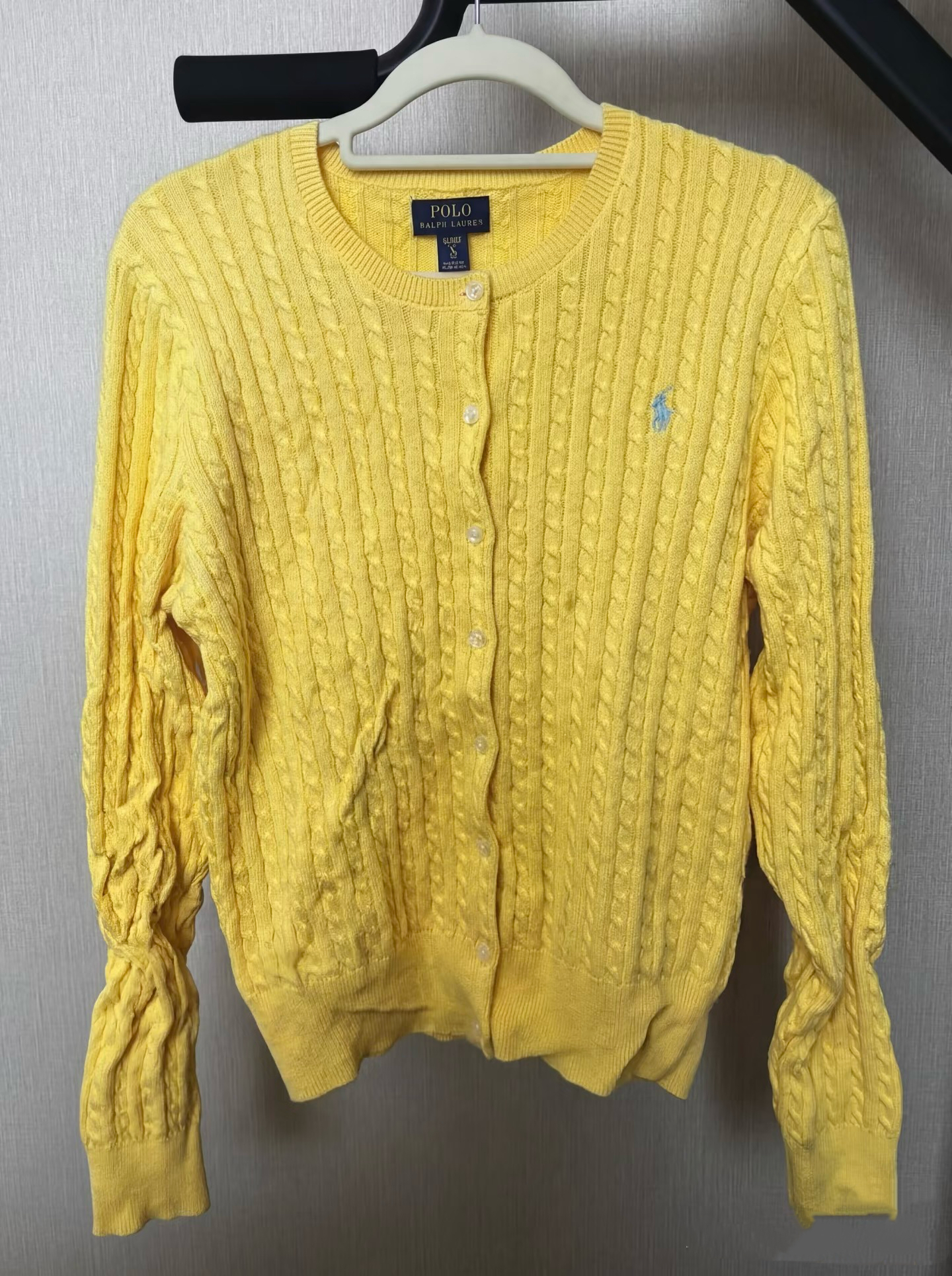
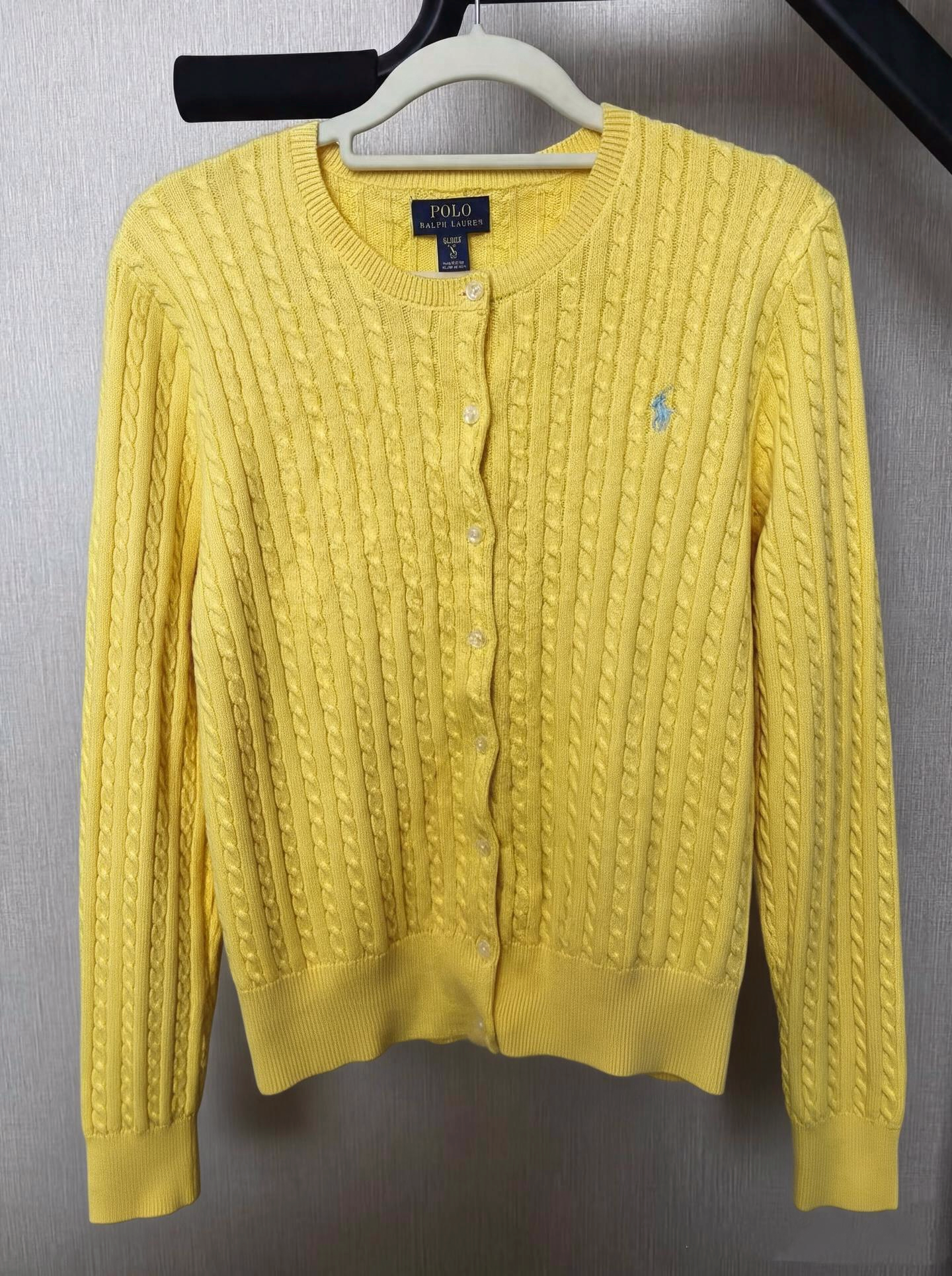
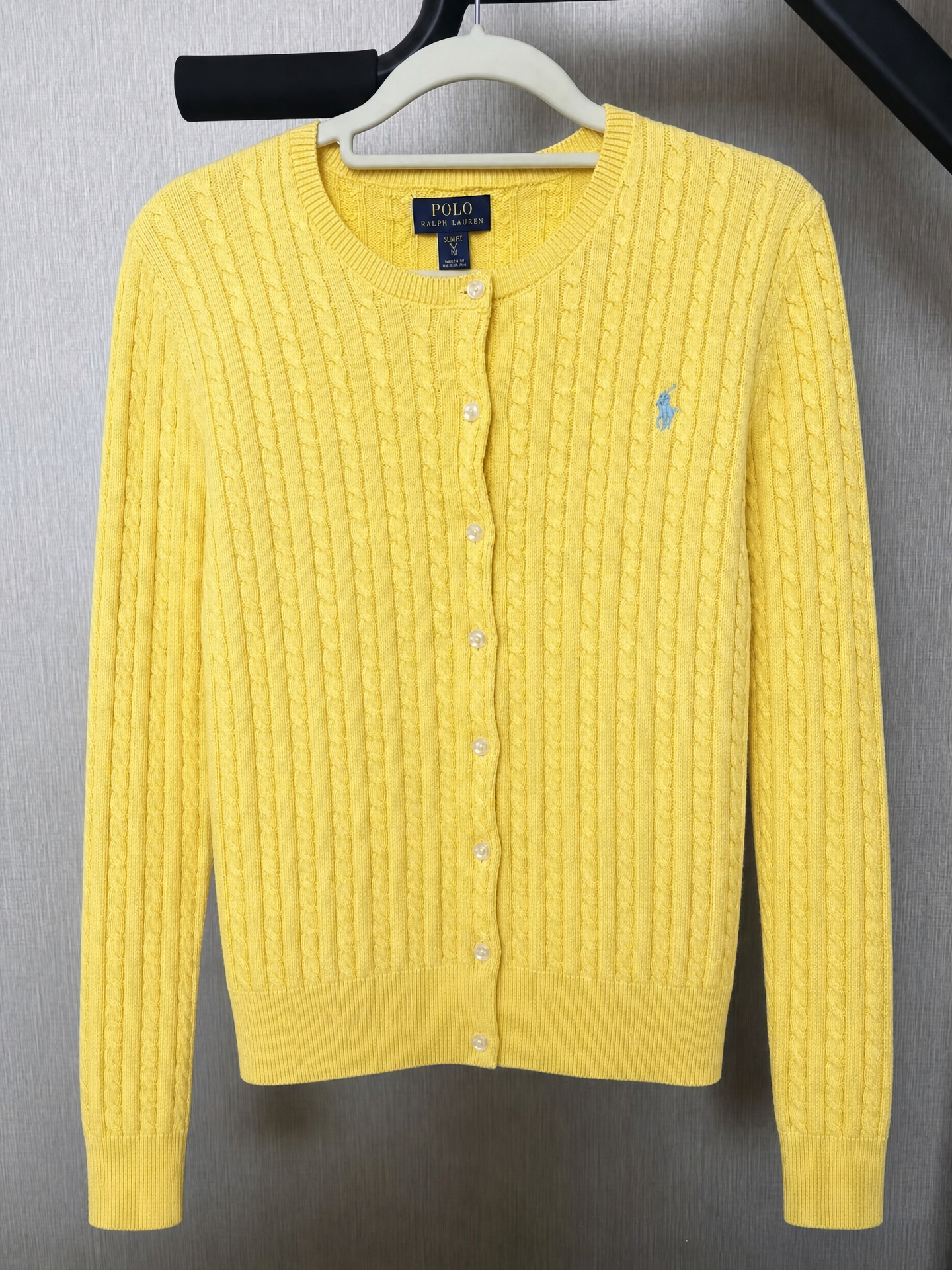
The cable-knit cardigan shows why fabric structure matters. Natural tidies the sleeve and body while retaining more variation in the knit. Smooth makes the surface more uniform, which can help create a cleaner cover when the cable pattern and ribbed edges remain readable.
| Original | Natural | Smooth |
|---|---|---|
 |
 |
 |
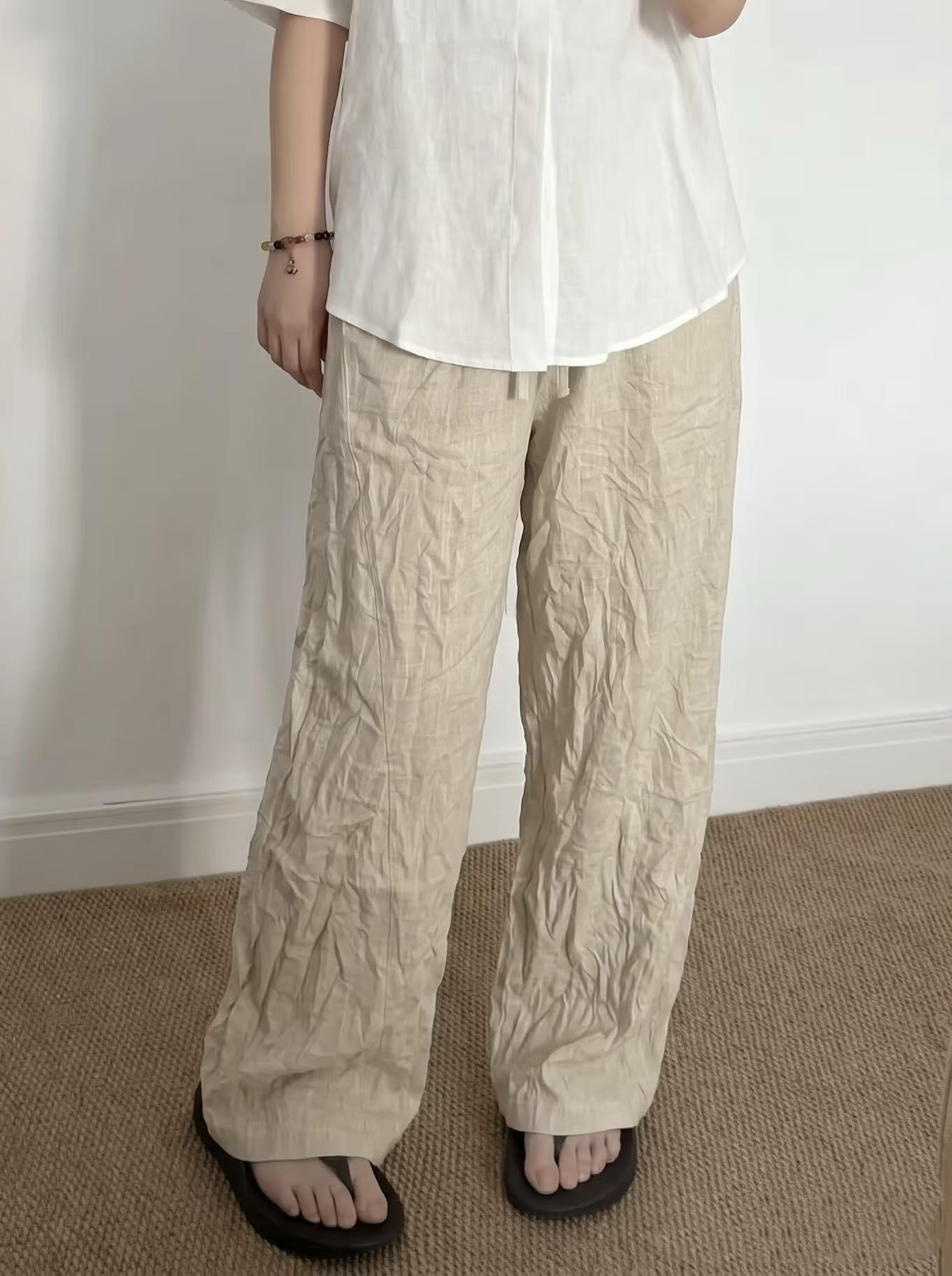
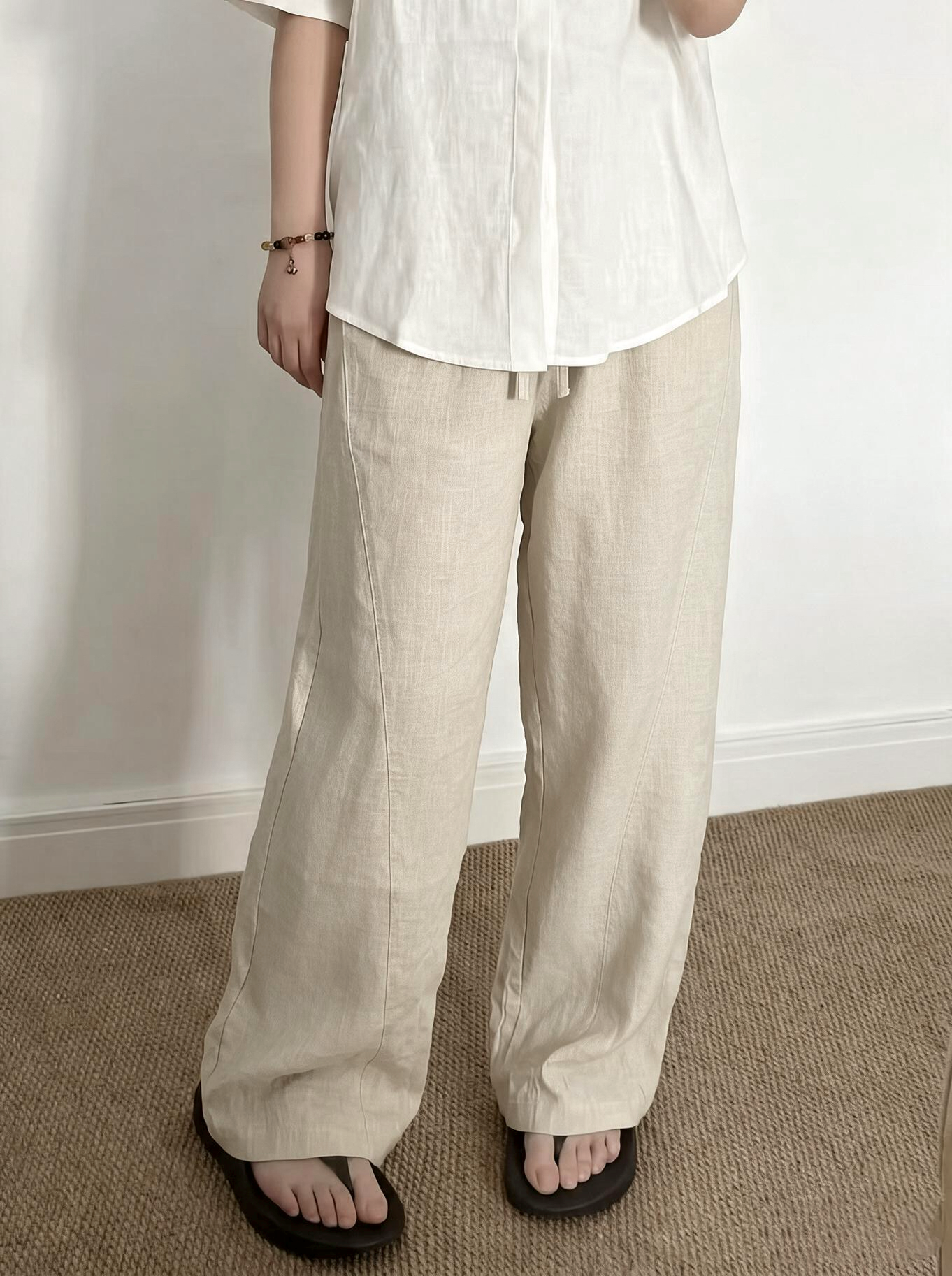
The trousers have less visible fine texture in the source. Natural reduces creasing while keeping more of the original material appearance; Smooth creates a more polished, uniform finish. Pair the selected cover with a fabric close-up so buyers can still judge the material.
| Original | Natural | Smooth |
|---|---|---|
 |
 |
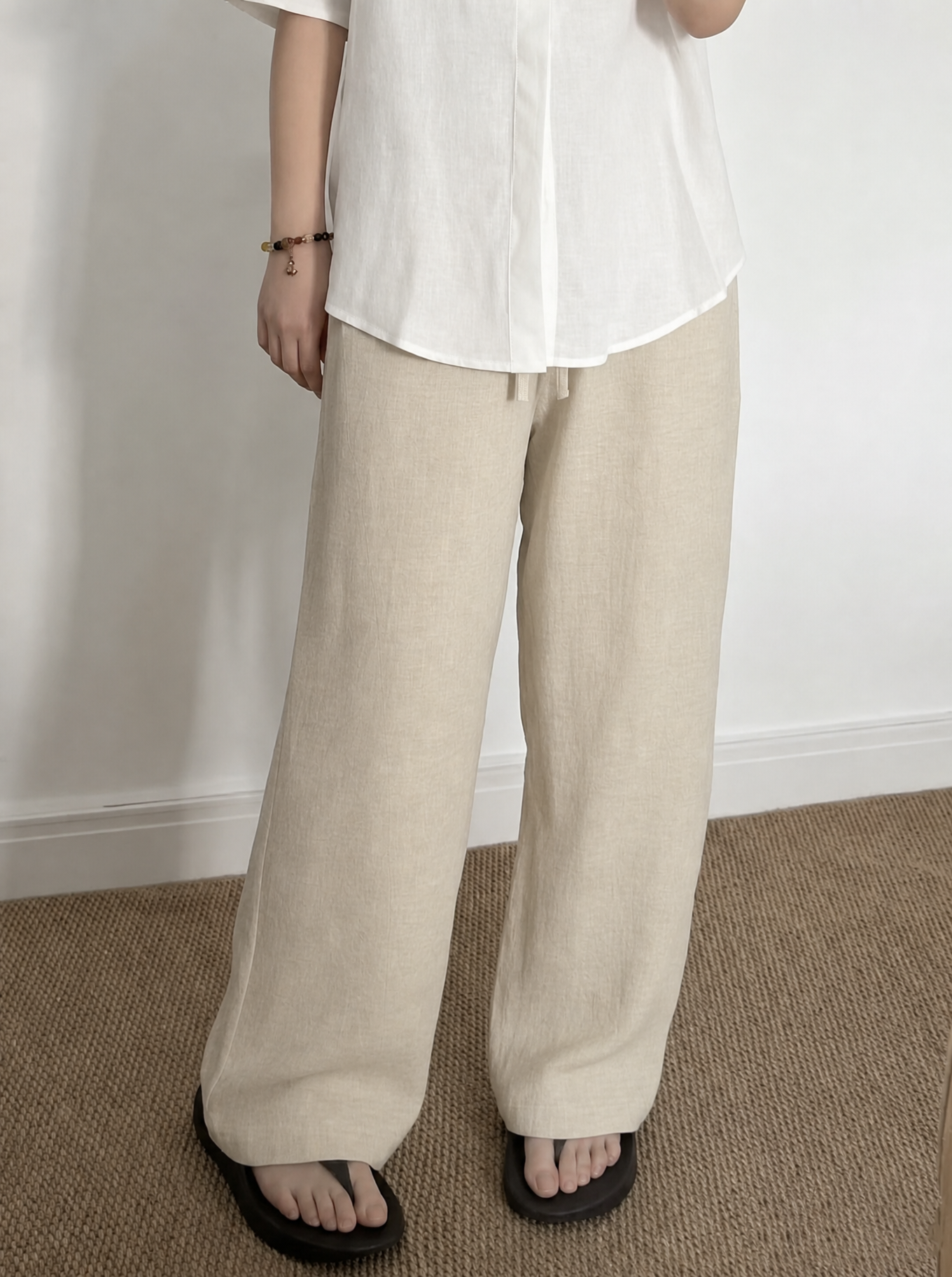 |
Use Natural when you want to preserve more casual fabric character, and Smooth when you need to smooth clothing more visibly. Then complete the same final listing check used for every cover and supporting photo.
Conclusion
A strong Poshmark workflow produces a clear cover and supports it with useful detail and condition photos. Prepare the garment, keep the light and framing consistent, choose the least invasive wrinkle-removal method, and complete one final listing check before publishing.
FAQ: Poshmark clothing photos
Do Poshmark cover photos have to be 3:4?
Poshmark displays listing covers in a 3:4 portrait frame and says existing square photos remain usable. For a new cover, leave room around the full item so the portrait crop does not cut off its edges.
How can wrinkles be removed from clothes before Poshmark photos?
Check the care label first. If the fabric permits it, steam or iron the garment and let it hang or lie flat before shooting. Otherwise, arrange the fabric and retake the photo from a clearer angle.
Can wrinkles be removed from a clothing photo after it is taken?
Small temporary creases can be retouched locally, using nearby fabric with matching light and texture as the source. Preserve design folds and condition details, then inspect the edited area at full size.
What lighting works best for Poshmark clothing photos?
Use bright, even light and a simple background. Keep the setup consistent across the cover, back view, and close-ups so color and detail remain cohesive throughout the listing.
What photos should a Poshmark clothing listing include?
Include a clear full-item cover, back view, and close-ups of labels, fabric, construction, and any signs of wear. Poshmark recommends at least four clear photos and a mix of overall and detail views.
How should flaws be shown in a Poshmark listing?
Photograph stains, fading, pilling, holes, repairs, or other wear clearly and describe them in the listing. A smooth cover image should not conceal a condition detail that matters to a buyer.
Can AI wrinkle removal replace a new photo?
It can provide an alternative version of a clear existing photo, but it cannot recover construction details that are blurred, hidden, or missing. Retake the image when those details cannot be judged.
How should Natural and Smooth wrinkle-removal results be compared?
Natural is a useful starting point for textured fabric and casual drape, while Smooth creates a more pressed look. Review seams, buttons, knit patterns, hems, and fabric texture, then choose the version that suits the garment.
References
- Poshmark, “Start Selling on Poshmark.” Official listing-photo, light, detail, and condition guidance. Accessed September 24, 2026.
- Poshmark, “A New Look for Listing Photos.” Official portrait display, framing, lighting, detail-photo guidance, and existing-square-photo FAQ. Accessed September 24, 2026.
- GINETEX, “Care symbols.” Explanation of garment care and ironing symbols. Accessed September 24, 2026.
- Shopify, “Clothing Photography: How To Photograph Clothes.” Garment preparation and photography guidance. Accessed September 24, 2026.
- Snappyit, “Remove Clothes Wrinkles.” Product workflow and Natural and Smooth controls. Accessed September 24, 2026.
- Profoto e-commerce, “How to Steam and Organize your Garments before a Photo Shoot.” Video demonstration of garment steaming, spacing, and styling before a photo session. Accessed September 24, 2026.
- Daniel Norton Photographer, “Simple Technique for Perfect Apparel Shots for Ebay, Etsy, and Amazon.” Video demonstration of an apparel photography lighting setup. Accessed September 24, 2026.