FASHN AI vs Snappyit: product-to-model results
Compare two same-input FASHN AI and Snappyit product-to-model tests, workflows, features and pricing.
Upload a garment photo to test the compared workflow
Click or drag image here
Any flat-lay or hanging photo works, no professional setup needed.
How we compared FASHN AI and Snappyit
Each pair used the same composite outfit image and the same selected base model. The screenshots show the submitted setup first, followed by the source and returned files.
A broad fashion platform with web, iOS and API workflows for virtual try-on, Product-to-Model, model consistency, packshots and video. The image evidence below covers only the submitted Product-to-Model runs.
A seller-oriented ecommerce workspace with Fashion Model, Ghost Mannequin, Jewelry, Recolor, Flat Lay, Face Swap and video tools. The image evidence below covers only the corresponding Fashion Model runs.
Women's outfit test:
FASHN AI vs Snappyit
Both products received the same composite flat-lay outfit and selected base model. Workbench captures are shown before the three-image result comparison.
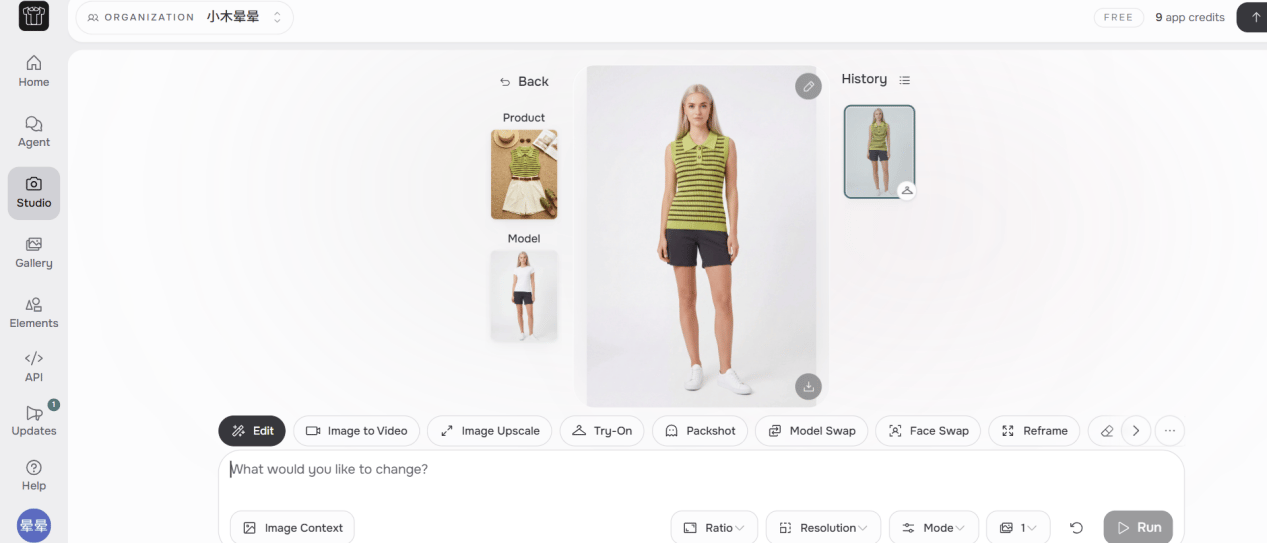
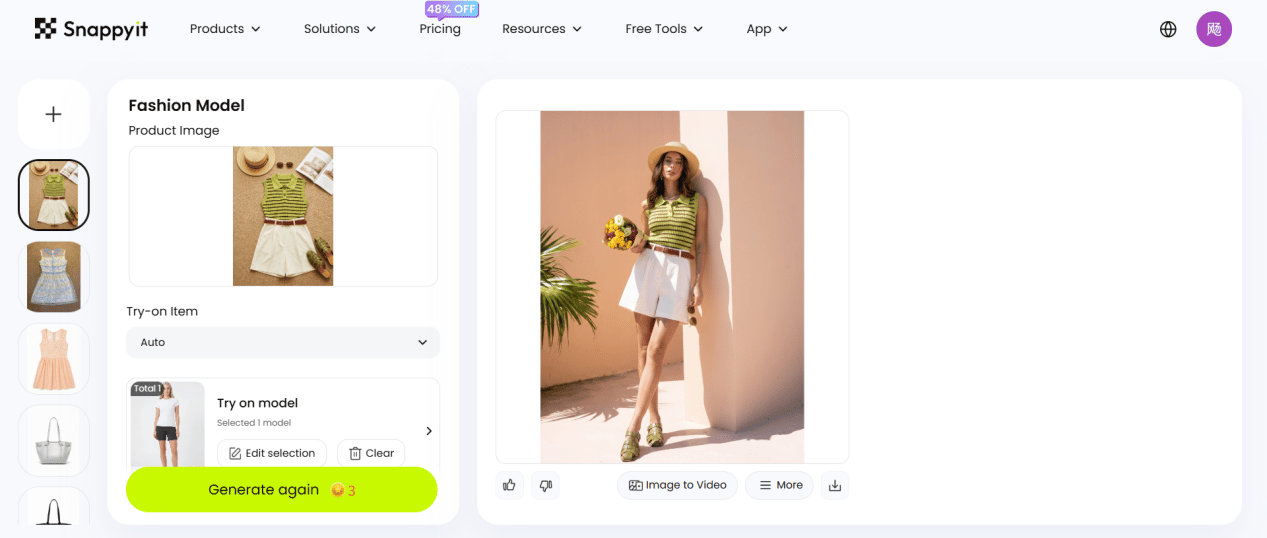
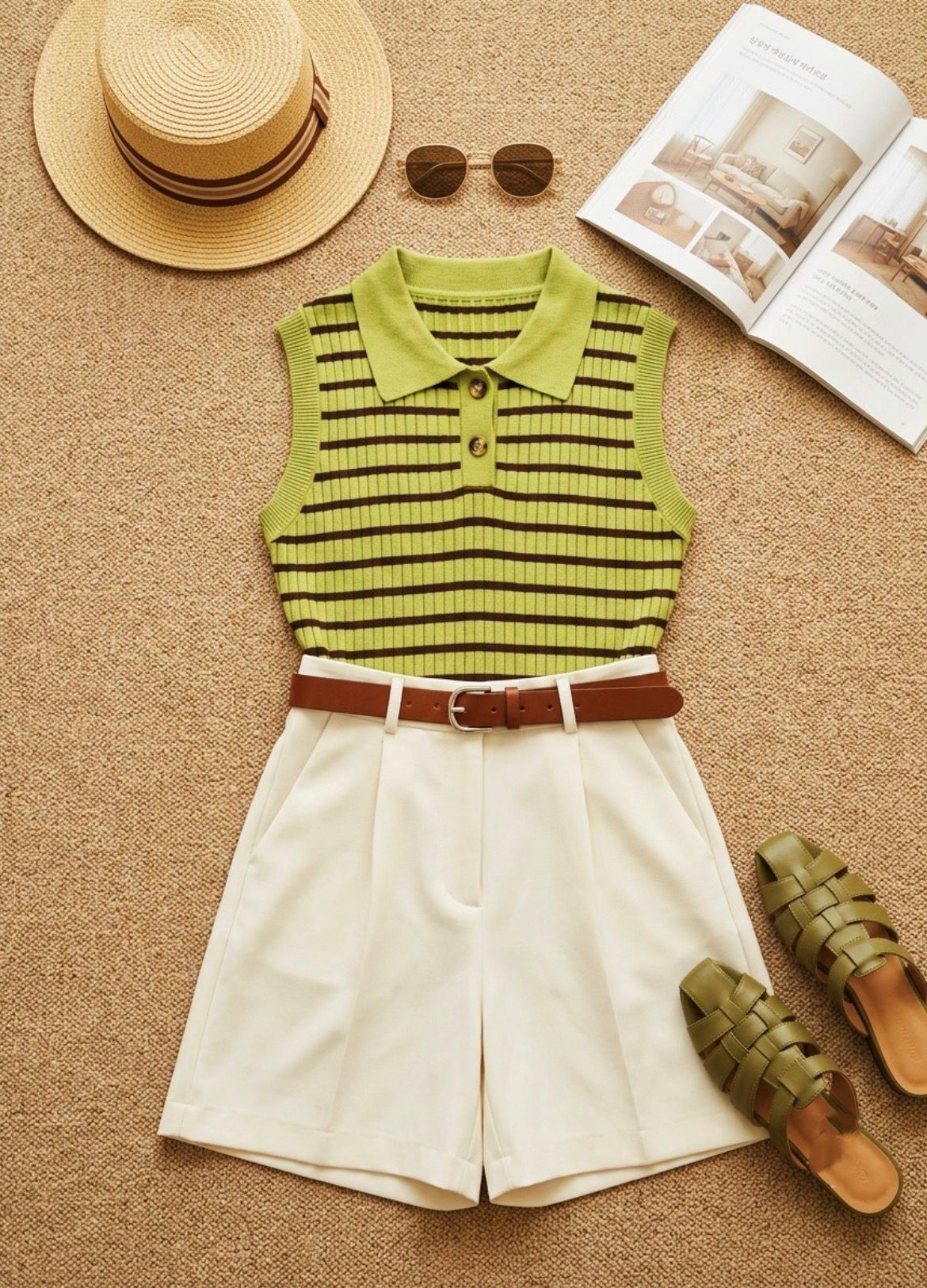
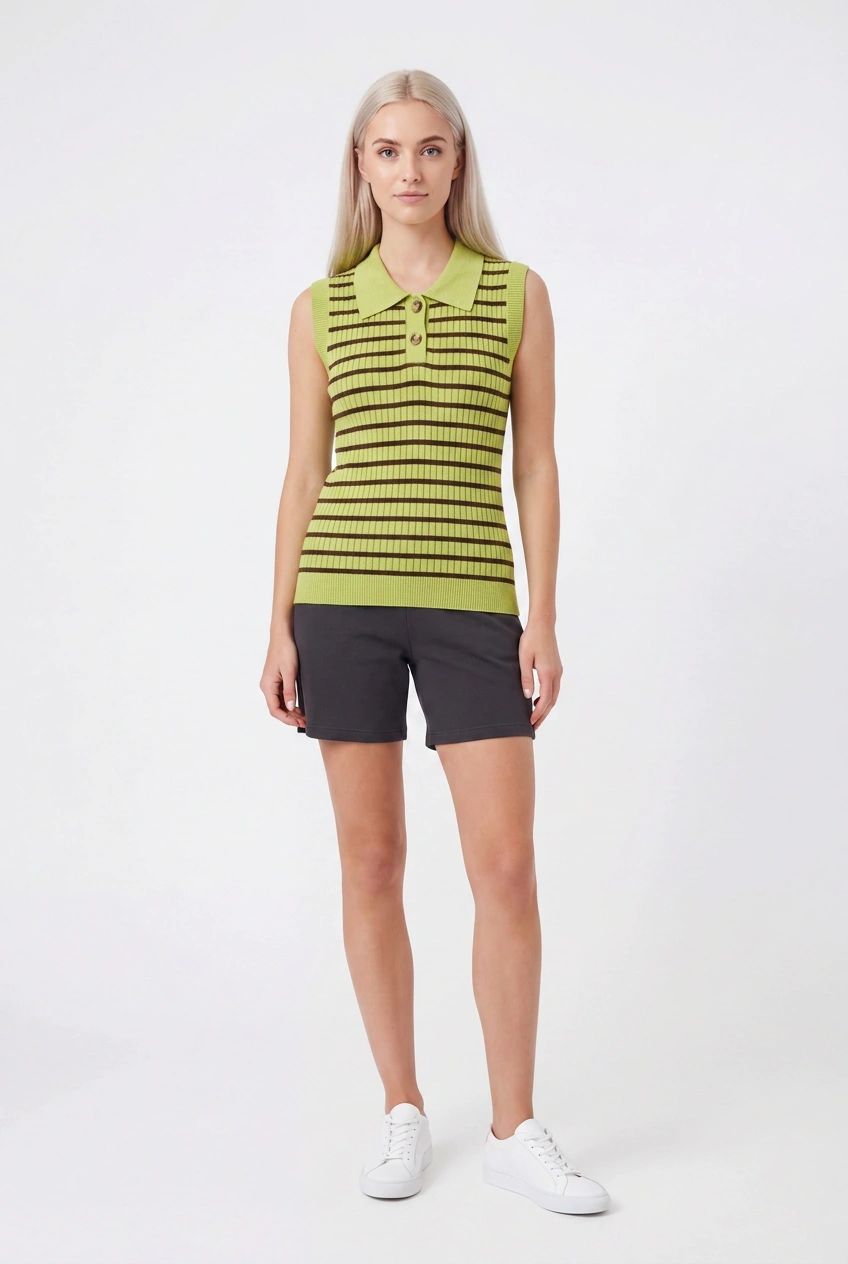
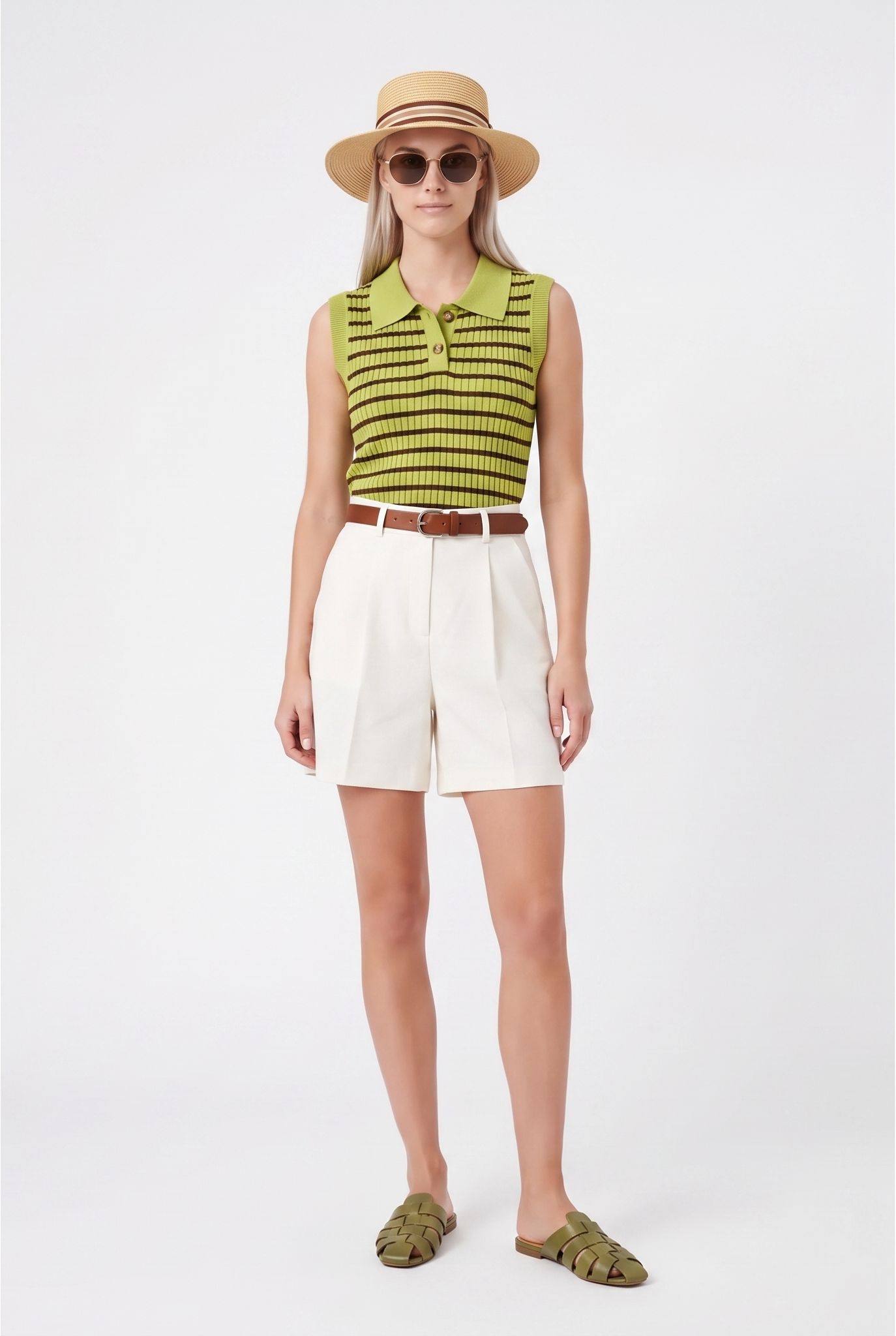
Visual observation: both submitted outputs create a clean, full-body model image on a light background. FASHN stays close to the selected base model's unobstructed face and hair, but simplifies the styling by replacing the white shorts with dark shorts and leaving out the belt, hat, sunglasses and sandals. Snappyit retains more of the complete source outfit and its green, white and brown color combination, including the accessories. Both outputs reinterpret fit, drape and pose, so check the generated garment against the physical SKU at full resolution before catalog use.
Men's outfit test:
FASHN AI vs Snappyit
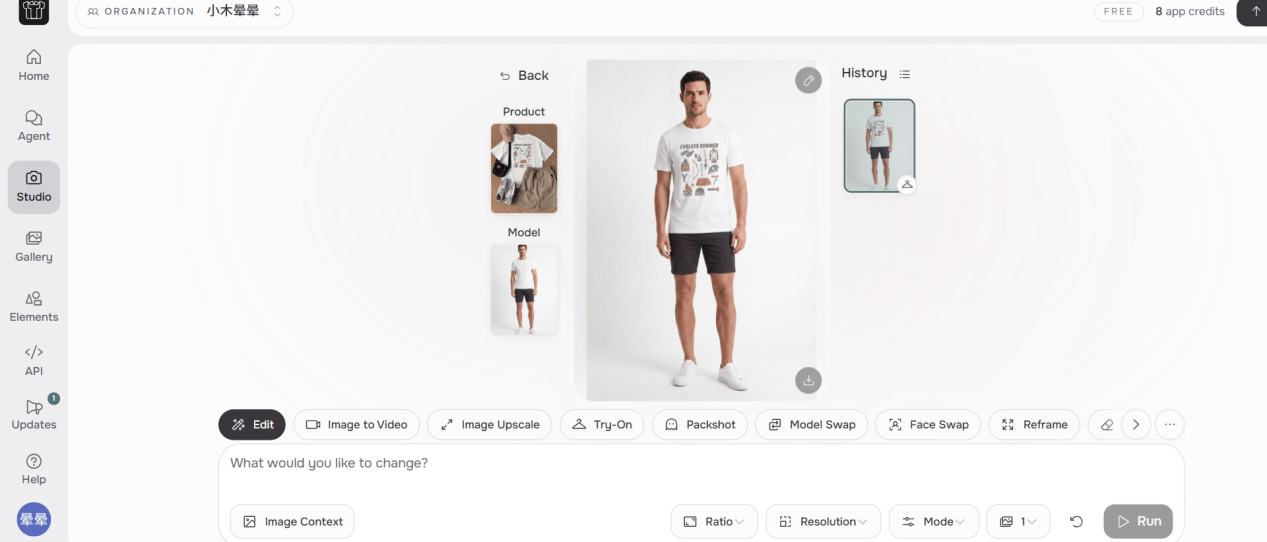
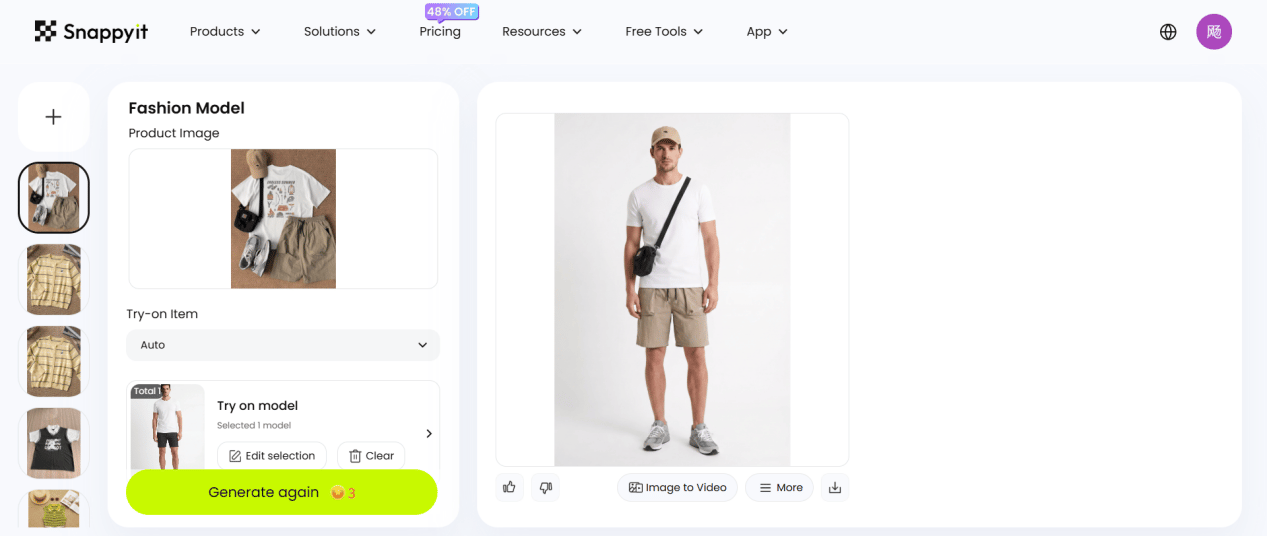
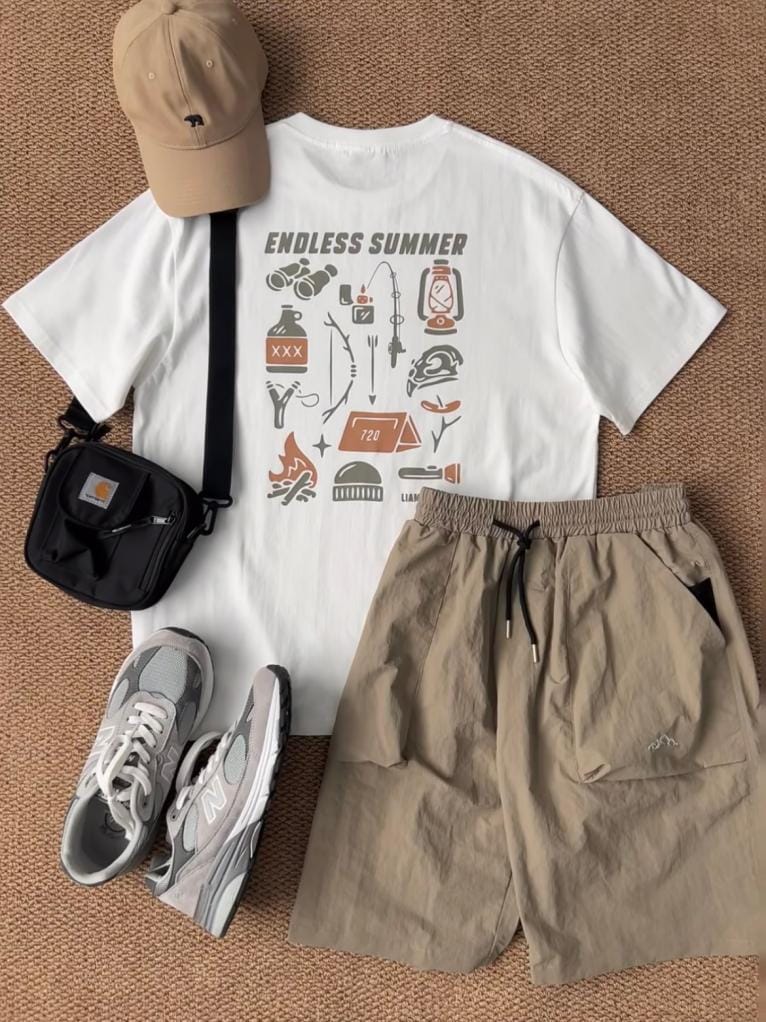
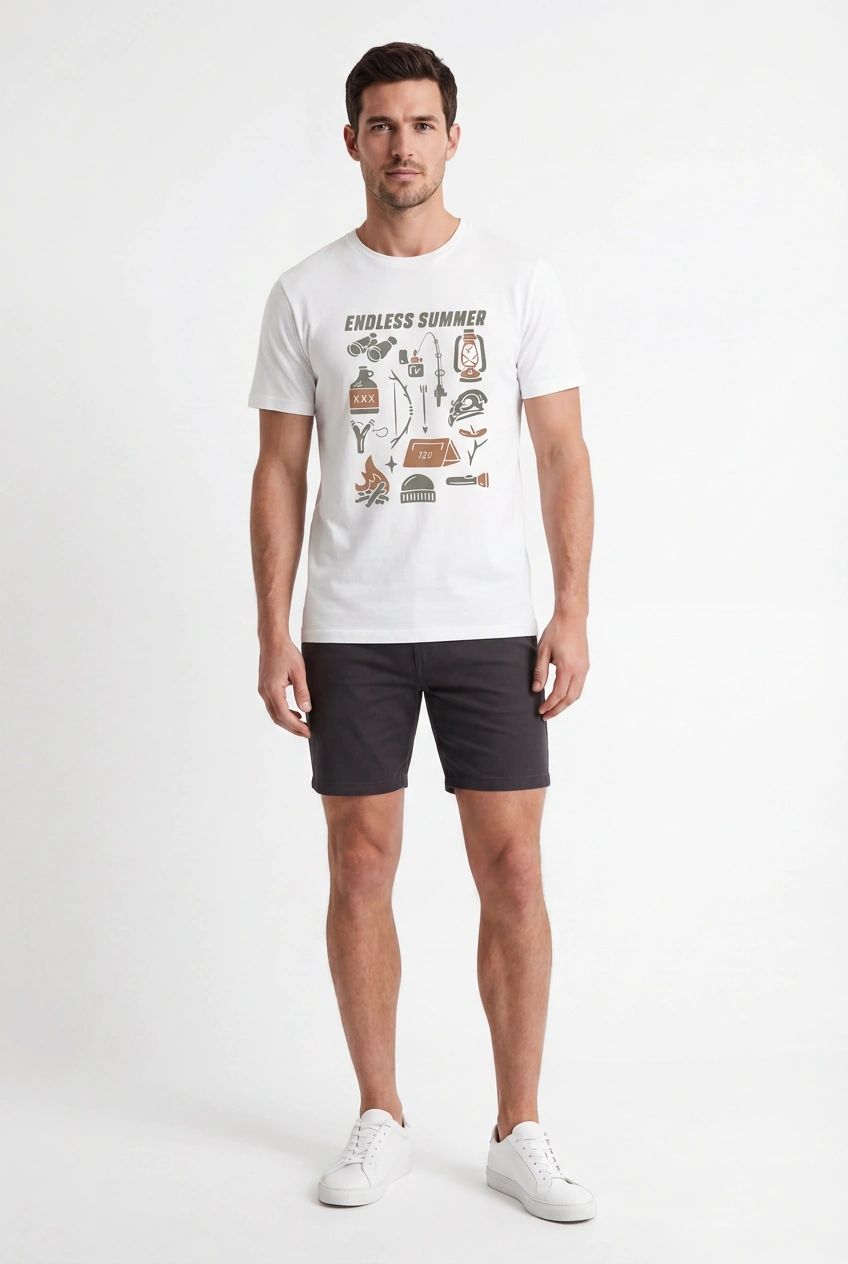
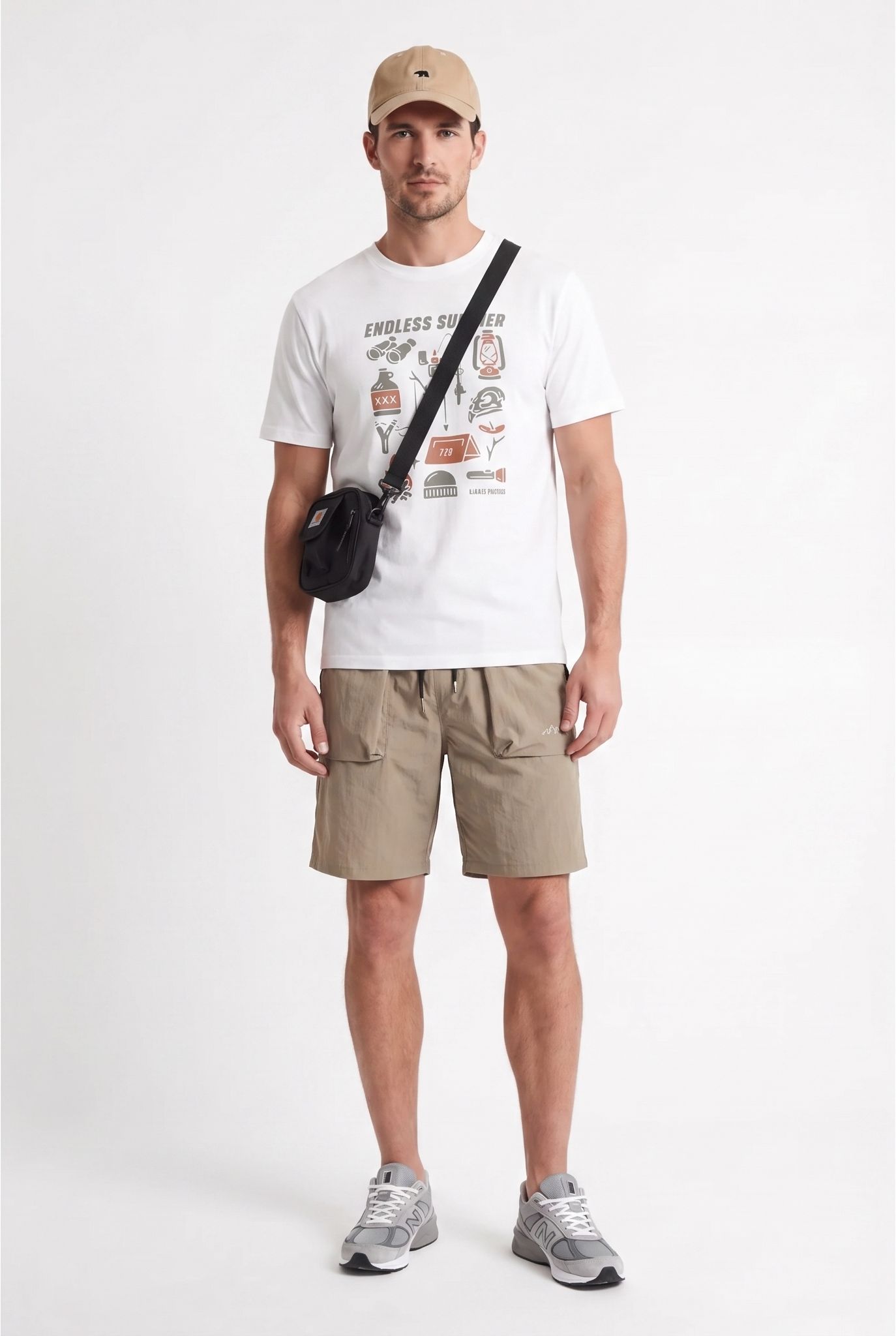
Visual observation: both submitted outputs create a clean, full-body male model image on a light background and keep the printed white T-shirt recognizable. FASHN changes the khaki shorts to dark shorts and replaces the source styling with white sneakers, leaving out the cap and crossbody bag. Snappyit retains more of the complete flat-lay combination, including the khaki shorts, beige cap, black crossbody bag and gray sneakers. Both outputs reinterpret fit, drape and pose, so check the generated garment against the physical SKU at full resolution before catalog use.
What FASHN AI and Snappyit customers say
These excerpts are transcribed from the review captures supplied with the document. They reflect individual customer experiences and are separate from the matched image test above.
“Fashn ai is a fantastic company that I use every single day. Their API is secure, reliable, has 99.9% uptime and of course, high quality results for virtual try on. Their web app is also fantastic for every small business that needs to use models/ fashion in any way. Also the team behind this tech are hard working and dedicated and have been there for every question I've ever had. Keep it up guys I back you all the way !”
“Snappyit.ai has been a game changer for my e-commerce store. The platform quickly transforms product photos into professional ghost mannequin images and try-ons, saving me time and money on photoshoots. It's easy to use, and the results are top-quality. Plus, their customer support is excellent. Highly recommend for anyone looking to improve their product visuals without breaking the bank!”
Evidence limit: both quoted reviews are five-star reviews. They are individual customer comments, not a representative sentiment sample or proof of product performance.
Related Snappyit AI product photography tools
More AI tools in the same Snappyit workspace.
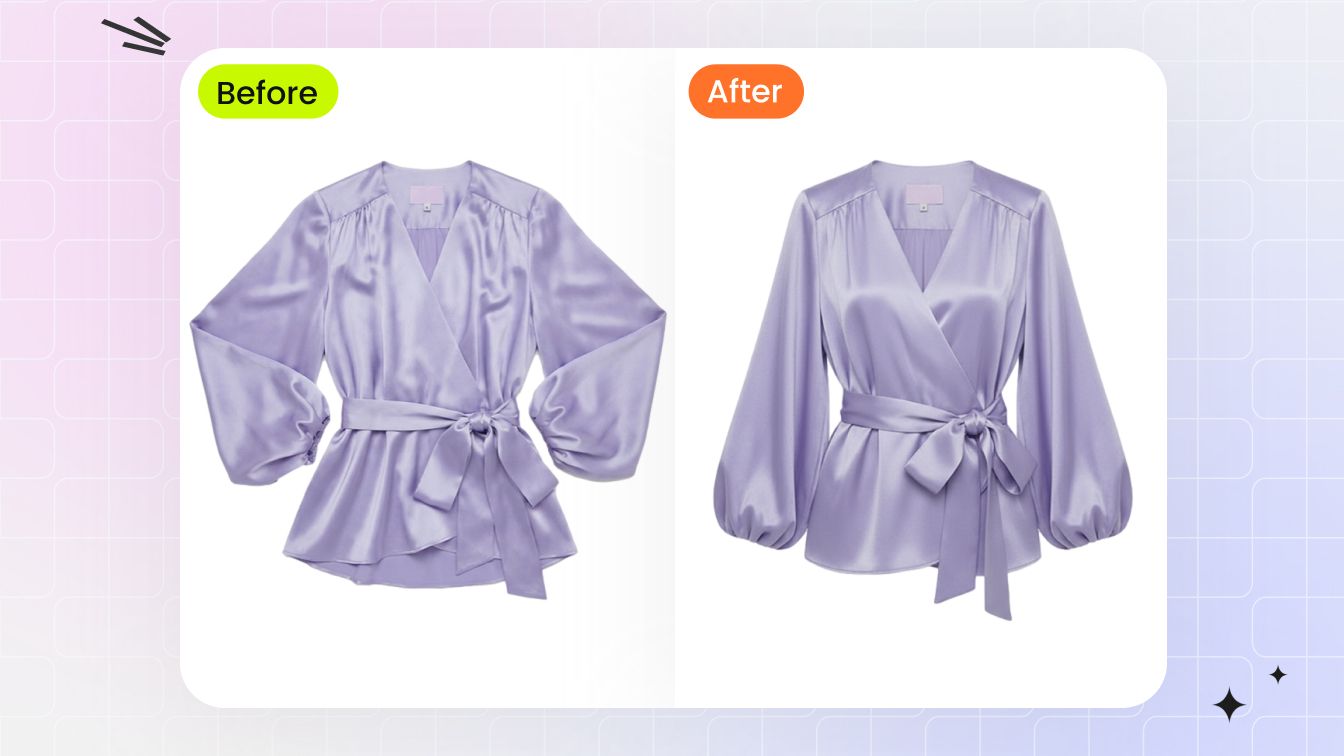
Ghost Mannequin (Invisible Mannequin Effect)
3D worn-shape catalog image from a flat-lay or hanger photo in 60 seconds - no mannequin, no Photoshop neck-joint compositing.
Try AI Ghost Mannequin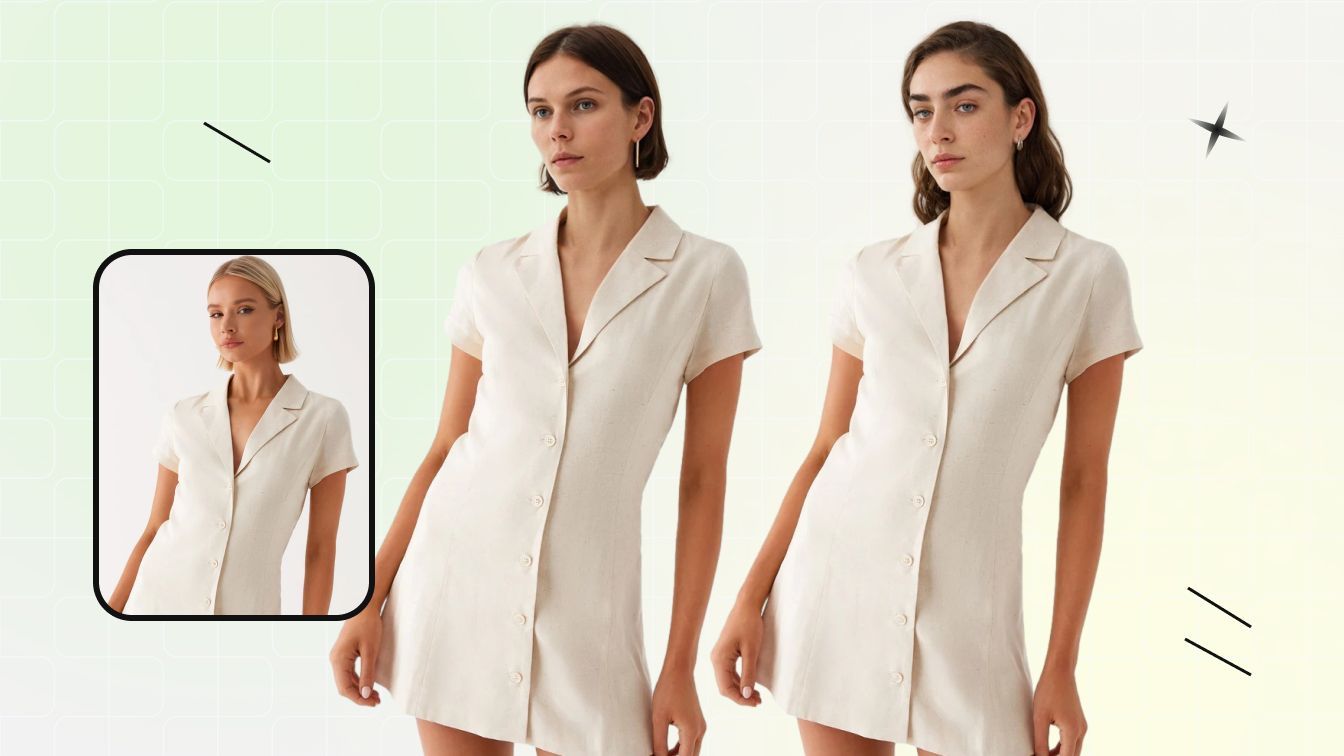
Face Swap / Model Swap
Swap the face or full model in an existing fashion photo without re-shooting - for diverse demographics or catalog consistency.
Try Face Swap
AI Image to Video
Turn an approved model or product still into a short motion clip for product pages, ads and social commerce.
Try Image to Video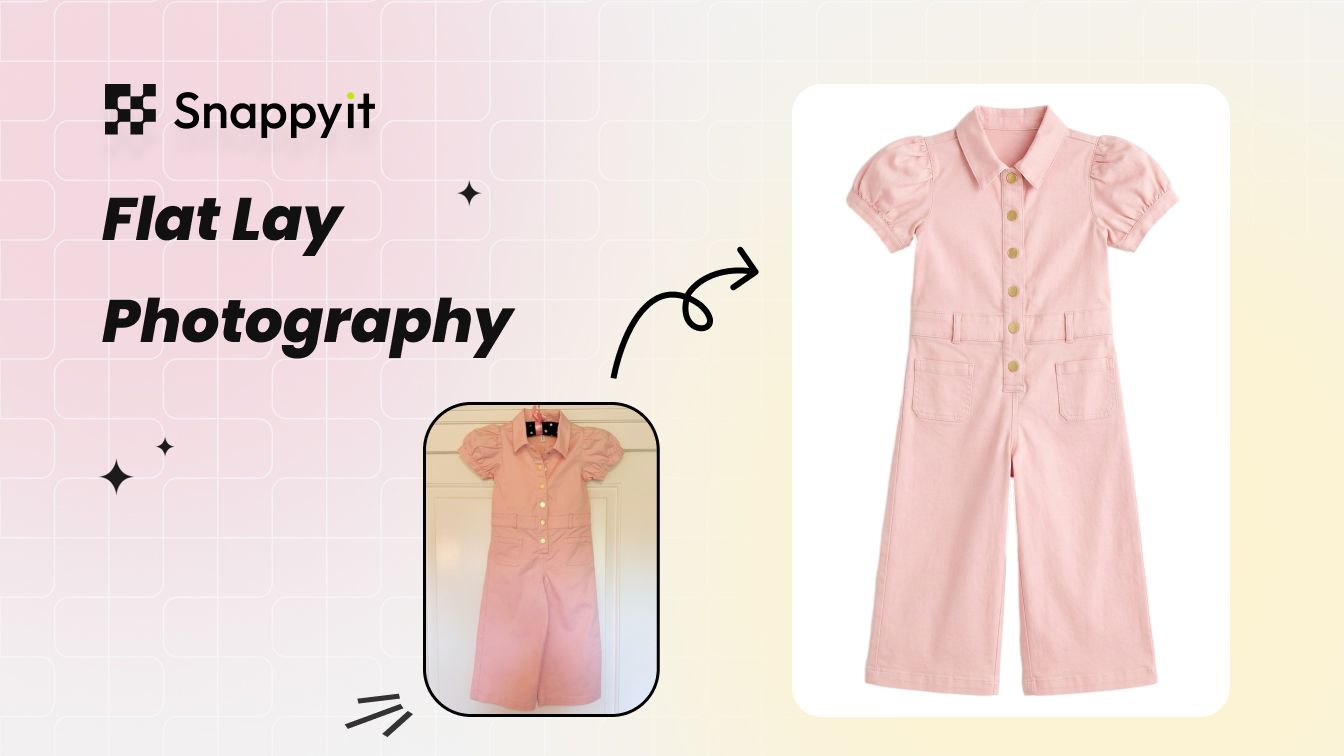
AI Flat Lay Photography
Clean catalog flat-lay from a wrinkled phone shot - wrinkle removal, white-balance, and backdrop swap in one pass.
Try AI Flat LayFASHN AI vs Snappyit: features and pricing
Features and pricing are separated for faster comparison.
Feature comparison
Compare workflow coverage, access and catalog operations.
| Feature | Snappyit | FASHN AI |
|---|---|---|
| Best fit | Ecommerce sellers managing product photos in one workspace | Fashion teams and developers using app or API workflows |
| Product-to-model | Fashion Model accepts flat-lay, hanger, mannequin and product images | Virtual Try-On and Product-to-Model are available in app and API workflows |
| Model controls | Face Swap and reusable Fashion Model templates | Model Swap, Face Reference and Consistent Models |
| Ghost mannequin | Dedicated Ghost Mannequin tool | Ghost Mannequin style within Packshot |
| Jewelry | Dedicated Jewelry Model and Jewelry Retouch tools | Supported by Product-to-Model, Try-On Max and Packshot |
| Image to video | Image to Video and Fashion Video workflows | 5- or 10-second generation; plan-dependent resolution |
| Platforms | Web, iOS, Android and Shopify | Web and iOS; Android is listed as roadmap |
| Developer API | No public developer API found on the reviewed product and pricing pages | Documented REST API |
| Catalog scale | Batch upload on paid plans; batch upload and generation on Pro and Custom | Team seats, simultaneous generations and Packshot presentation consistency |
Pricing comparison
Public prices and credit allowances rechecked September 2, 2026.
| Pricing point | Snappyit | FASHN AI |
|---|---|---|
| Free start | 6 credits for new accounts | 10 starting credits |
| Entry plan | Basic: $12.90/month, or $8.20/month billed annually; 120 credits/month | Basic: $19/month; 200 monthly credits |
| Higher plans | Pro: $49.90/month, or $34.90/month billed annually; 800 credits/month Custom: $279.30/month equivalent annually; 7,200 credits/month | Pro: $49/month; 750 monthly + 50 daily credits Agency: $99/month; 1,500 monthly + 100 daily credits |
| API pricing | No public developer API pricing found | $0.075 per on-demand credit; 100-credit/$7.50 minimum; commitment tiers from $19/month |
Sources reviewed August 27, 2026; pricing rechecked September 2, 2026: FASHN pricing, API pricing, mobile, Product-to-Model, Try-On Max, Packshot, Model Swap, Short Videos; Snappyit pricing, Fashion Model, Ghost Mannequin, iOS, Android and Shopify. Prices and allowances can change.
FASHN is a trademark of its respective owner. Snappyit is independent and is not affiliated with, endorsed by, or sponsored by FASHN.
Which product-to-model workflow fits your team?
Use the tables above to narrow the choice, then validate the harder SKU in your own catalog.
Choose FASHN when …
You need a documented REST API, published model-consistency controls, or fashion-specific app and API workflows.
Choose Snappyit when …
You want web, iOS, Android and Shopify access with ecommerce product-photo tools in one workspace. Test styled flat lays on your own SKUs before subscribing.
FASHN AI vs Snappyit FAQ
Common questions people ask when comparing FASHN, Snappyit and other AI product photography tools.
Test Snappyit Fashion Model on your own garment
Upload a real product photo, test the model-photo workflow, and compare output quality, cost and channel fit before committing to a paid plan.