Pic Copilot vs Snappyit: AI Product Photography

Pic Copilot Alternative Test: Four Products, Same Source Photos

Test Snappyit as a Pic Copilot alternative

Click or drag image here

6 free credits · no card · watermark-free downloads.

Pic Copilot vs Snappyit Results on Three Everyday Products

The same source photos and first-result rule for a printed shirt, polka-dot mules and striped trousers.
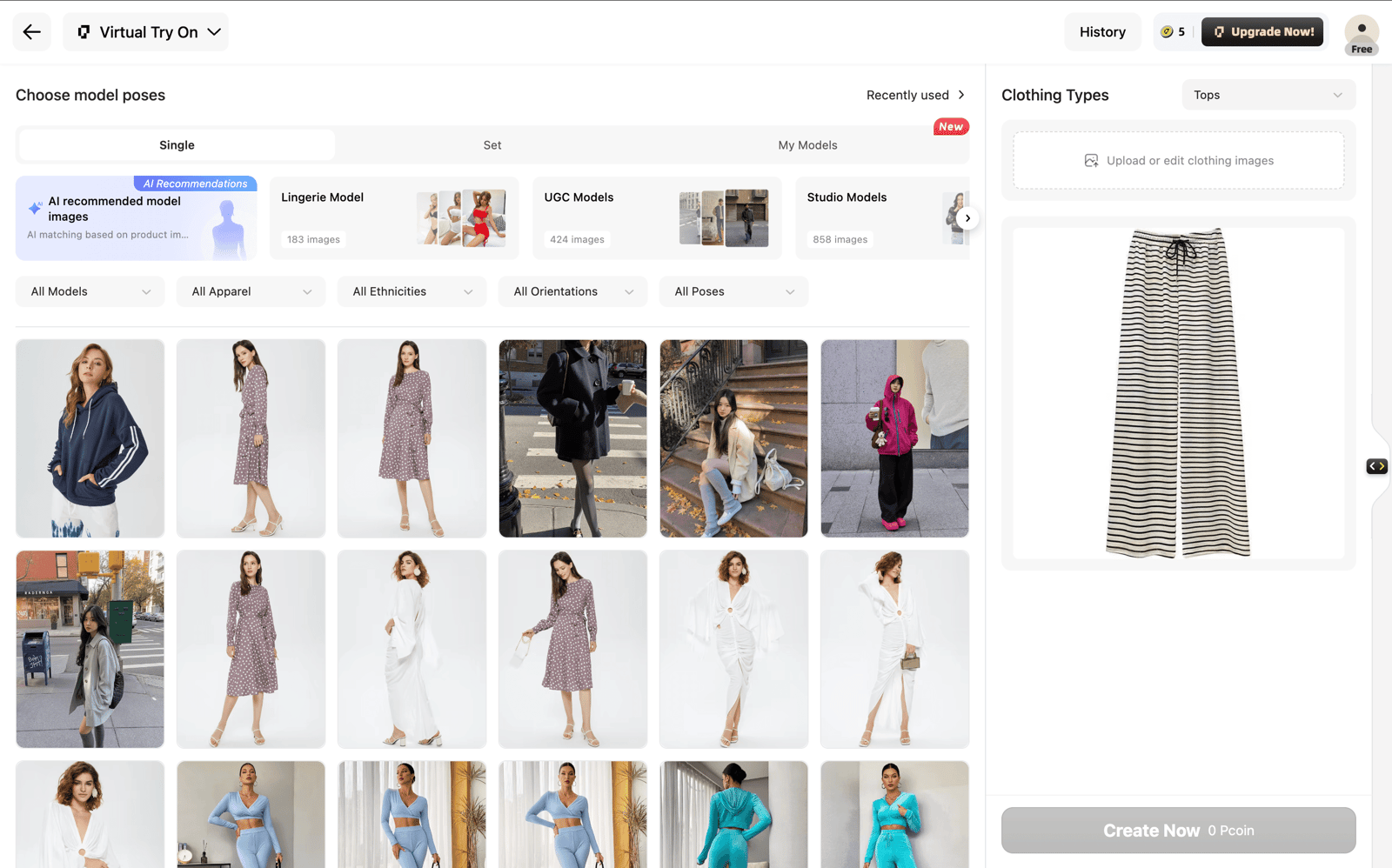
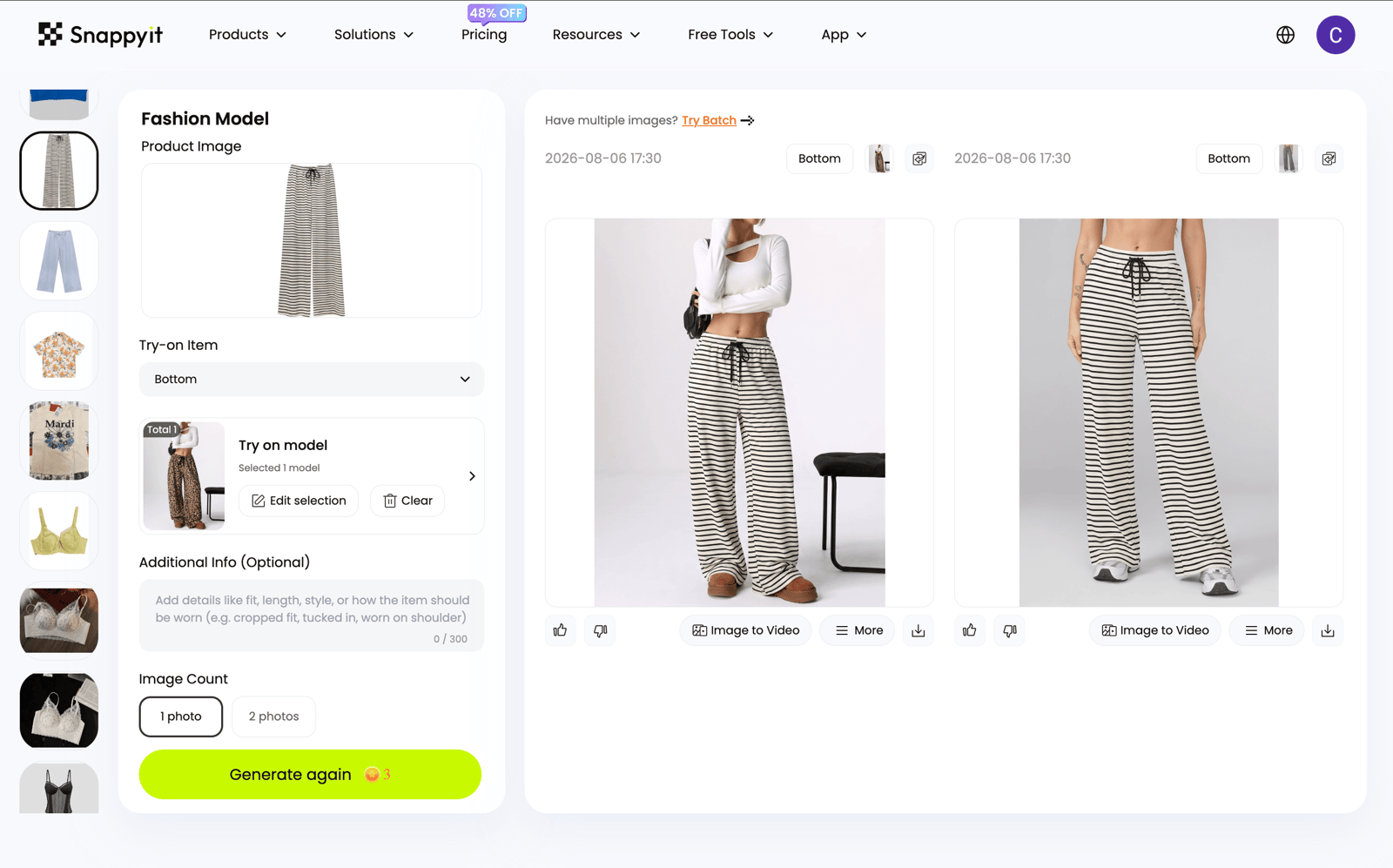
The two workbenchesCaptured during this test
Pic Copilot category try-on
The Pic Copilot glasses try-on workspace with the frame uploaded and the model library open
Pick the category, upload the product, pick a model. No prompt field. A run is 10 coins.
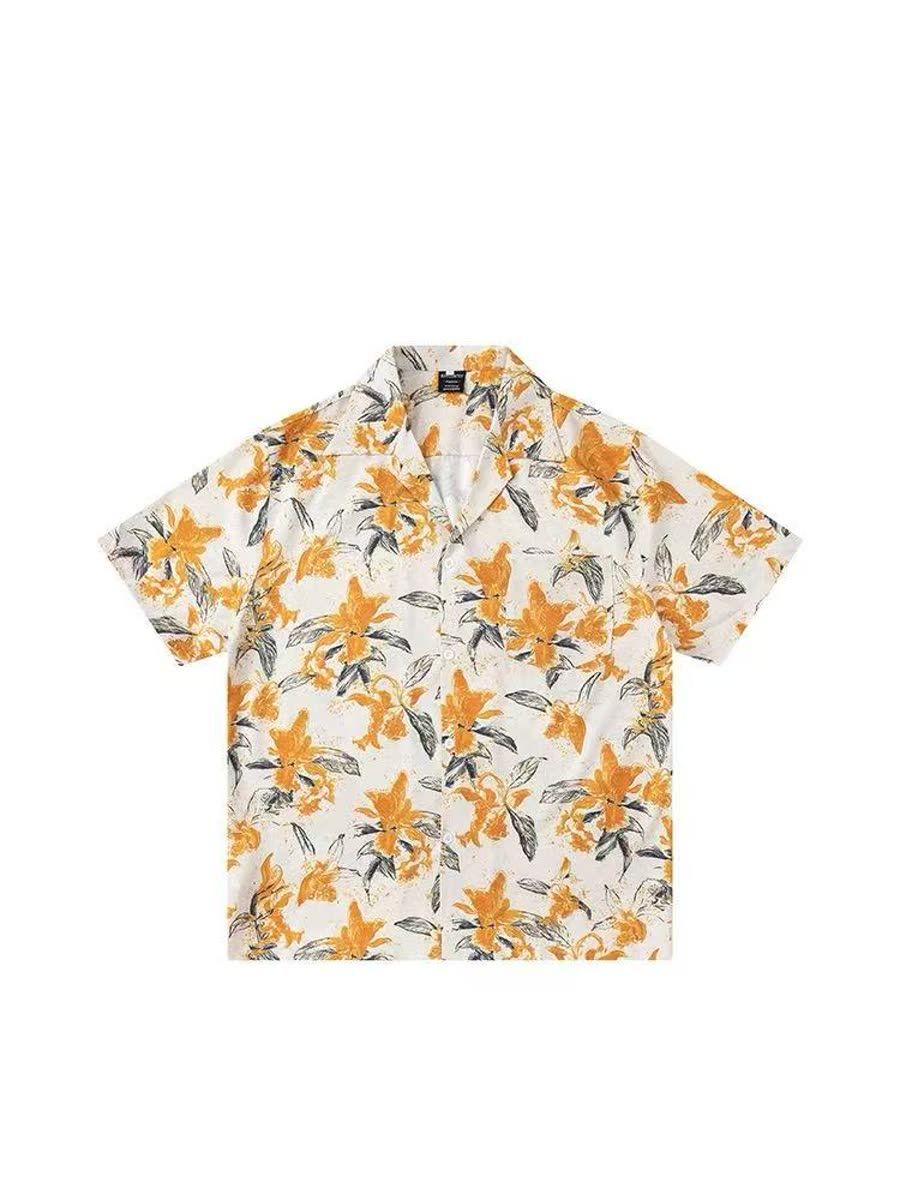
Product 1 · printed camp-collar shirtorange lilies on white, short sleeve
Input the product photo
A white short-sleeve camp-collar shirt photographed flat, printed with orange lilies and grey-green leaves
Open camp collar, chest pocket, orange lilies over grey-green foliage.
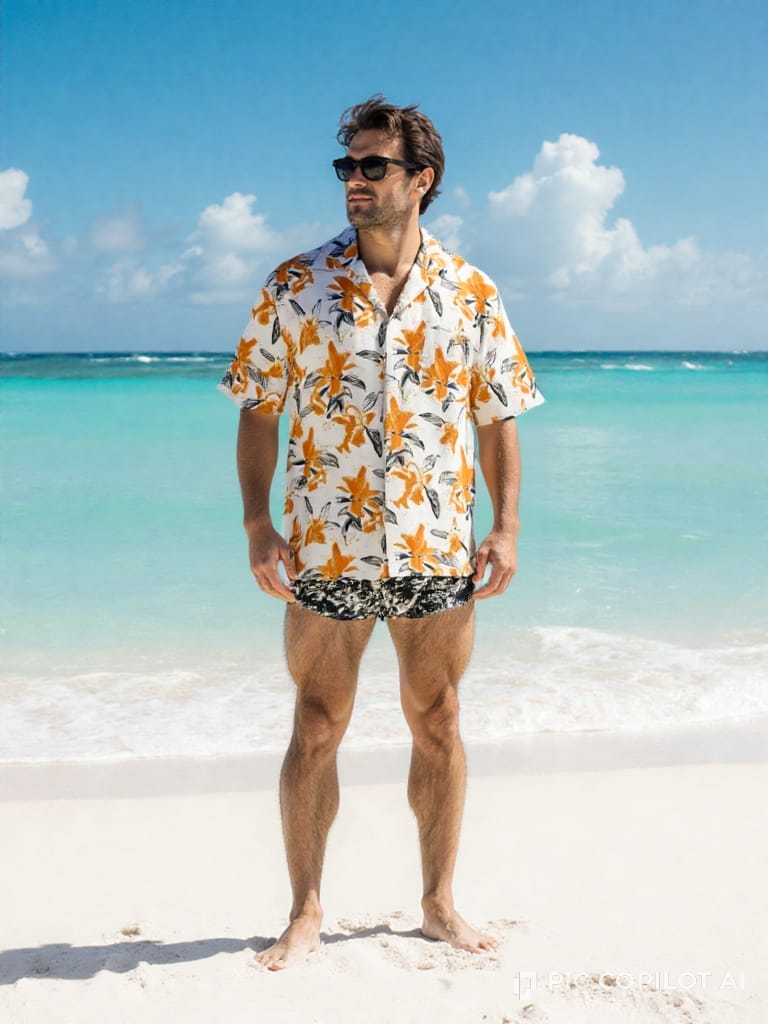
Pic Copilot result · first run
Pic Copilot result — the lily-print shirt worn open on a model on a beach, full length, watermarked bottom-right
Full-length beach scene, first try. Print scale and colour hold, and the camp collar keeps its shape.
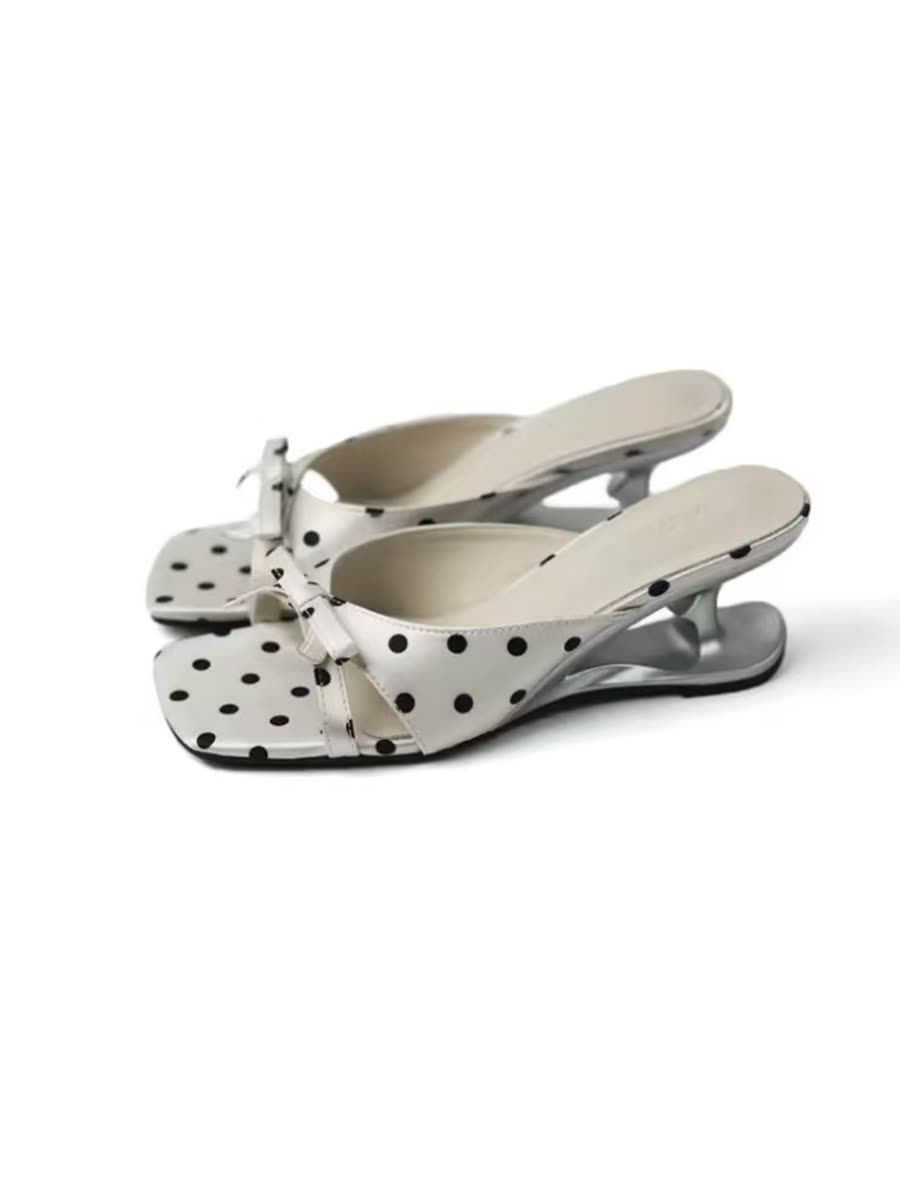
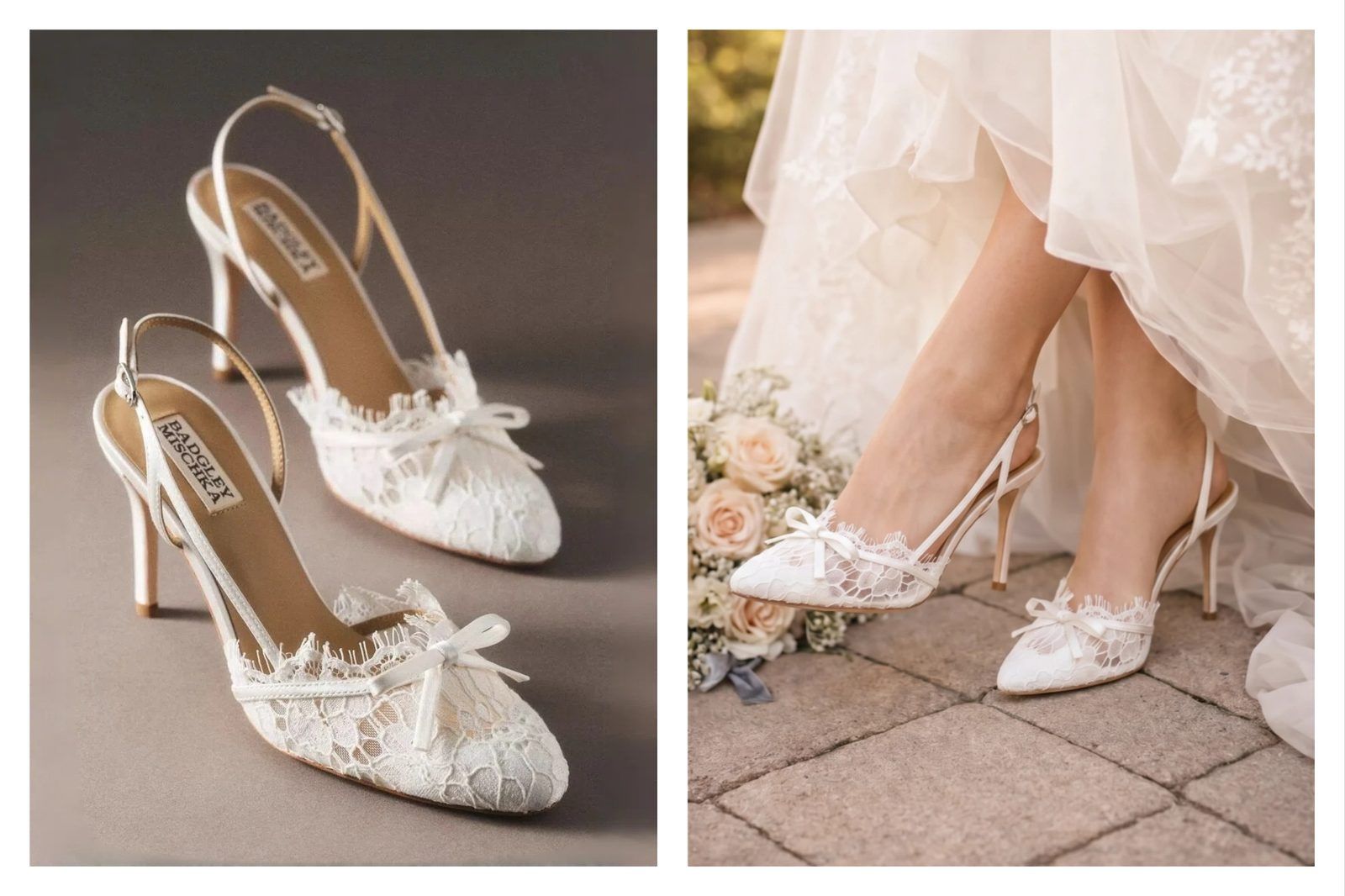
Product 2 · polka-dot muleswhite with black dots, silver sculpted heel
Input the product photo
A pair of white polka-dot mules with a bow and a silver sculpted wedge heel, photographed on white
Bow at the toe, square open front, and a silver sculpted heel that is easy to lose against a busy background.
Pic Copilot result · first run
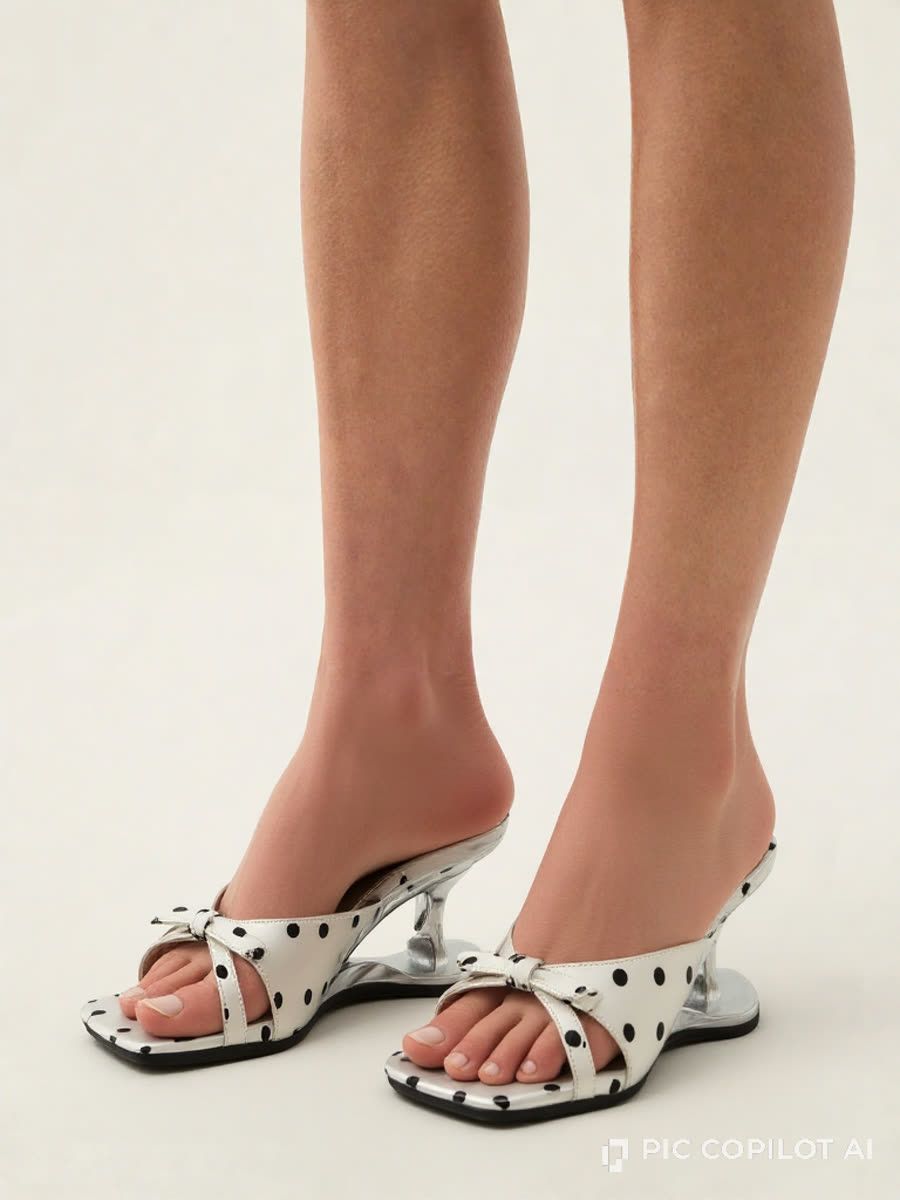
Pic Copilot result — the mules on a model cropped to the lower leg, the shoes filling most of the frame, watermarked bottom-right
The shoe is cropped well for a listing, with the dots, bow, and silver heel all clear. The feet are less convincing: the near foot has fused toes and a floating toenail, while the far foot’s nails sit too low. The errors are noticeable at this size.
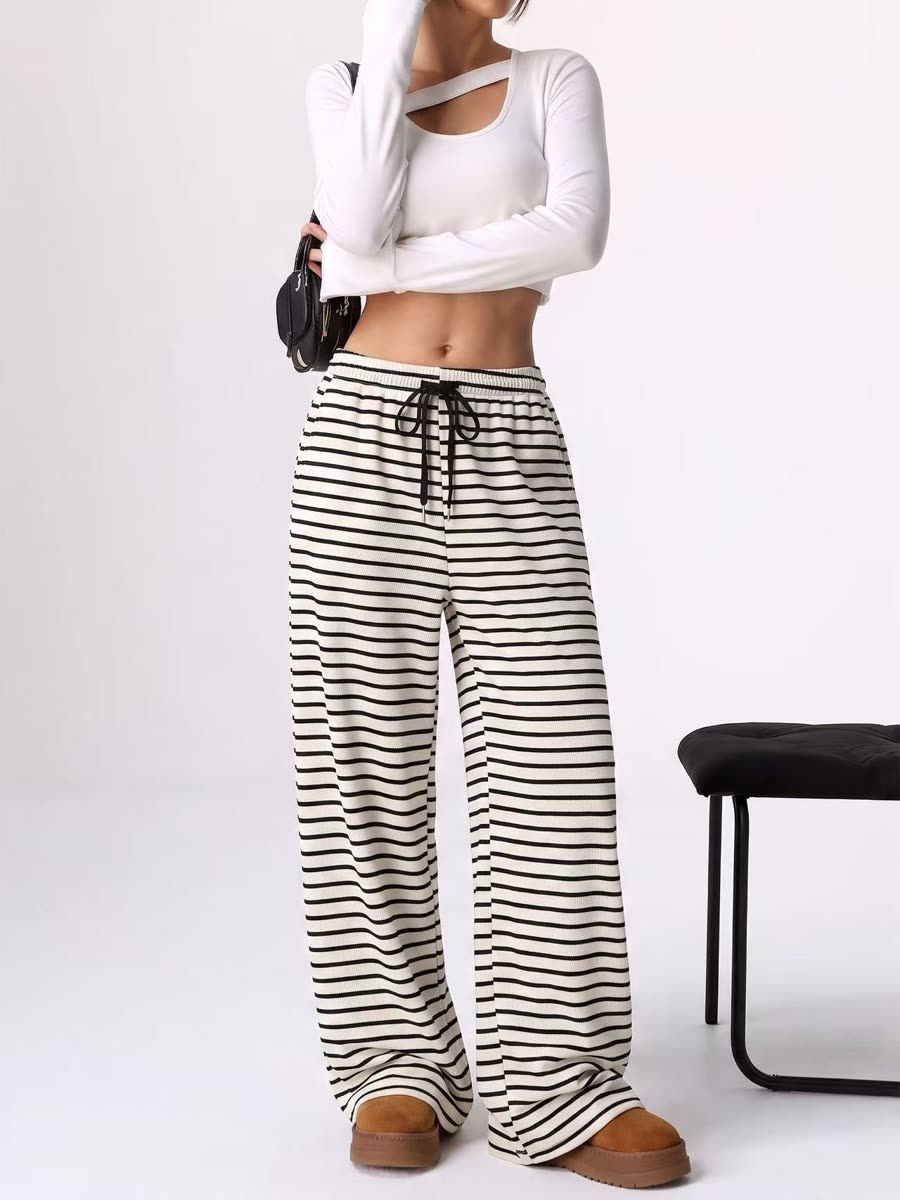
Product 3 · striped wide-leg trouserscream with fine black stripes, drawstring waist
Input the product photo
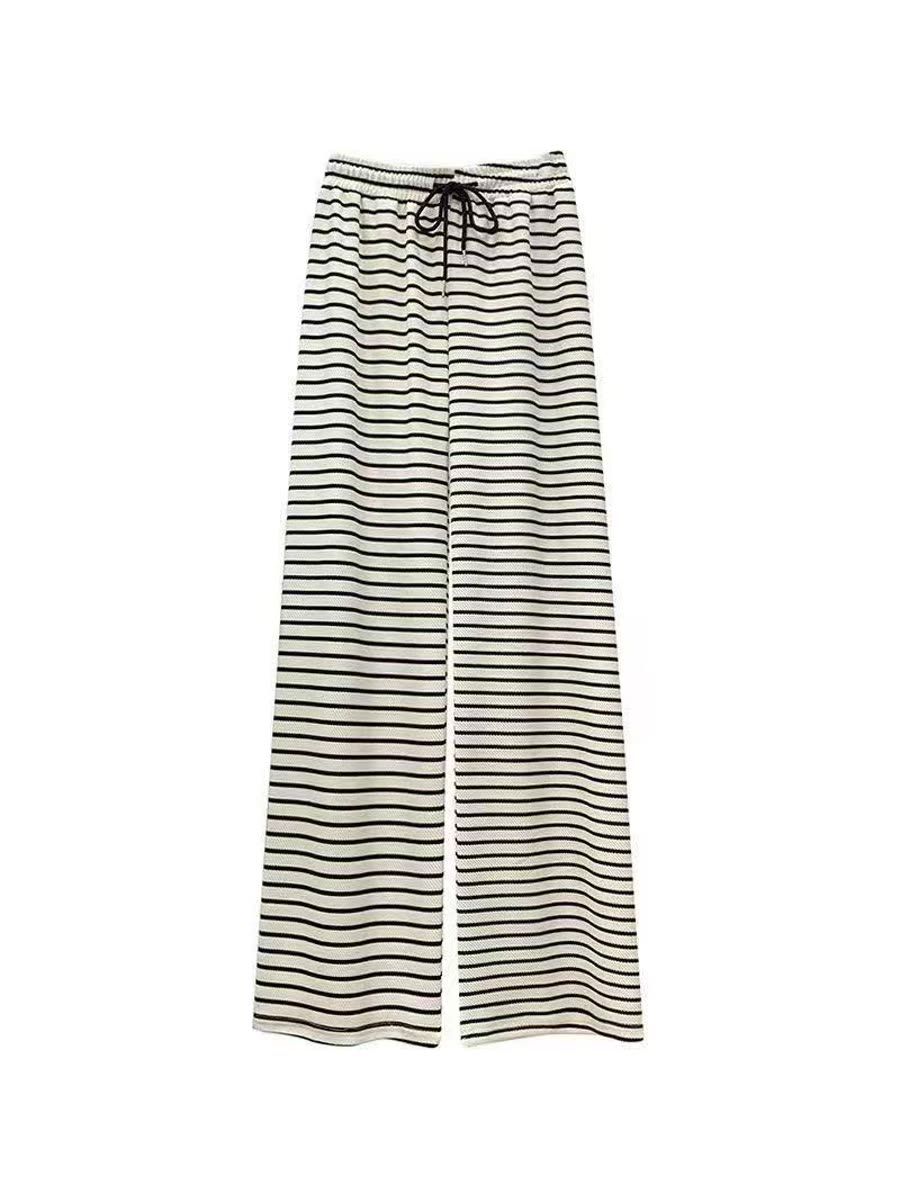
Cream wide-leg trousers with fine horizontal black stripes and a black drawstring, photographed flat on white
Cream ground, fine black stripes at an even spacing, black drawstring, and a full wide leg that stays wide all the way to the floor.
Pic Copilot result · first run
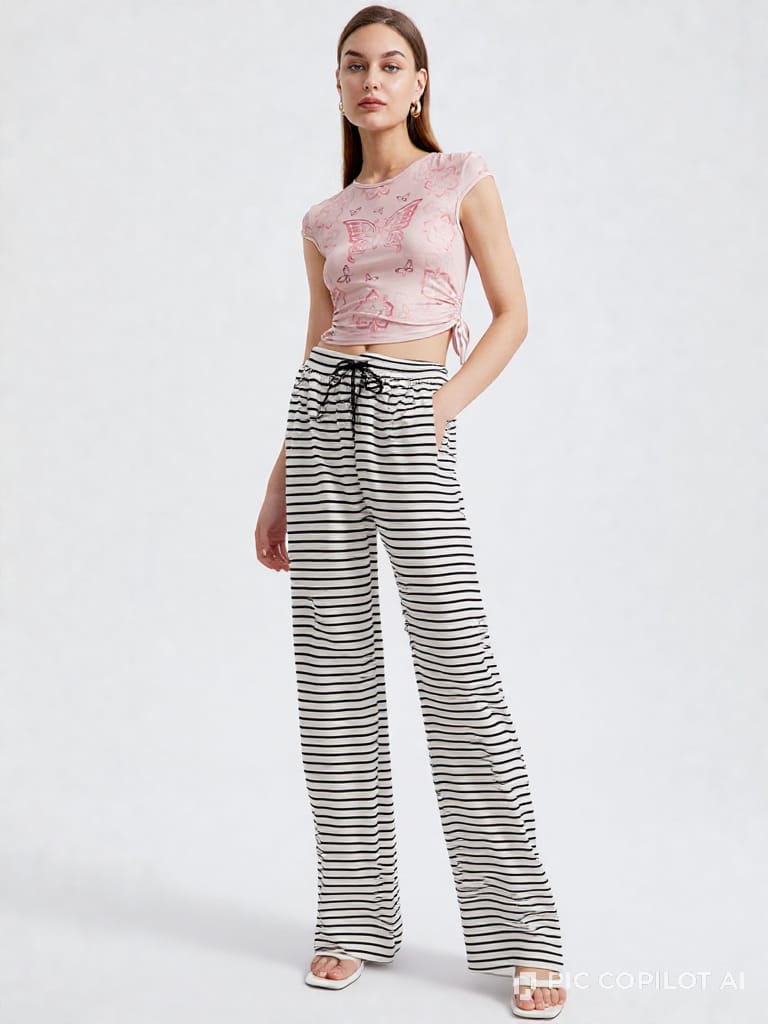
Pic Copilot result — the striped trousers on a model in a plain studio, full length, with the leg rendered narrower and the ground white rather than cream, watermarked bottom-right
Full-length studio shot, and the drawstring is right. The cream ground renders whiter, several stripes thicken or bend, and the lower-leg drape reads narrower than the flat product photo.

How we ran it

InputsOne product photo per item, used unchanged on both sides.
SettingsEach platform’s default model library; Snappyit’s Additional Info box was left blank.
MatchedModel identity, pose and framing were not matched, so this is a default-workflow test rather than a controlled A/B.
Result ruleFirst output only, shown at full frame with no crop, retouching or reroll; judged against the source product.
The verdict on five benchmarksThree products, one run each
BenchmarkPic CopilotSnappyit
Product fidelityThe shirt and mules held. On the trousers, the ground rendered whiter, several stripes thickened or bent, and the lower-leg drape appeared narrower than the source.All three held, including the cream ground, the stripe spacing and the leg width on the trousers.
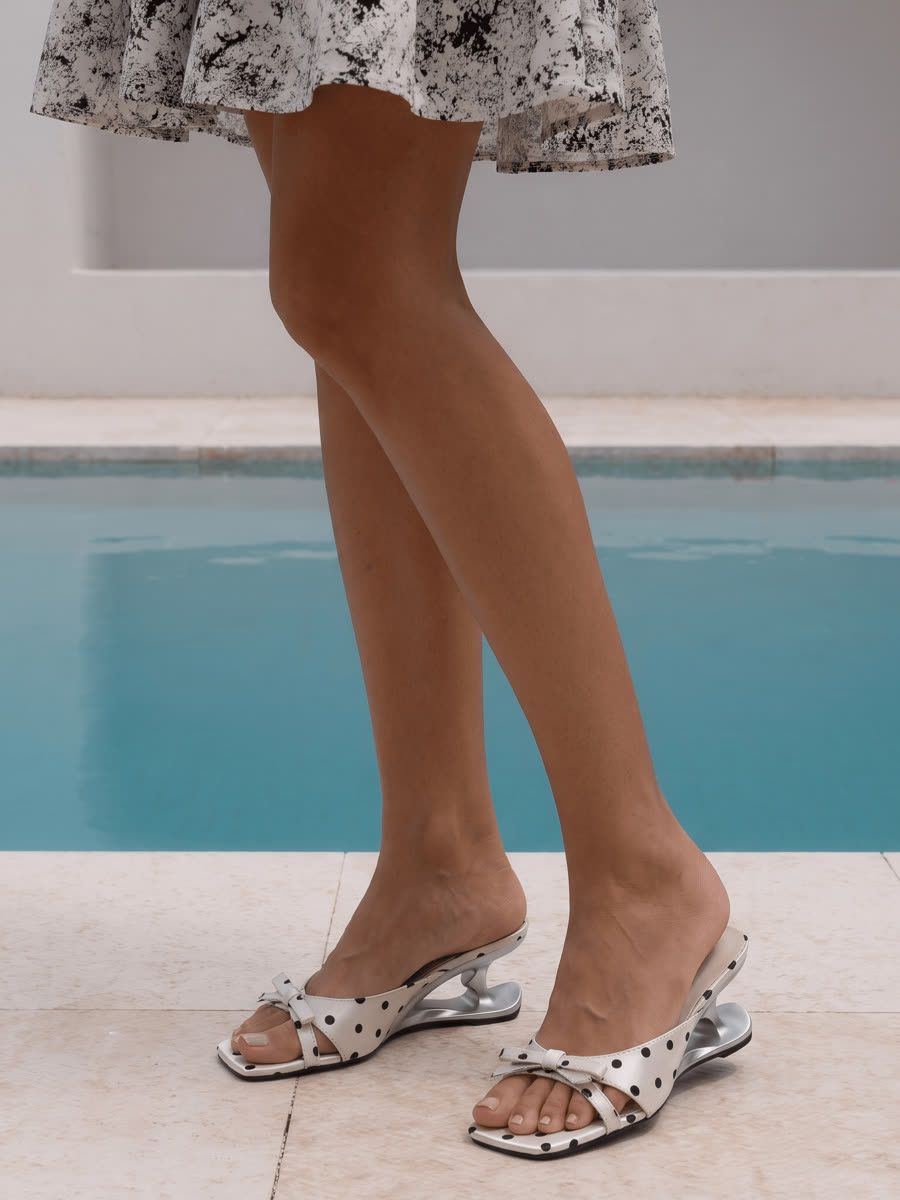
Framing and product sizeCrops to the product on its own. The shoe route returned a lower-leg crop with the mules filling the frame, which is what a shoe listing needs.Framing follows the scene, so the mules ended up smaller in a wider poolside shot.
The model, not the productThe tight shoe crop puts the feet front and centre, but they look noticeably artificial: the toes are fused on one foot, and the toenails sit too low on the other.The wider crop keeps the feet small, and they look natural close up: five distinct toes, nails correctly placed.
Speed and effortAll three returned on the first try in about a minute each, with no prompt to write.All three also returned on the first try. We did not record a comparable elapsed time; a free-text box is available to guide another run.
What you can publishTrial output carries a PIC COPILOT AI watermark in the bottom-right corner.Clean files at every tier, including the free credits.
Overall
Pic Copilot preserved the shirt and mule details and produced the tighter shoe crop. The trousers showed colour, stripe and drape changes, while the shoe crop exposed model-foot errors. Check pattern, silhouette and anatomy at full size.

Tests run August 2026 on snappyit.ai and piccopilot.com — three products, one run each, shown at full frame. Observations describe these tests, not general product performance.

Test a Pic Copilot alternative on your own product 6 free credits · no card · watermark-free downloads.
Generate a free try-on
The case that separates them

Pic Copilot Product-Fidelity Test: Eyewear Colour and Branding

A tortoise acetate frame tests colour, pattern and branding placement. Both tools completed the first run; only the Snappyit result retained those details in this test.
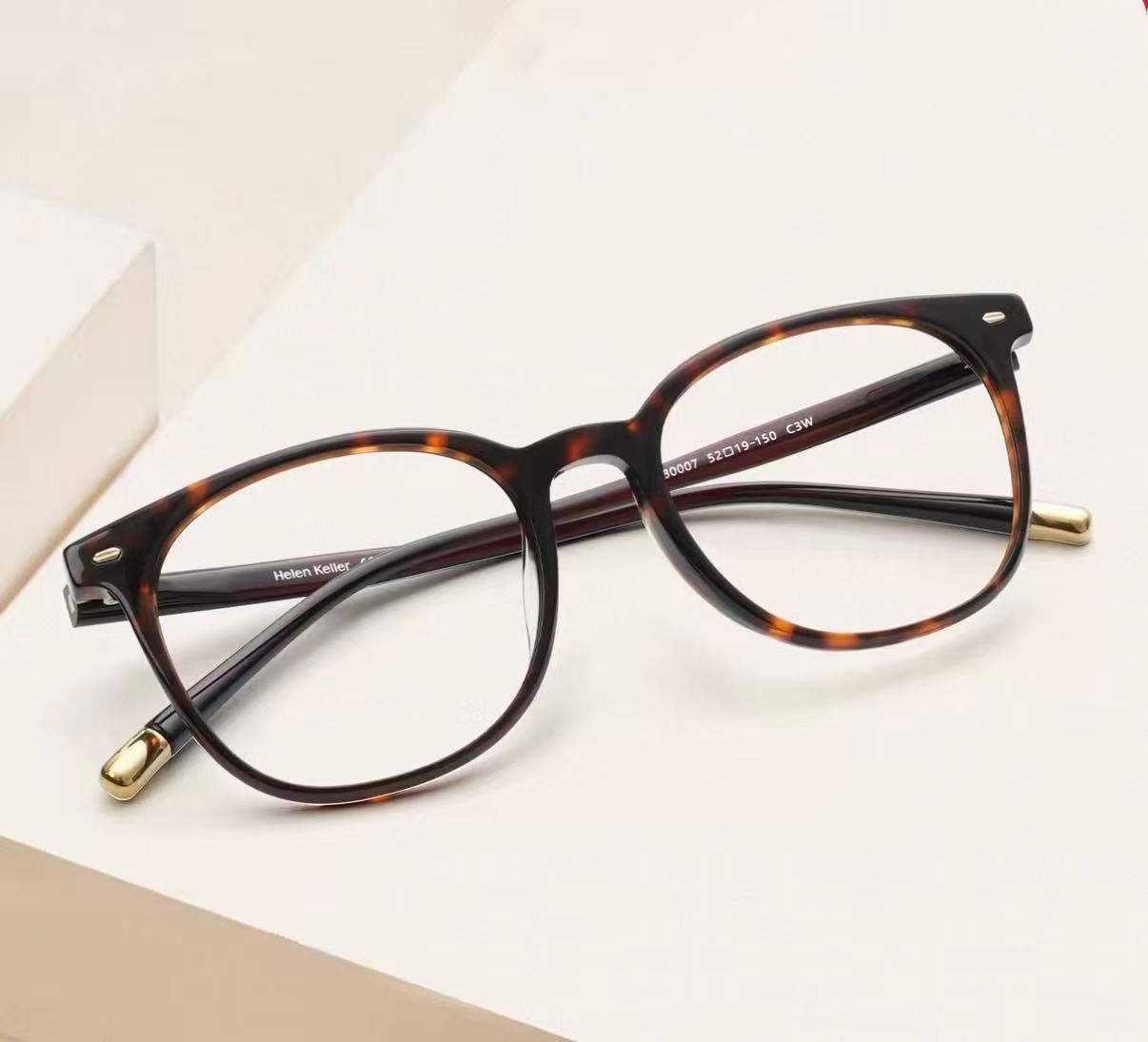
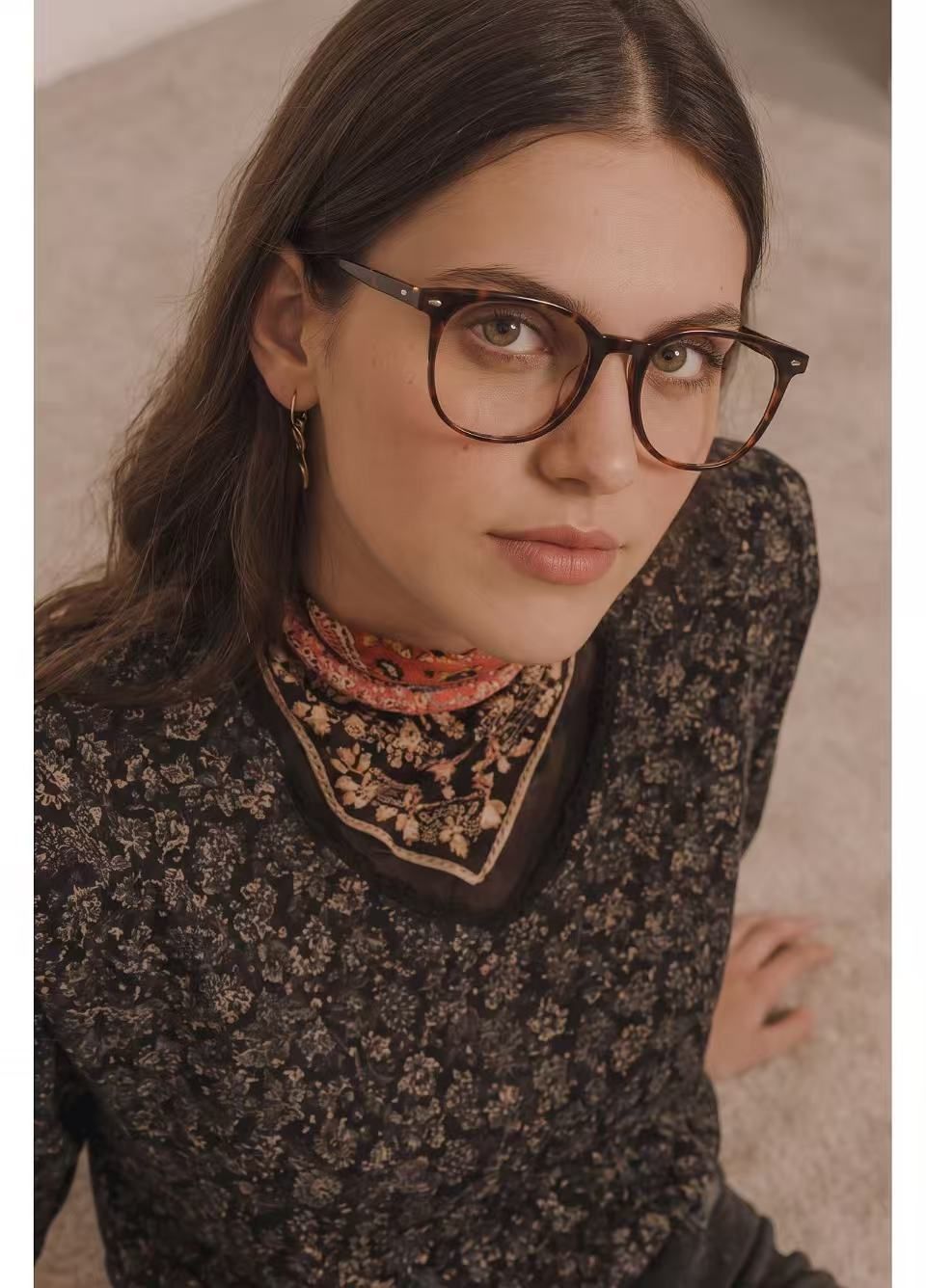
Product 4 · tortoise acetate optical frameround panto, amber and brown mottling
Input the product photo
A round tortoise acetate optical frame with amber and brown mottling, gold temple ends and Helen Keller printed inside the temple
Amber and brown mottling, gold rivets, and Helen Keller printed on the inside of the temple.
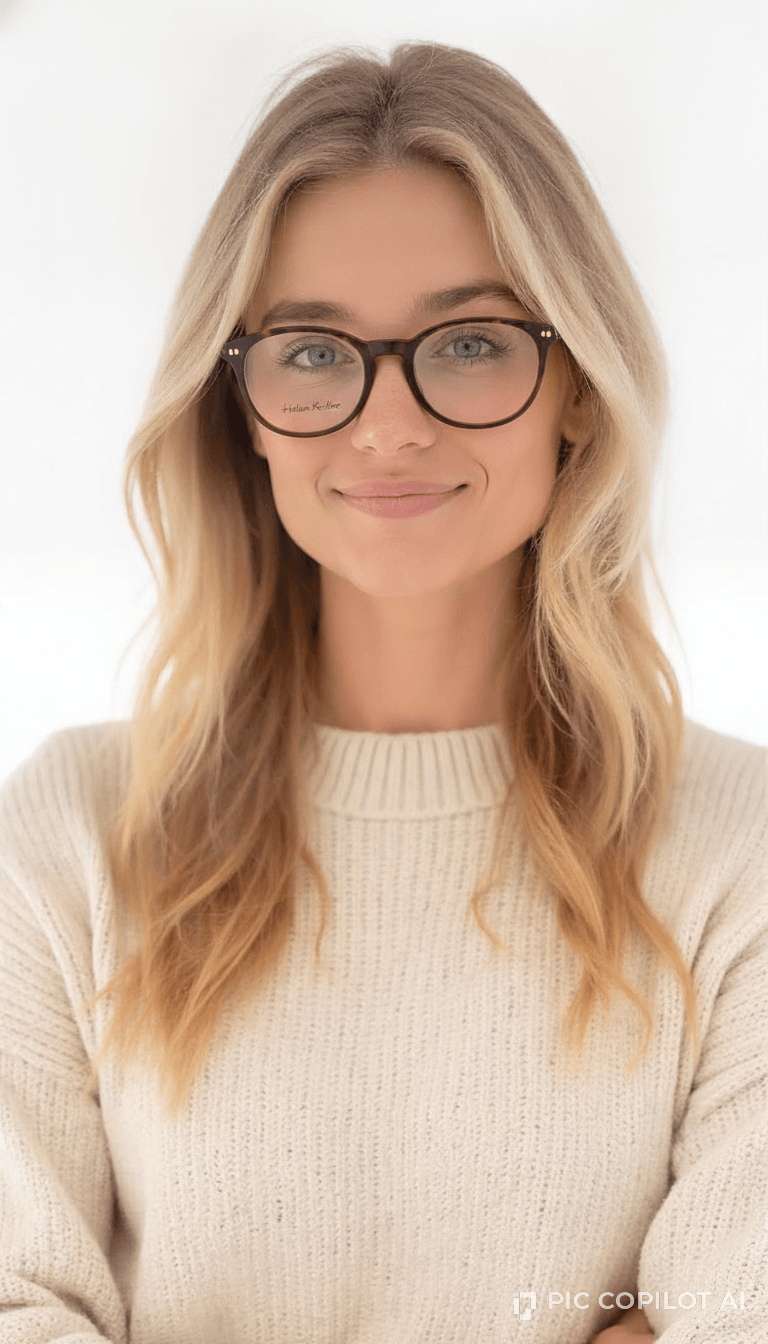
Pic Copilot result · first run
Pic Copilot result — the tortoise frame on a model in a plain studio, the acetate reading close to black, watermarked bottom-right
First try, about a minute, but two details are wrong: the acetate turned nearly black instead of amber and brown, and the brand name moved from the inside of the temple to the front of the left lens in a different font.
What the eyewear result shows
Pic Copilot’s output darkened the frame and moved lettering onto the lens. The tested routes had no free-text correction; the available options were to change the model or pose, use Custom, or rerun. Check small branding at full size whichever tool you use.

Eyewear test run 24 August 2026, one run each because of the free-coin limit. Both files shown at full frame, no retouching — open them at full size to see the lettering on the lens.

Inside the workflow

How Pic Copilot Virtual Try-On Works

Pic Copilot separates apparel, shoes and accessories into guided routes, keeping setup short and model choices focused.

StepWhat you do
Pick the routeVirtual Try On for apparel, Virtual Try On Shoes for footwear, or Virtual Try On Accessories for glasses, hats, bags and jewelry
UploadThe product photo. For shoes it detects the type and narrows the models to match
Pick a modelFilter by gender, facing and pose, or take one of the scene-sorted presets. Custom lets you upload your own
GenerateAbout a minute. 10 coins a run, no prompt needed
Where the shortcuts run out
The glasses route showed eight preset faces, while Custom lets you upload a model. In our test, batch covered background and watermark removal; other batch routes were not evaluated.
The rest of the checklist

Pic Copilot Pricing, Features and Alternatives

Our account snapshot showed lower Pic Copilot unit prices; Snappyit added free-text guidance and more adjacent catalogue tools.

Decision areaPic CopilotSnappyit
Fit and access
Who it is built forMarketplace sellers wanting fast, category-specific product imageryEcommerce sellers: clothing, footwear, jewelry and accessories
Displayed paid entryPro, $6.66/month in our 27 Aug account captureBasic, $8.20/month on annual billing
Free tier25 coins to trial, about two images; output is watermarked6 credits, no card, no watermark
Feature checklist
Garment onto a model✓ Virtual Try On✓ AI Fashion Model
Category-specific routes✓ Virtual Try On Accessories covers glasses, hats, bags, earrings and necklaces, and shoes get their own Virtual Try On Shoes— one model tool, plus a separate Jewelry Model
Free-text prompt— no prompt field✓ Additional Info, up to 300 characters
Ghost mannequin—✓ Ghost Mannequin
Flat lay clean-up—✓ AI Flat Lay
RecolorNot listed on the public homepage reviewed 2 Sep 2026; verify in the current account✓ AI Color Change
Image to video✓✓ Image to Video
BatchThe tested interface covered background and watermark removal; other routes not tested✓ up to 100 photos, any tool
What a run costs you
Credits per image10 coins an imageVaries by tool: 1 credit for a 1K ghost mannequin, 3 for an on-model image or a flat lay, 8 for a five-second video
Roughly per image$0.13 on Pro, $0.06 on Pro+$0.13 to $0.21 for an on-model image, depending on plan; less on the tools that cost fewer credits
WatermarkOn trial output, bottom-right cornerNone, at any tier

Pic Copilot account snapshot 27 Aug 2026 · USD

Rates displayed in our account on annual billing. Ten coins bought one image in the tested routes; region and promotion may change the price.

Free25 coins to trial~2 images, watermarked
Pro$6.66/mo annual · 500 coins/mo~50 images → $0.13 an image
Pro+$12.42/mo annual · 2,000 coins/mo~200 images → $0.06 an image
  

Snappyit plans, same maths 27 Aug 2026 · USD

Annual-billing monthly rates. Every tool on every tier, unused credits roll forward for up to six months while the subscription is active.

Free$0, no card · 6 credits2 images, clean files
Basic$8.20/mo annual · 120 credits~40 images → $0.21 an image
Standard$18.90/mo annual · 360 credits~120 images → $0.16 an image
Pro$34.90/mo annual · 800 credits~266 images → $0.13 an image
Read that honestly

Pic Copilot was cheaper per image in this snapshot. Snappyit cost more at lower tiers but offers free-text guidance for another run; weigh correction control against unit price.

Pricing captured 27 August 2026 from our account; Pic Copilot’s public page was rechecked 2 September 2026 but rendered dynamic $0 placeholders in its server HTML. USD, annual-billing monthly rates. Check Pic Copilot pricing and Snappyit pricing before buying. Pic Copilot is a trademark of its respective owner; this independent comparison is not affiliated with or endorsed by Pic Copilot.

Decision guide

Is Snappyit the Right Pic Copilot Alternative for You?

Choose by category fit, unit cost, correction controls and the other catalogue images you need.

Choose Pic Copilot when …

You prefer guided category routes. Apparel, shoes and accessories each have their own presets.

The displayed unit price matters most. Our August account capture worked out to about $0.06–$0.13 per image.

You are comfortable rerunning instead of writing a correction. The tested routes let you change the model or pose, use Custom where available, or generate again.

Choose Snappyit when …

You want text guidance for another run. Additional Info lets you name colour, print, branding or trim that must stay intact.

You need clean trial files. Six new-user credits cover two AI Fashion Model images, with no card or watermark.

You need more than on-model images. The same account also covers ghost mannequin, flat lay, recolour, batch editing and fashion video.

FAQ

Pic Copilot Alternative FAQ: Pricing, Watermarks and Product Fidelity

Answers are limited to our August 2026 tests and account snapshot.

Pic Copilot gives new accounts 25 coins, which at 10 coins an image is about two runs, and the trial output carries a PIC COPILOT AI watermark in the corner. Snappyit gives new accounts 6 credits with no card, about two on-model images at 3 credits each, and those files are clean at every tier.
In our 27 August 2026 account capture, Pic Copilot displayed Pro at $6.66 a month for 500 coins and Pro+ at $12.42 for 2,000 on annual billing. At 10 coins a run, that was about $0.13 and $0.06 per image. Snappyit displayed $8.20 a month for 120 credits; a 3-credit on-model run was about $0.21 at entry and $0.13 on Pro. Prices can vary by region or promotion, so verify both official pricing pages before buying.
In two of our four first-run tests, Pic Copilot changed material product details: the trousers shifted in colour, stripe and drape, while the eyewear changed colour and branding placement. The shirt and mule product details held, although the shoe result had model-foot errors. This is a small sample, so compare every full-size output with its source before publishing.
No free-text field appeared in the routes we tested: you pick a category, model and pose, then generate. If the result is wrong, you can change those selections, upload a custom model where available, or rerun, but you cannot describe a targeted correction in text. Snappyit has an Additional Info box of up to 300 characters for details such as an acetate shade or a print that must stay intact.
Trial output carries a PIC COPILOT AI watermark in the bottom-right corner. It is a corner mark rather than a tiled overlay, so it is less intrusive than some, but it is still there on anything you generate before subscribing. Snappyit does not watermark at any tier.
Use a real product with difficult details such as a repeating print, small branding, trim or a distinctive silhouette. Run the same original through each tool, keep the first result and compare it at full size. Check watermark and correction options as well as price; Snappyit’s 6 credits cover two on-model tests.

Test a Pic Copilot Alternative on a Difficult Product

Start with a product whose colour, print or branding is easy to verify. Six free credits cover two watermark-free on-model tests, with no card required.
More Pic Copilot Alternatives and Virtual Try-On Guides