





On this page
Quick verdict: which app should you try?
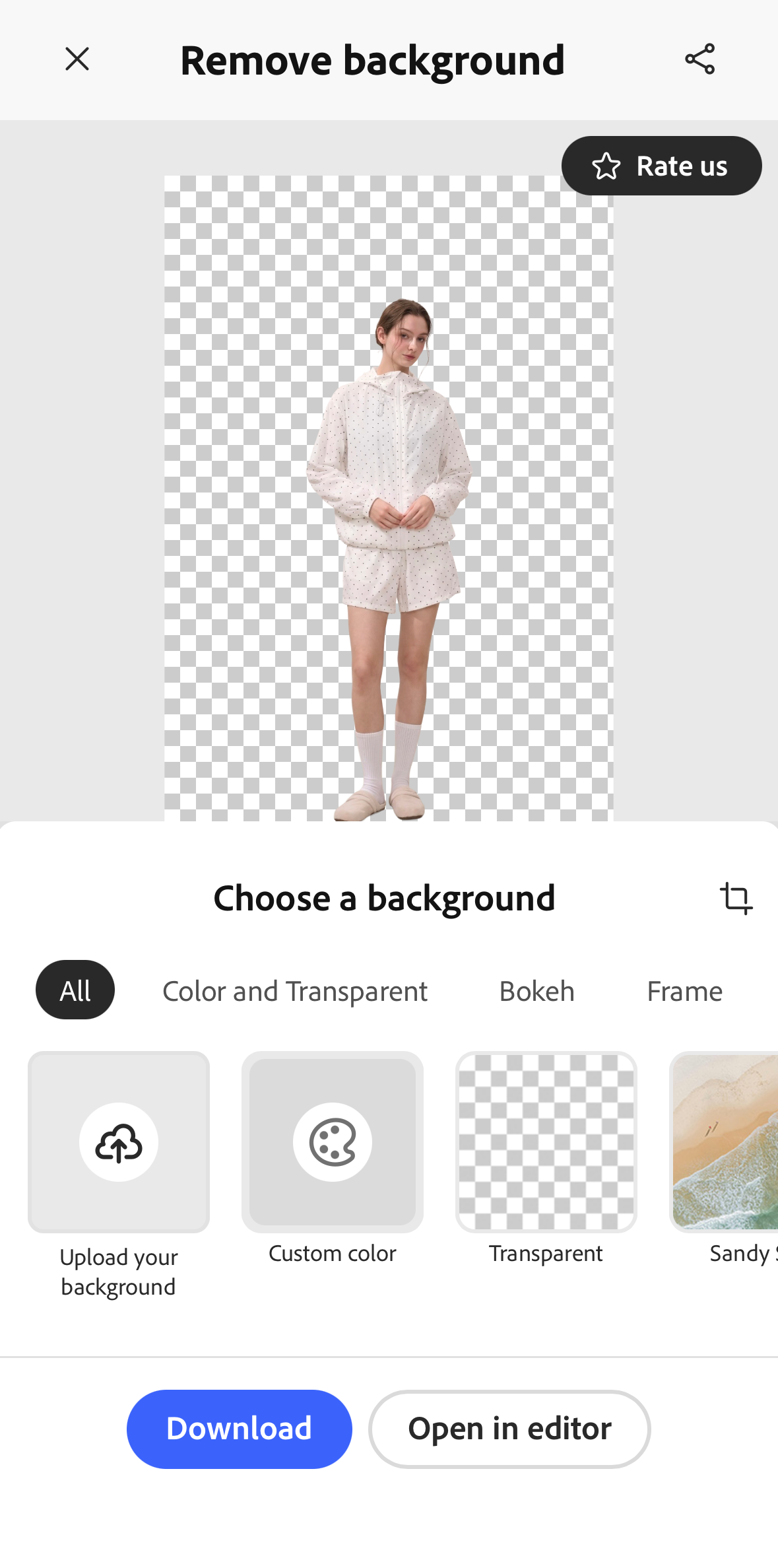
- For unmarked transparent cutouts: compare Snappyit and Adobe Express. Both saved transparent files without a visible app watermark in this test. Snappyit also removed the tape and string above the shirt; Adobe Express retained them.
- For separating clothing from nearby props: Photoroom and Pixelcut isolated all four socks from the tray and glass. Photoroom saved unmarked white-background JPGs; commercial use requires a paid plan. Pixelcut saved transparent PNGs with its brand mark.
- For open-knit clothing: check the openings, thin ties, and label at full size whichever app you choose. These four photos show specific strengths and weaknesses, rather than one winner for every product photo.
Free background removal: formats and watermarks
All five tools removed backgrounds for free. Here is what the tested workflows saved.
On a narrow screen, scroll the table sideways to see all columns.
| App | Saved format | Transparency | App watermark | Free-use note |
|---|---|---|---|---|
| Snappyit | Transparent PNG | Alpha channel present | None visible | No subscription or credits needed for background removal. |
| Photoroom | White-background JPG | No alpha channel | None visible | Free accounts are personal, non-commercial only. |
| Pixelcut | Transparent PNG | Alpha channel present | Visible brand mark | Check the removal allowance shown in your account. |
| Adobe Express | Transparent PNG | Alpha channel present | None visible | The tested photo cutout workflow was free. |
| Bazaart | Transparent PNG | Alpha channel present | Visible brand mark | The tested free PNGs included a Bazaart mark. |
These are the files saved in this test, rather than every export option an app may offer. A transparent PNG is useful for new backgrounds and designs; a white JPG suits a finished white-background image. Check file dimensions and visible marks before listing. See our guide to removing backgrounds without losing quality for more export checks.
Listing second-hand clothes on eBay, Depop, or Poshmark often starts with photos taken at home. A shirt hangs against a bedroom wall; socks sit on a bed beside a tray or glass. When you need to remove the background from clothing photos, retaking every shot adds another job to an already busy listing process.
A free background remover app can help you turn those shots into cleaner product photos with a white or transparent background. For resellers, the useful questions are practical: does it keep the clothing intact, remove the clutter, and save a file you can use without an app watermark?
We tried Snappyit, Photoroom, Pixelcut, Adobe Express, and Bazaart on the same four clothing photos. Below, you can compare the results, scan each app’s pros and cons, and check its export format and watermark. Each review also covers the wider feature set and paid plans, so you can decide whether the app fits your other photo-editing needs.
How we tested the background remover apps
We used four shared photos: a model in pale clothing, a blue shirt on a hanger, an open-knit cardigan, and four socks surrounded by props. Together, they test clothing edges, fine details, and the tool’s choice of what to keep.

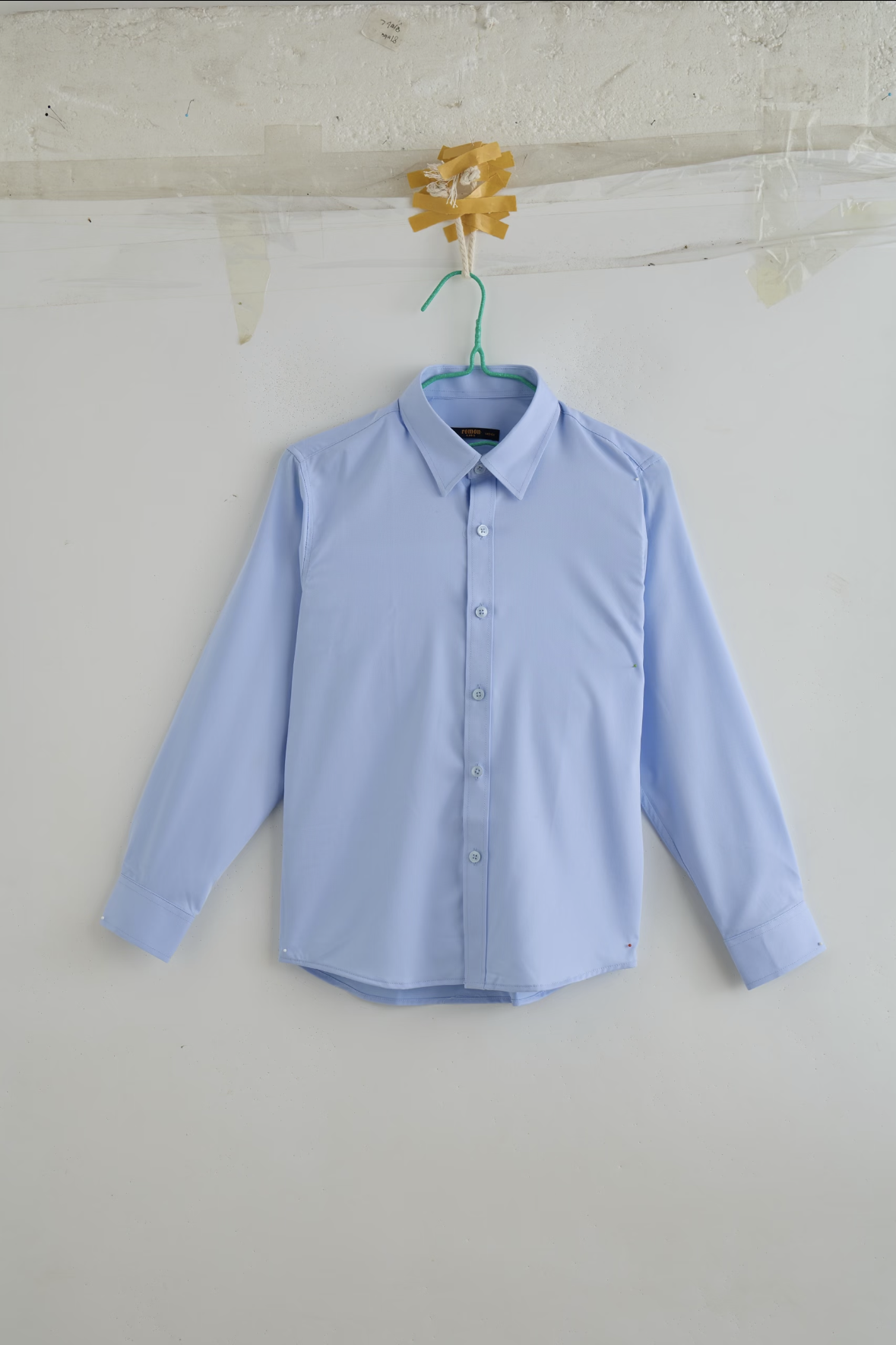
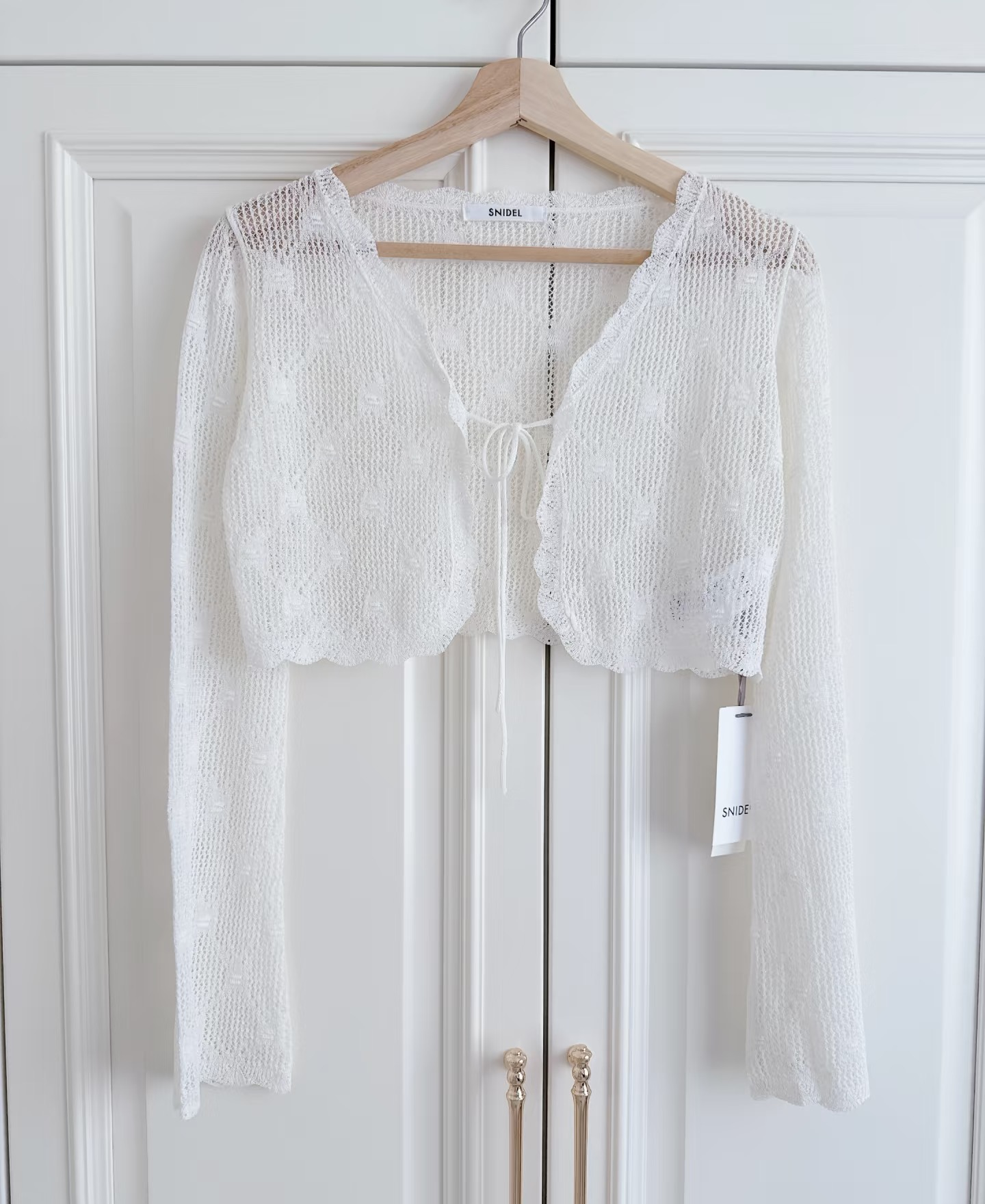
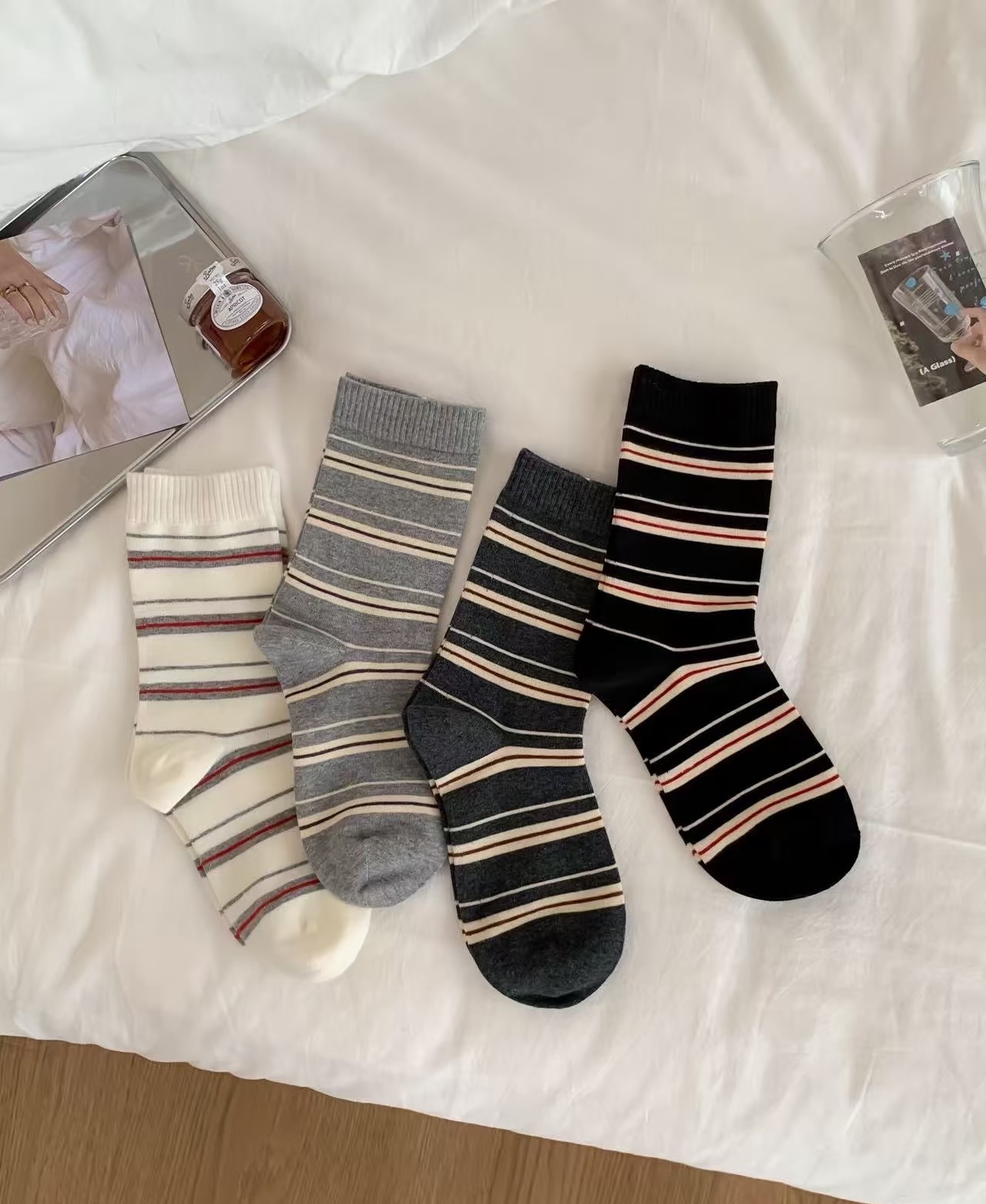
Every app received the same inputs on iPhone. We compared the automatic cutouts and saved files, including retained props, fine details, format, and watermarks. Background removal was free in all five workflows. For browser-based options, see our free background removal tools comparison.
Select a result to enlarge it beside the original. The comparison view offers checkerboard and dark backdrops for inspecting transparent edges.
Feature and pricing information was checked on November 2, 2026. Photoroom, Pixelcut, and Bazaart prices reflect the offers displayed in their U.S. iPhone apps; Snappyit and Adobe Express prices use U.S. App Store listings. Annual plans are billed for the full year, even when the displayed rate is per week. Other features are described from official listings; the photos below test automatic background removal.
1. Snappyit
Snappyit focuses on product photography, with ghost mannequin images, AI fashion models, flat lays, wrinkle removal, recoloring, jewelry retouching, and image-to-video tools. For clothing sellers, that means one app can cover both a simple cutout and other ways of presenting an item. Background removal itself needs no credits. App details.
Pros
- Transparent cutouts with white, color, and gradient background choices.
- Removed the shirt’s wall tape and string while keeping its shape and details.
Cons
- The tray stayed in the socks cutout.
- Fine knit, the lower tie, and pale edges need closer checking.
Best for: Clothing sellers and fashion brands creating ghost mannequin, on-model, and flat lay images from existing product photos.
Plans and pricing
- Basic: US$12.99/month or US$98.99/year.
- Standard: US$29.99/month or US$229.99/year.
- Pro: US$49.99/month or US$419.99/year.
These are the subscription tiers listed in the U.S. App Store. The app also sells credit packs for its other AI tools. If you only need the free background remover, a subscription is not required. U.S. iOS plans.
View the app interface
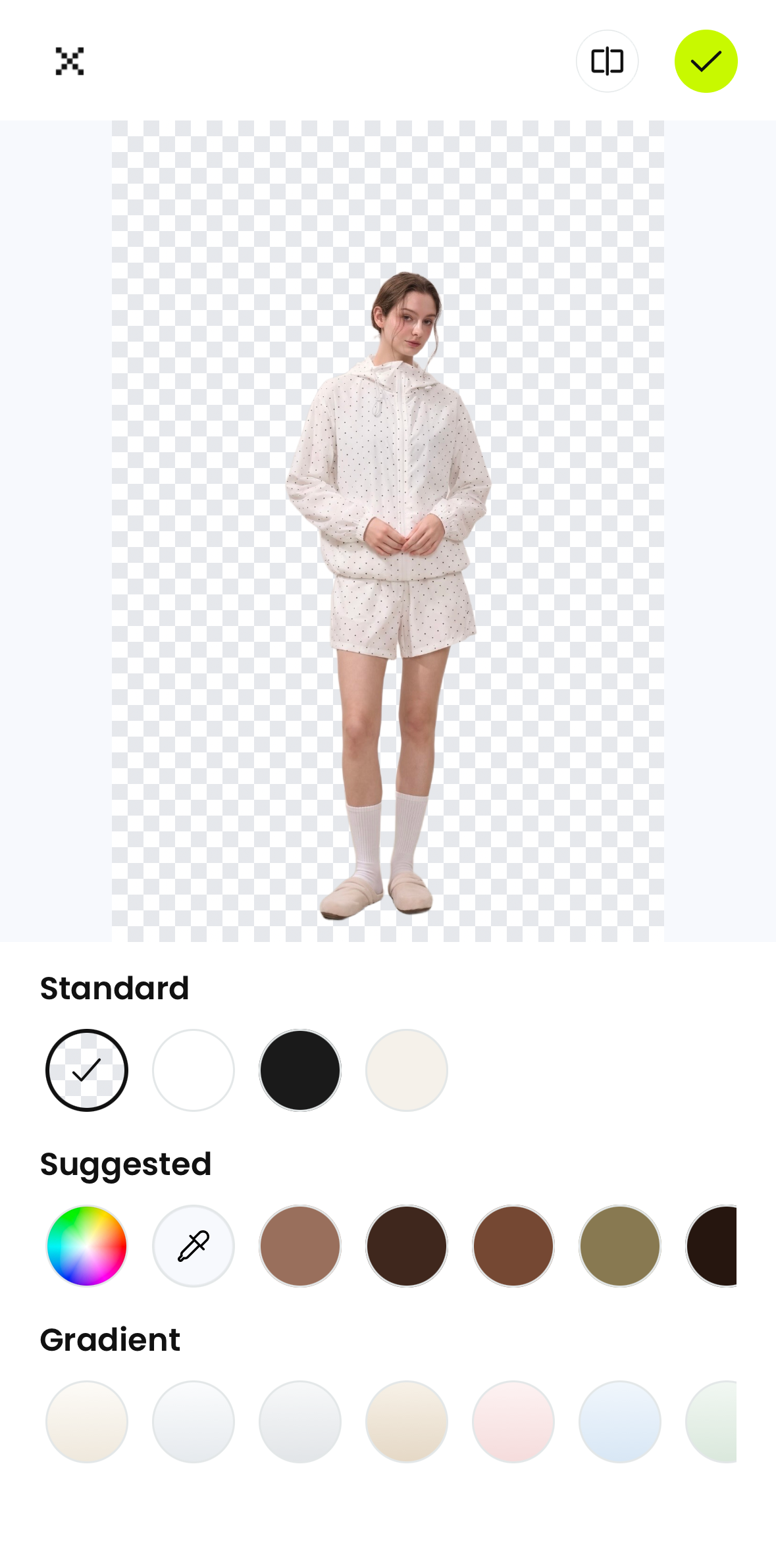
2. Photoroom
Photoroom combines background removal with product-photo editing: background replacement, shadows, text, resizing, and batch editing. It also offers AI scenes, fashion models, ghost mannequins, flat lays, and product videos. The wider toolkit is relevant when you want consistent listing images across a catalog; access and usage limits depend on the plan. App details.
Pros
- Removed both props around the four socks.
- Kept the cardigan’s long tie and hanging label.
Cons
- Our saved files had a white canvas; check export settings if you need transparency.
- Hangers remained, and fine knit still needs inspection.
Best for: E-commerce sellers preparing regular product listings who need batch editing, consistent backgrounds, and image sizes suited to different marketplaces.
Plans and pricing
- Free: Background removal was available in this test; free accounts are for personal, non-commercial use under Photoroom’s published terms.
- Pro: US$12.99/month or US$89.99/year.
- Max: US$34.99/month or US$249.99/year.
- Ultra: US$99/month or US$990/year.
The annual Pro, Max, and Ultra options include a 7-day free trial; the monthly options have no free trial. Paid tiers offer different AI-credit and export allowances. For selling, its commercial-use terms matter alongside the price. U.S. iOS plans.
View the app interface
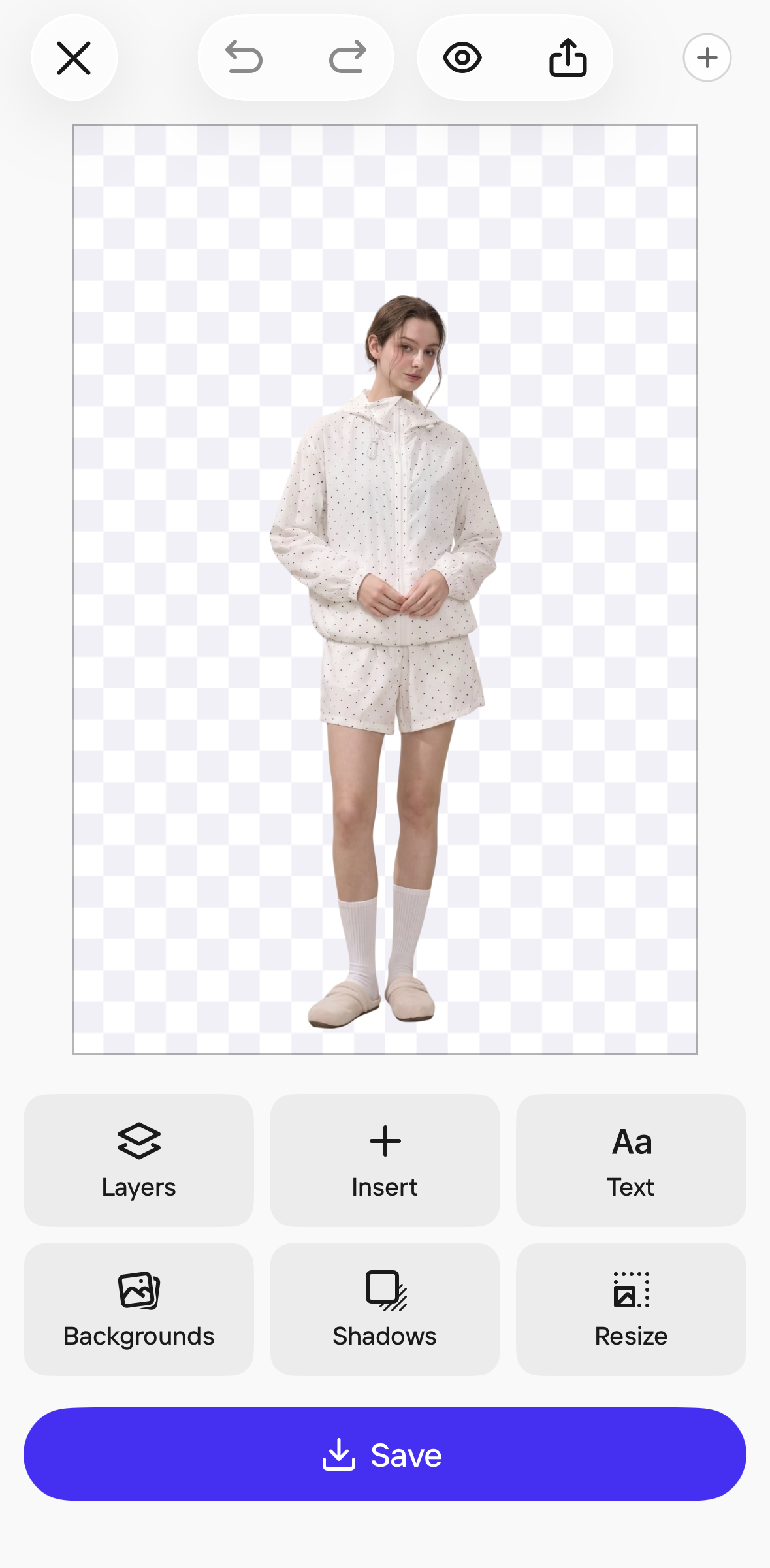
3. Pixelcut
Pixelcut includes a background remover, a brush for refining cutouts, Magic Eraser for unwanted objects, image upscaling, AI backgrounds, shadows, and listing or social templates. Batch editing can help with repeated product-photo tasks. Its broader AI tools also cover recoloring, virtual try-on, ghost mannequins, and image or video generation, with access depending on the plan. App details.
Pros
- Separated all four socks from the tray and glass.
- Exported transparent cutouts and retained the cardigan’s tie and label.
Cons
- The free account includes 10 background removals; our free exports carried a Pixelcut watermark.
- Hangers remained; fine-knit openings still need checking.
Best for: Sellers and creators who want to retouch product photos, upscale images, and generate new product backgrounds with AI.
Plans and pricing
- Free: 10 background removals and starter AI credits. Our saved free iPhone PNGs carried a Pixelcut mark.
- Pro, annual billing: Displayed as US$1.72/week, billed annually, with a 3-day free trial. The weekly figure is an equivalent rate; payment is for the annual plan.
- Pro, weekly billing: US$7.99/week, with no free trial.
Pro expands access to Pixelcut’s editing and AI tools. Compare the weekly option with the annual commitment, especially if you only have a few listing photos to prepare. Pro feature overview.
View the app interface
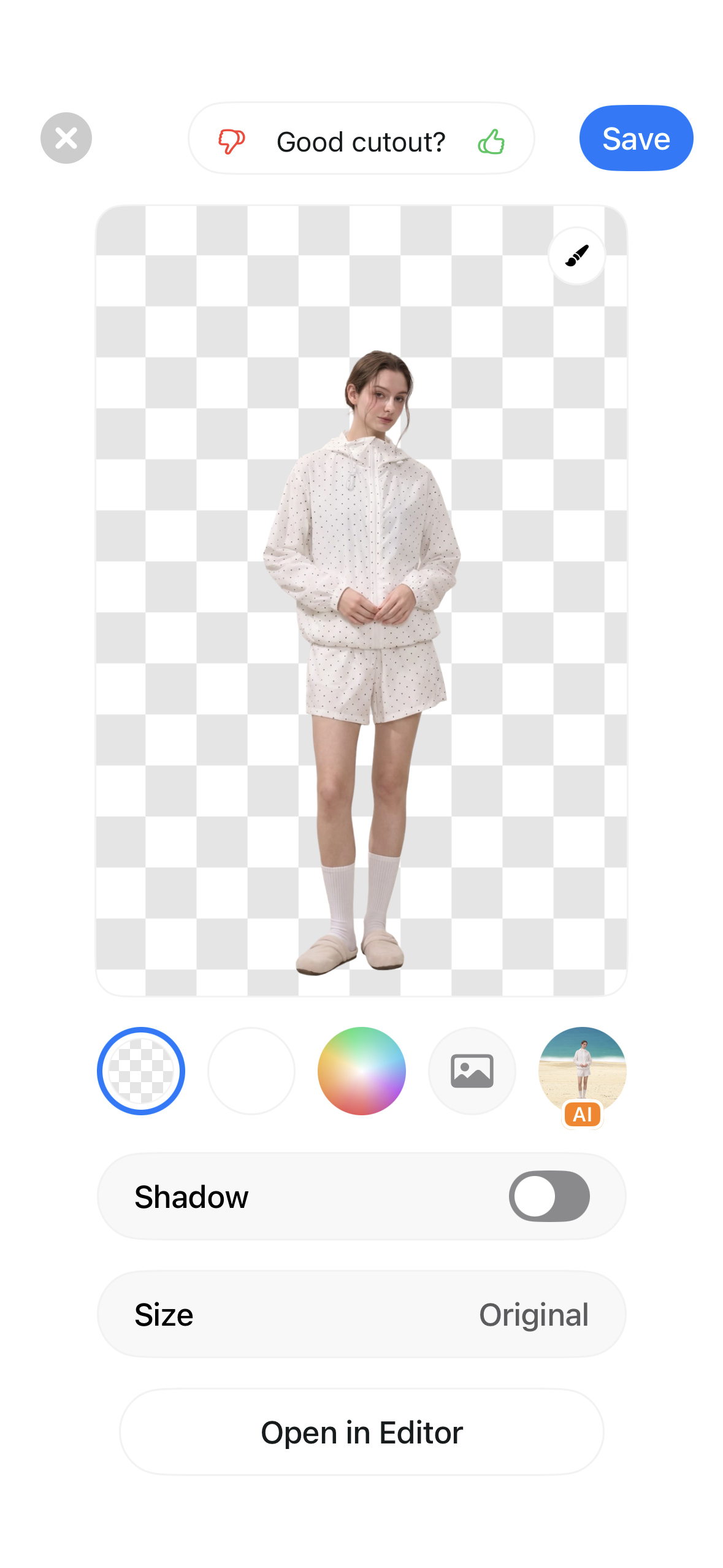
4. Adobe Express
Adobe Express is a general design app for turning product cutouts into social posts, flyers, and short videos. It combines photo adjustments and background removal with templates, text, stock assets, and video editing. Brand kits and resizing tools help adapt the same product visual for different channels, with some tools reserved for Premium. App details.
Pros
- Saved transparent PNGs without a visible app watermark.
- Offers background choices and a route into the design editor.
Cons
- The shirt’s wall tape and string stayed in the cutout.
- Both surrounding props remained in the socks image.
Best for: Small businesses and social media teams turning product photos into branded posts, flyers, and short videos with templates and brand kits.
Plans and pricing
- Free: Includes the photo background-removal workflow used here.
- Express Premium: US$9.99/month or US$99.99/year in the U.S. App Store.
Premium adds premium templates and stock assets, brand kits, one-click design resizing, video background removal, and 250 generative credits each month. For a plain product cutout, the free workflow may be all you need; Premium is more relevant when you also create branded marketing content. Premium features.
View the app interface
5. Bazaart
Bazaart combines cutouts with a layered photo and design editor. You can refine selections, combine images, add text and graphics, adjust colors, and add shadows. Its wider toolkit includes AI backgrounds, object removal, photo enhancement, and batch editing. This makes it a candidate for product collages and promotional designs as well as isolated product photos. App details.
Pros
- Exports transparent cutouts for layered designs.
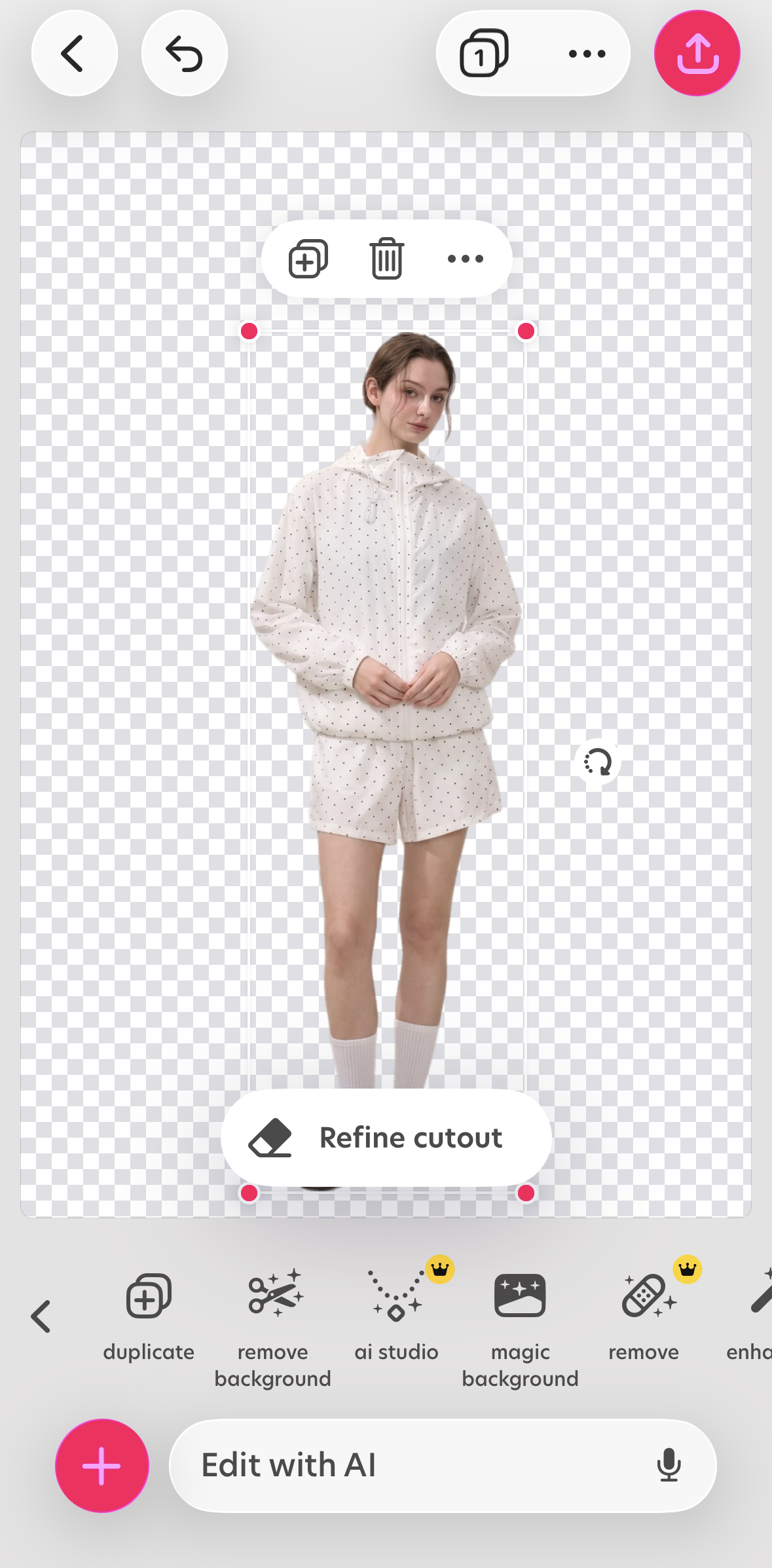
- Includes a Refine cutout control for additional cleanup.
Cons
- The free exports carried a Bazaart watermark.
- Both props remained; the cardigan lost its fine lower tie and part of its label.
Best for: Creators and small-business owners combining photos, text, and graphics into collages, posters, and social media visuals.
Plans and pricing
- Free: Background removal was available in this test, with a Bazaart mark on the saved PNGs.
- Premium: US$14.99/month or US$83.99/year. The annual option includes a 3-day free trial.
- Super: US$29.99/month or US$59.99 every 3 months.
Premium adds exports without a watermark, design content, batch editing, and 250 AI credits per month. Super includes those features, with 1,000 monthly AI credits and AI video tools. For sellers, compare the export you need with the extra AI features before choosing a tier. Paid editing features.
View the app interface
How clothing sellers should choose an app
For a white-background listing image, Photoroom is worth comparing: it removed the props around the socks in this test and saved an unmarked JPG. Factor in a paid plan for commercial use. For reusable, unmarked transparent cutouts, compare Snappyit and Adobe Express. Pixelcut also separated the socks from both props, with a watermark in the saved PNG.
For occasional second-hand listings, start with the cutout and export you actually need. For regular catalog work, weigh batch editing and credit allowances against the full subscription cost. Snappyit’s wider tools focus on product and clothing presentation; Adobe Express and Bazaart also suit promotional layouts. A longer feature list only helps when it covers work you do regularly.
Choose using the photos you take most often. Keep fabric texture, color, and visible wear accurate when preparing second-hand listings. All five shirt results retained the hanger; for another clothing presentation, see our ghost mannequin app comparison. You can also try the Snappyit app as part of your product photo editing workflow. For marketplace-specific examples, see our Depop and Poshmark clothing photo guide.
Background remover app FAQ
-
What is the best background remover app for product photos?
Choose around your recurring photos and the file you need. In this four-photo test, Photoroom and Pixelcut isolated the socks without the surrounding tray and glass. All five tools still needed checks on fine knit details. A clean subject selection, usable edges, export format, and watermark all matter.
-
Can I remove product photo backgrounds for free on my phone?
Yes. Background removal was free in the five tested apps: Snappyit, Photoroom, Pixelcut, Adobe Express, and Bazaart. Pixelcut’s free account includes 10 background removals. The saved files differed: Pixelcut and Bazaart exports carried their brand marks, while the other saved results had no visible app brand watermark. Free access and permission to use an app for selling are separate: Photoroom limits free accounts to personal, non-commercial use. The free online background remover is another option when you prefer to work in a browser.
-
Which apps exported transparent PNG files in this test?
Snappyit, Pixelcut, Adobe Express, and Bazaart produced PNG files with transparency. The Photoroom examples saved in this test were white-background JPEGs. That observation describes these saved files rather than every export option in Photoroom. Our background removal quality guide explains what to check after export.
-
Does removing a background also remove hangers and props?
Automatic tools decide what to include in the foreground. All five blue-shirt results retained the green hanger. Adobe Express and Bazaart also retained the tape and string above it. In the socks scene, Photoroom and Pixelcut removed both surrounding props, Snappyit retained the tray, and Adobe Express and Bazaart retained both the tray and glass. Our ghost mannequin app comparison covers another way to present hanging clothing.
-
Why are open-knit clothes difficult to cut out?
Open-knit material mixes fine threads with small areas of the original background. A tool may preserve the outer garment and visible texture while leaving pale backing inside the openings, or remove thin ties and labels. Inspect those areas at full size on the intended new background.
-
Should product images use transparent PNG or white-background JPG?
A transparent PNG is useful as a reusable cutout for new backgrounds and designs. A white-background JPEG is useful when the final placement needs a solid white canvas. Check the marketplace requirements, image dimensions, product framing, and saved file before publishing. Use the marketplace image size guide to check dimensions for your listing.
-
When is a paid photo-editing app worth considering?
Consider a subscription when its other tools solve work you repeat: batch editing, creating on-model or ghost mannequin images, building branded designs, or making product videos. Check the full annual charge, monthly AI-credit allowance, export limits, and the plan’s usage terms. If you only need a simple cutout, compare the free results and saved files first. Our product photo editing guide can help you decide which other edits your listings need.
References
- Snappyit mobile app. The result images and interface in this article come from the tested app workflow.
- Photoroom: How to use Background Remover. Official background-removal documentation.
- Pixelcut: How to Remove Backgrounds. Official mobile workflow and refinement guidance.
- Adobe Express: Remove image backgrounds on mobile. Official mobile instructions and transparent export guidance.
- Bazaart: AI background remover. Official background-removal workflow.
- U.S. App Store feature descriptions and in-app purchase listings: Snappyit, Photoroom, Pixelcut, Adobe Express, and Bazaart. Checked November 2, 2026; several apps list multiple subscription offers.
- Photoroom plan guide and Free accounts and commercial use. Paid tiers and the scope of the Free plan.
- Photoroom, Pixelcut, and Bazaart U.S. iPhone subscription offers, checked November 2, 2026. These provide the plan names, prices, billing periods, trial offers, and Pixelcut free background-removal allowance quoted above. Pixelcut’s annual option is displayed at an equivalent US$1.72/week; no annual total is inferred from that rounded figure.
- Adobe Express plan comparison and Bazaart subscription features. Features included with paid upgrades.
- Four source photos, five mobile interface screenshots, and twenty automatic exports used for this comparison. Format, transparency, and watermark observations refer to these saved files.